Freya Yang
+86 18318948097
+852 62667476
7 Inch Custom Stretched Touch Display Panel for Smart Devices
Model P/N
Size
Resolution
Brightness
Viewing Angle
Connector Type
Operating Temp
Overall(mm)
huisoar
HS0701Q424
Brand
Panel Size (inch)
Model P/N
Resolution
Brightness (nits)
Viewing Angle
Contrast Ratio
Response Time
Overall (mm)
Active Area (mm)
Refresh Rate
Display Colors
Panel Type
Connector Type
Surface Treatment
Operating Temp
Touchscreen Type
Storage Temp
Work Mode
Pixel Format
Weight (g)
Operating Environment
Designed For
7 Inch Custom Stretched Touch Display Panel for Smart Devices
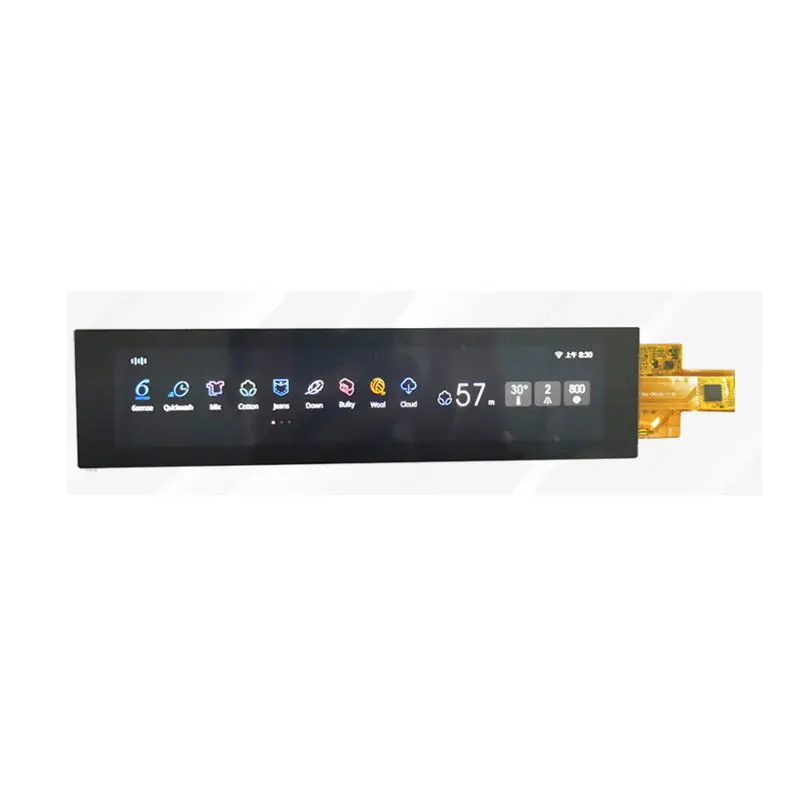
A narrow 280 × 1424 IPS TFT platform with 30-pin MIPI input, selectable luminance and an optional capacitive-touch configuration.
Product Summary
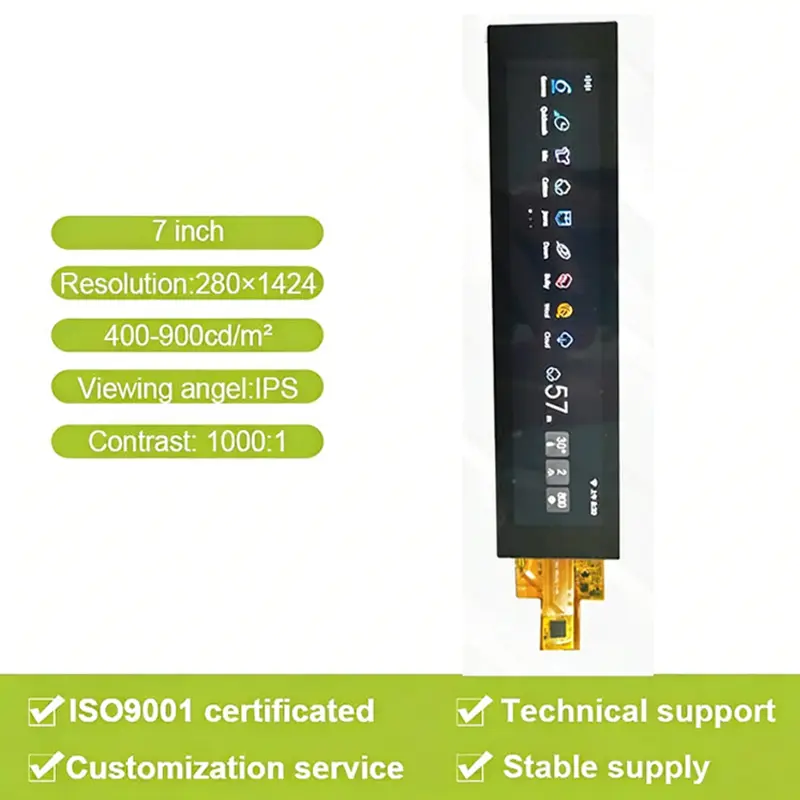
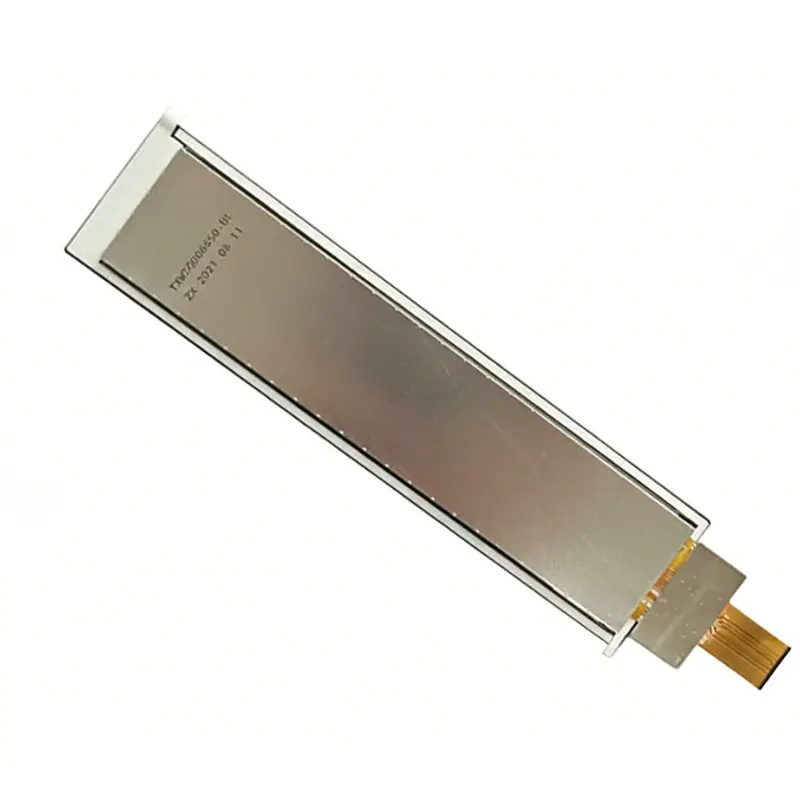
The Custom Stretched Touch Display Panel is a narrow-format TFT component for smart devices, appliance controls and equipment interfaces that need a long vertical canvas without the width of a conventional landscape display. Its native 280 × 1424 raster supports menus, status sequences, control icons and vertically arranged data within a 33.6 × 170.88 mm active area.
The panel uses an IPS viewing designation, supports 16.7M colors and has a listed 1000:1 typical contrast ratio. A 30-pin MIPI display connection is provided, while capacitive touch is an optional ordered configuration rather than an assumed feature of every module.
Key Specifications
| Parameter | Controlled value |
|---|---|
| Display size | 7 inches |
| Resolution | 280 × 1424 pixels |
| Display technology | IPS TFT |
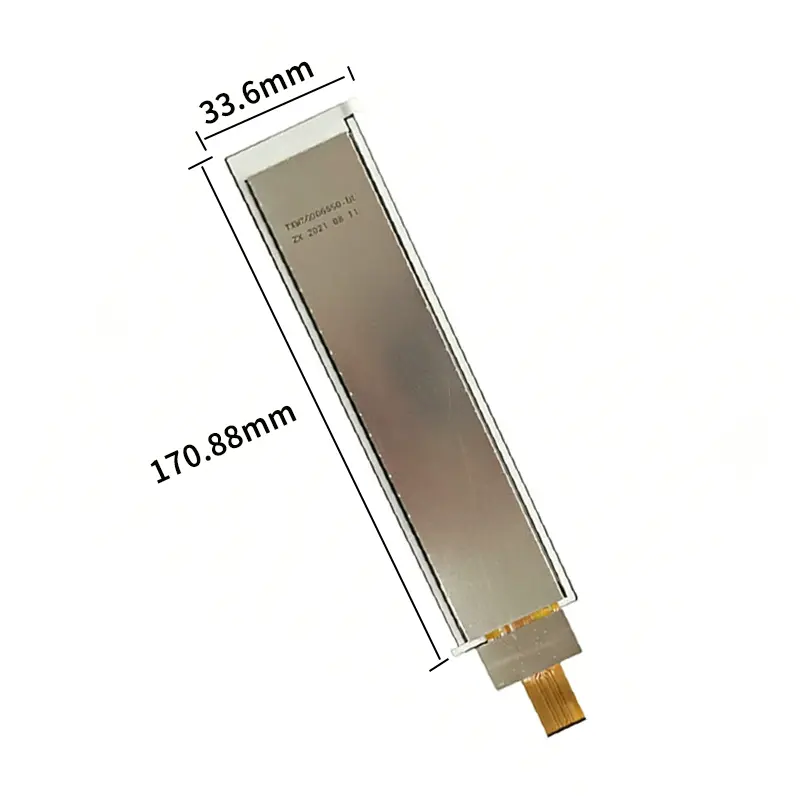
| Active area | 33.6 × 170.88 mm |
| Outline | 47.2 × 195.88 mm; thickness requires drawing confirmation |
| Luminance configurations | Ordered within a 400–900 cd/m² family range |
| Contrast ratio | 1000:1 typical |
| Display colors | 16.7M |
| Display interface | MIPI |
| Connector | 30 pins |
| Touch | Optional capacitive-touch configuration |
Native 280 × 1424 UI Planning
Design for the Long Raster
The native resolution should be used directly when preparing interface graphics. Scaling a conventional widescreen layout into the 280-pixel width can produce small text, distorted icons and inefficient touch targets.
Suitable layouts include vertically stacked status cards, narrow equipment menus, temperature or operating-state indicators, timer controls and sequential process information. Critical controls should be tested on the physical active area rather than approved from desktop mock-ups alone.
Define the Installed Orientation
The module can be incorporated into a vertical control strip or rotated for a horizontal bar arrangement, but the graphical assets, touch coordinates and enclosure opening must use the same approved orientation.
Rotation also changes the direction of the FPC exit and the relationship between the active area, printed border and mounting structure. The orientation should therefore be fixed before mechanical release.
Selecting a Custom Stretched Touch Display Panel
Fix One Ordered Luminance Target
The 400–900 cd/m² figure should be treated as a product-family configuration range. The purchase specification should identify one target luminance, tolerance and test condition rather than describing the module as automatically adjustable across the full range.
Higher panel luminance does not guarantee finished-system readability. Cover glass, a capacitive sensor, bonding material, printed borders and reflections can reduce delivered brightness and increase glare.
Test the Finished Front Stack
Optical acceptance should use the intended cover configuration, including:
- Cover-lens thickness
- Printed border and transparent window
- Surface finish
- Air gap or bonding adhesive
- Touch sensor
- Backlight setting
- Installation lighting
The final sample should be evaluated from the normal operator position and at the required viewing distance.
30-Pin MIPI Host Integration
Verify More Than the Connector Count
A matching 30-pin connector does not establish electrical compatibility. Engineering should confirm:
- MIPI lane count
- Video or command operating mode
- Per-lane data rate
- Native timing
- Voltage rails
- Reset and enable signals
- Complete pin assignment
- Connector pitch
- Contact side
- FPC orientation
- Required command package
The host processor, bridge board or controller must support the approved display configuration rather than only the same physical connector size.
Keep Display and Touch Paths Separate
MIPI is the confirmed LCD image interface. The optional capacitive-touch assembly may require a different communication bus, controller, voltage and FPC.
The ordered touch documentation should identify the controller model, bus, address, interrupt and reset routing, firmware, point count, coordinate orientation and complete pin assignment. None of these should be inferred from the LCD’s 30-pin MIPI connection.
Optional Capacitive-Touch Configuration
Confirm What the Ordered Assembly Includes
The base display and touch-equipped assembly may have different thicknesses, FPC exits, cover dimensions and adhesive regions. The quotation and drawing should state whether the order includes:
- LCD only
- LCD with touch sensor
- LCD, touch sensor and cover lens
- Air bonding
- Optical bonding
- Custom printed cover glass
Touch should not be represented as standard until the ordered structure is fixed.
Validate Touch Coordinates and Orientation
A 280 × 1424 raster creates a narrow interaction area. Touch coordinates, icon placement and edge exclusion should be validated against the final cover window.
Rotating the display can also require coordinate transformation in the host software or touch firmware. Sample testing should include the intended installed orientation and complete front stack.
Mechanical Integration
Separate Active Area from Overall Outline
The 33.6 × 170.88 mm active area identifies the image region. The 47.2 × 195.88 mm outline defines the listed two-dimensional module envelope. These values perform different enclosure-design functions.
The approved mechanical drawing must additionally define:
- Total thickness
- Bezel opening
- Corner geometry
- Tolerances
- FPC location and bend zone
- Touch-lens overhang
- Adhesive area
- Mounting restrictions
Do Not Use Package Weight as Module Weight
The stated 1.5 kg value relates to the shipping package. It must not be used for bracket design, enclosure load calculations or product-weight declarations.
Module and touch-assembly weights should be obtained from the approved technical documentation.
Smart-Device Applications
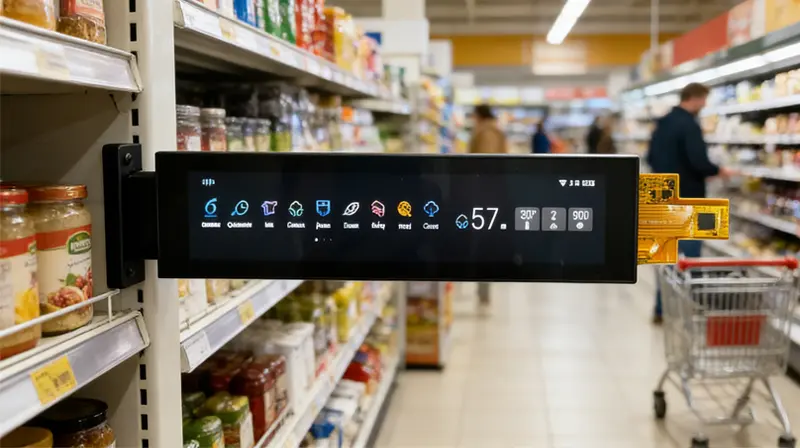
The Custom Stretched Touch Display Panel can be evaluated for appliance control strips, smart-home interfaces, equipment status bars, compact industrial control panels and other smart-device interfaces where width is constrained.
Applications involving vehicles, medical systems, public-safety equipment or severe outdoor conditions require separate validation of temperature, vibration, EMC, optical performance, touch behavior and regulatory requirements. The component specification alone does not establish those grades.
Customization and Procurement
Logo, packaging and graphic customization are identified from 1,000 pieces. Technical changes such as touch structure, cover lens, bonding, FPC design, MIPI mapping, luminance, surface treatment or enclosure adaptation require separate engineering review.
Samples and standard quantities should be quoted independently from custom-production quantities. Tooling, material availability and the approved drawing determine the final customization scope.
Procurement Checklist
- Assigned model
HS0701Q424 - Native 280 × 1424 orientation and timing
- MIPI lane count and operating mode
- Per-lane bit rate
- Complete 30-pin assignment
- Connector pitch, contact side and FPC orientation
- Voltage rails, reset and command requirements
- Panel and backlight power data
- Fixed ordered luminance target and tolerance
- 33.6 × 170.88 mm active area
- Approved 47.2 × 195.88 mm outline
- Confirmed total thickness
- Touch inclusion or LCD-only configuration
- Touch controller, bus, voltage and point count
- Combined LCD, touch and cover drawing
- Cover-lens and bonding structure
- Finished-stack luminance test
- Sample acceptance criteria
- Quantity and annual demand
FAQ
About 7 Inch Custom Stretched Touch Display Panel
What must be checked before connecting a 30-pin MIPI host?
Does the MIPI connector also carry the optional touch data?
How should one luminance value be selected from the 400–900 cd/m² range?
How should content be prepared for the 280 × 1424 resolution?
Which drawing should control the enclosure design?
Freya Yang
+86 18318948097