
Freya Yang
+86 18318948097
+852 62667476
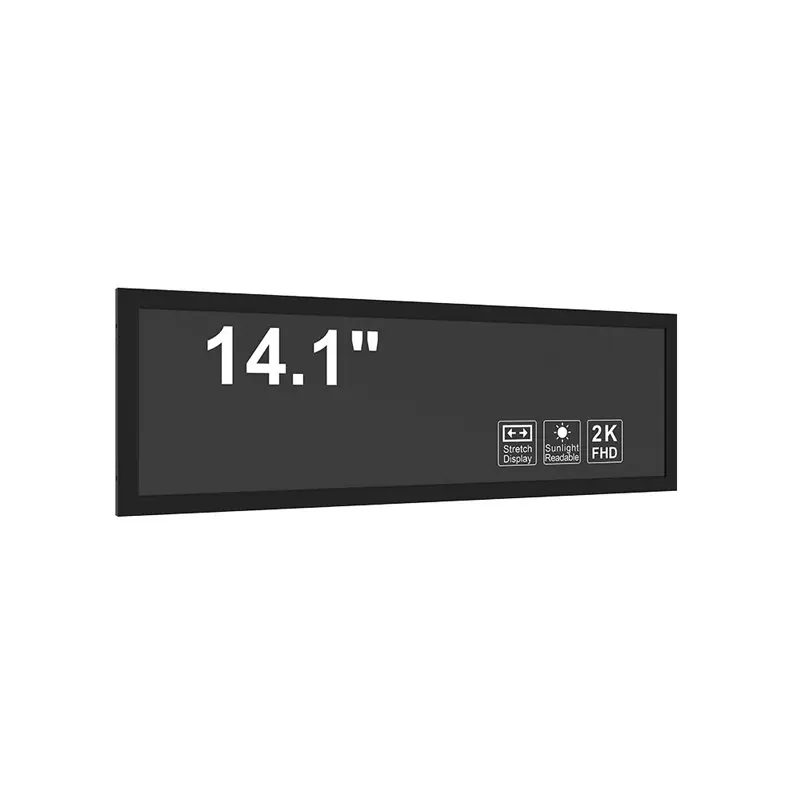
14.1 Inch eDP Transit Header Screen 500-5000 Nits for Slim Passenger Info
Model P/N
Size
Resolution
Brightness
Viewing Angle
Connector Type
Operating Temp
Overall(mm)
huisoar
HS140XTM-GE12
Brand
Panel Size (inch)
Model P/N
Resolution
Brightness (nits)
Viewing Angle
Contrast Ratio
Response Time
Overall (mm)
Active Area (mm)
Refresh Rate
Display Colors
Panel Type
Connector Type
Surface Treatment
Operating Temp
Touchscreen Type
Storage Temp
Work Mode
Pixel Format
Input Voltage (V)
Weight (g)
Designed For
Compact 1440×900 Stretched LCD Module with eDP 1.3 HBR2, Matte Surface, and 12V Input
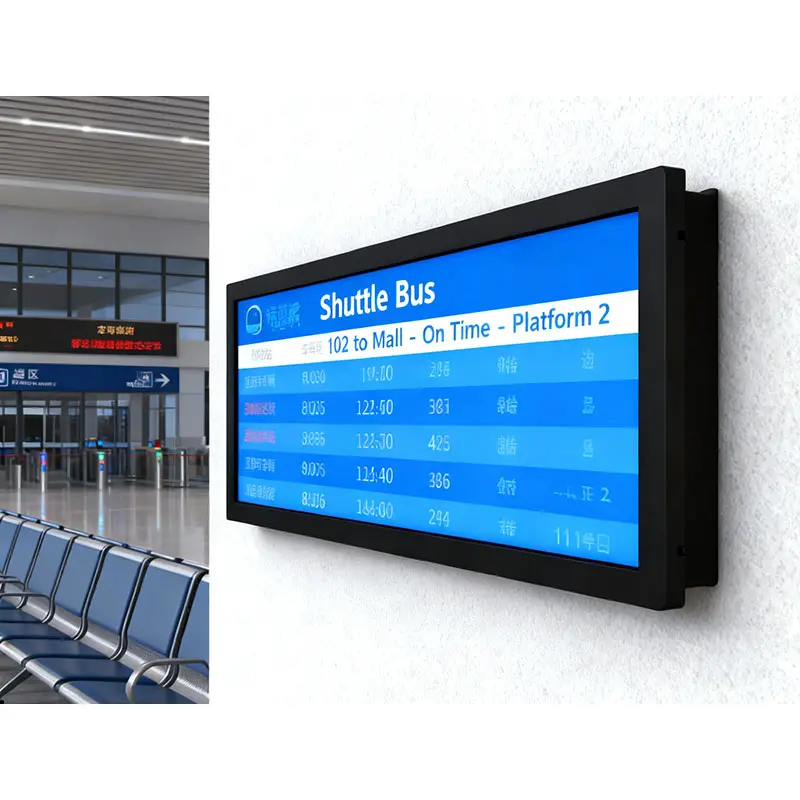
An eDP Transit Header Screen is a compact stretched LCD module for route headers, passenger notices, shelf strips, kiosk status bars, and industrial equipment interfaces that need a long visual layout without a large enclosure. This 14.1-inch display combines 1440×900 WXGA+ resolution, 120 PPI density, 500–5000 nits brightness flexibility, matte surface treatment, 12V input, and eDP 1.3 HBR2 2-lane signaling. It is best suited to embedded systems where mechanical space, interface matching, and readable information flow must be planned together.
At a Glance: 14.1-Inch eDP Header Screen Highlights
- 14.1-inch stretched LCD module for narrow route, shelf, queue, and equipment-status layouts.
- 1440×900 resolution and 120 PPI support clear text, icons, and compact multi-zone information.
- 500–5000 nits brightness range gives buyers room to match indoor, bright-interior, or semi-outdoor lighting.
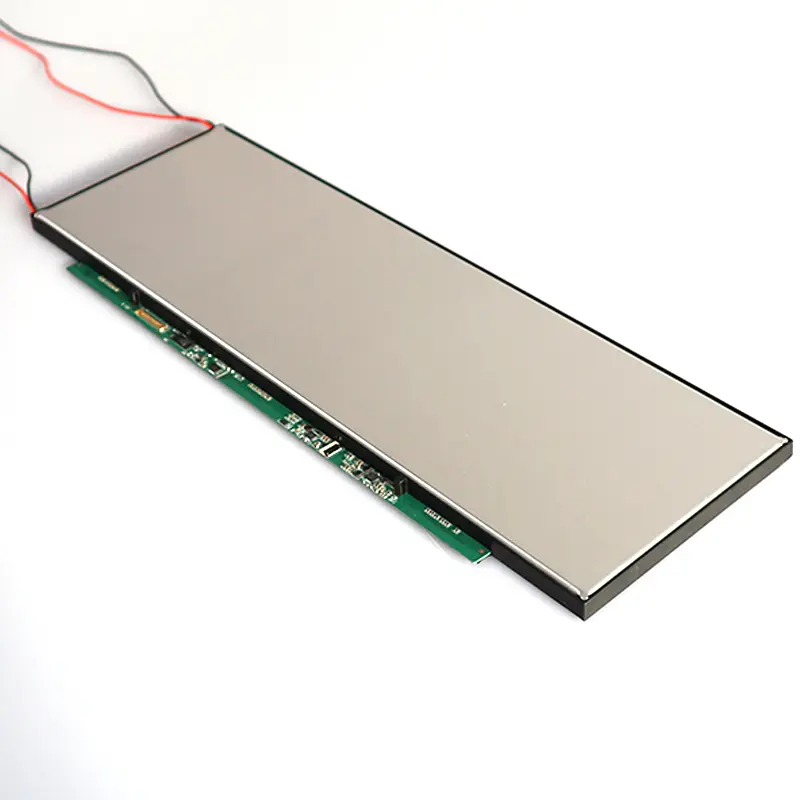
- eDP 1.3 HBR2, 2-lane, 30-pin interface supports modern embedded controller integration.
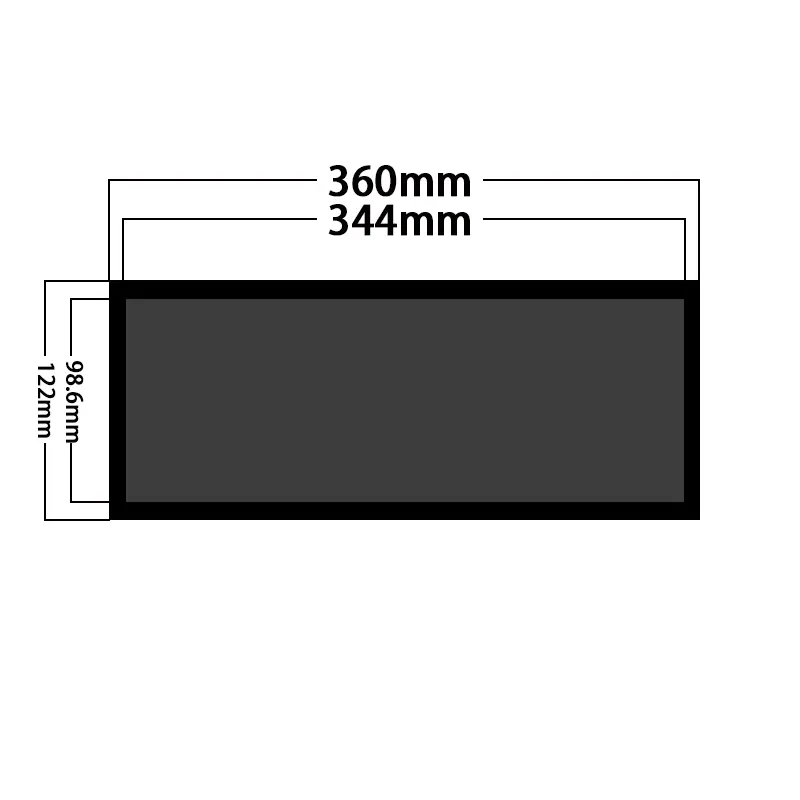
- 344.218×98.604 mm active area fits long information strips better than a standard 16:9 panel.
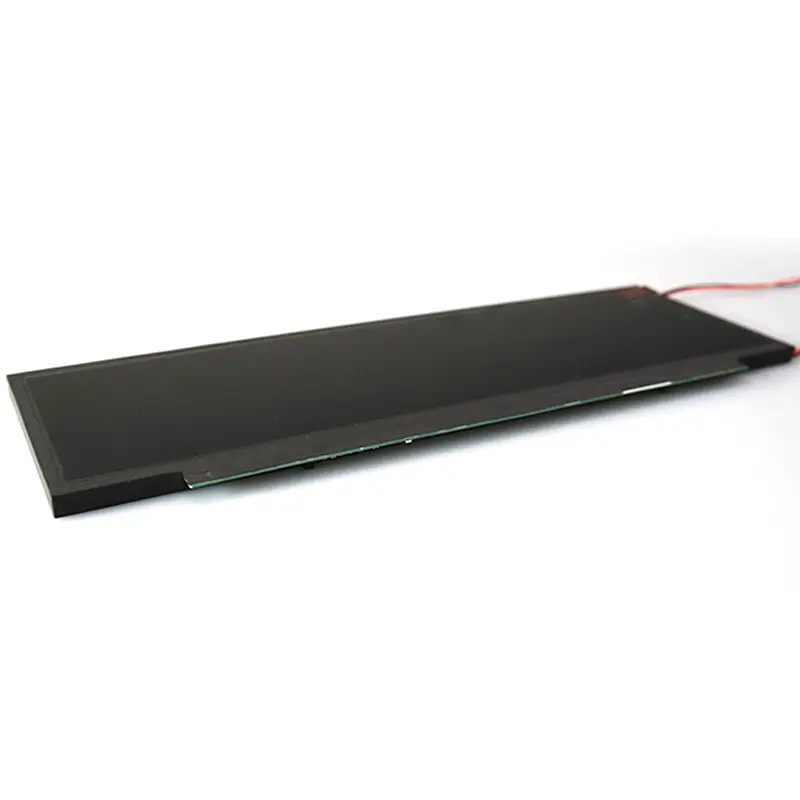
- 360×122.95×8.7 mm outline and 550 g weight support shallow cabinet and fascia planning.
- Matte surface, 1200:1 contrast, and 89/89/89/89° viewing help preserve readability from multiple angles.
Product Overview of the eDP Transit Header Screen
The eDP Transit Header Screen is designed for projects where information must be displayed in a long, narrow visual zone. Instead of forcing route names, queue status, product labels, or machine data into a conventional widescreen layout, the 14.1-inch stretched format gives designers a header-style canvas that fits across terminals, shelves, kiosks, and control panels.
Its most important value is the combination of compact mechanics and high-density readability. The 344.218×98.604 mm active area is useful for horizontally arranged content, while 1440×900 resolution and 120 PPI help keep small text and icon groups sharp. For transport and industrial systems, this is especially useful when users must read the screen quickly while moving past it.
The second buyer value is integration clarity. The display uses a 30-pin eDP interface with 2 lanes, eDP 1.3, and HBR2 signaling at 5.4 Gbps per lane. That gives controller-board developers a defined starting point for host compatibility, cable planning, timing review, and sample validation. Before approval, buyers should still confirm the pin assignment, timing table, brightness version, and mechanical drawing.
Key Features of the eDP Transit Header Screen
| Key Feature | B2B Value |
|---|---|
| 14.1-inch stretched format | Creates a narrow information zone for route headers, shelf labels, status bars, and signage strips. |
| 1440×900 WXGA+ resolution | Supports clear text, symbols, icons, and multi-zone interface layouts. |
| 120 PPI pixel density | Helps small text remain legible in compact public and equipment interfaces. |
| 500–5000 nits brightness range | Allows project teams to align luminance with the actual lighting environment. |
| eDP 1.3 HBR2 interface | Supports modern embedded control-board integration with a high-speed digital path. |
| 30-pin, 2-lane signal structure | Gives electrical engineers a defined interface checkpoint before PCB or cable design. |
| Matte surface treatment | Helps reduce distracting reflections in public interiors and equipment panels. |
| -20~70°C operation | Supports demanding industrial and transportation environments better than office-only screens. |
| 550 g module weight | Helps with lightweight cabinet, bracket, and fascia design. |
Technical Specifications of the 14.1-Inch Stretched LCD Module
| Specification | Confirmed Value |
|---|---|
| Product Type | High-brightness stretched TFT-LCD module |
| Display Size | 14.1 inch |
| Resolution | 1440×900, WXGA+, 120 PPI |
| Active Area | 344.218×98.604 mm |
| Overall Size | 360×122.95×8.7 mm |
| Brightness | 500–5000 nits |
| Interface | eDP 1.3 HBR2, 2 lanes, 30 pins |
| Input Voltage | 12V typical |
| Viewing Angle | 89/89/89/89° |
| Operating Temperature | -20~70°C |
These specifications make the module especially relevant for embedded product design. The active area and outline define the physical window, while the eDP interface, 12V input, and brightness target should be validated together with the selected host board and enclosure.
Why Choose a Slim eDP Header Screen for Passenger Information?
Long active area for route and queue information
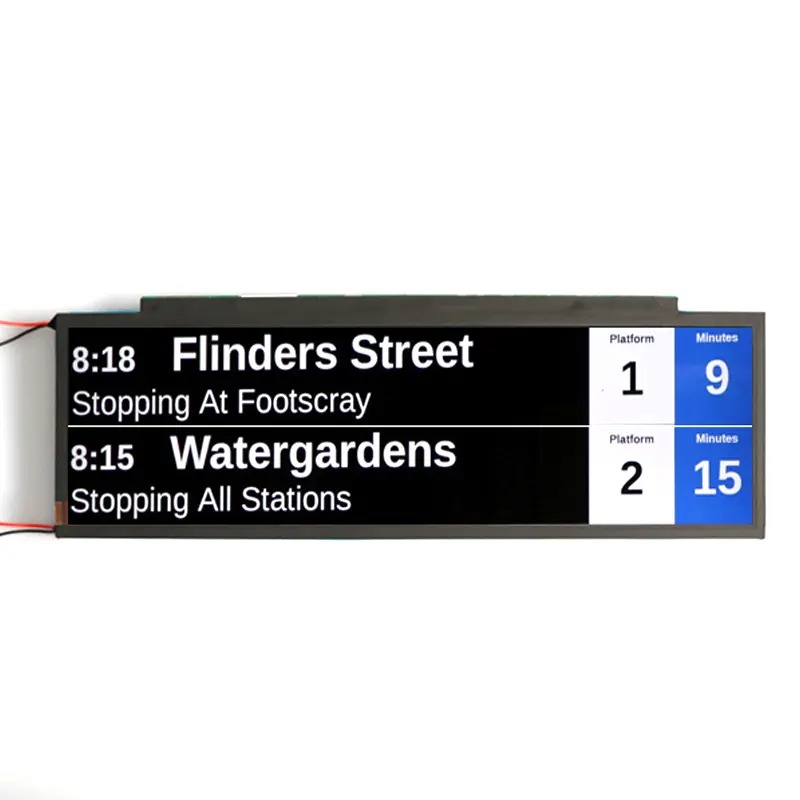
A stretched header screen is easier to use for route names, next-stop messages, platform notices, product rows, and equipment status bars than a conventional 16:9 module. The format supports horizontal information flow without requiring multiple small screens or a larger enclosure.
120 PPI text clarity for compact public interfaces
The 1440×900 resolution gives the 14.1-inch module enough pixel density for sharp text and symbols. In passenger information, shelf labeling, and machine panels, this matters because users often read from a short viewing time rather than studying the screen carefully.
550 g weight and 8.7 mm depth for shallow structures
The slim 360×122.95×8.7 mm outline helps cabinet designers place the display in narrow fascia areas, equipment fronts, and embedded housings. Mechanical teams should still confirm the bezel opening, support structure, cable exit, and cover-glass stack before tooling.
500–5000 Nits Readability for Header and Status Screens
The brightness range gives buyers flexibility across different lighting conditions. Lower luminance may be suitable for controlled indoor equipment, while brighter versions can be evaluated for transport halls, window-facing retail, fuel dispensers, or semi-outdoor signage where ambient light is stronger.
Brightness should not be selected from the number alone. Engineers should review content color, viewing distance, cover glass, reflection control, heat path, and power budget together. The matte surface and 1200:1 contrast support readability, but final visual performance still depends on the system design.
eDP 1.3 HBR2 Integration and Mechanical Fit
30-pin eDP interface for embedded host boards
The module uses eDP 1.3 HBR2 with 2 lanes and 30 pins. That makes it suitable for embedded systems where a modern digital display interface is preferred. Before PCB layout or cable purchase, confirm pin assignment, signal lane mapping, timing, backlight control, and connector orientation.
12V input and brightness planning
The nominal input voltage is 12V typical. Since brightness can vary by project configuration, power design should be reviewed during sample evaluation. High-brightness use may also require thermal checks inside compact enclosures.
Active area and outline review before tooling
The active area is 344.218×98.604 mm, while the overall size is 360×122.95×8.7 mm. These values should be matched against the front window, bracket design, protective glass, cable clearance, and maintenance access.
Recommended Applications for Compact Header Display Projects
Passenger information systems for trains, metros, and buses
The narrow display format works well for station names, route direction, platform data, service changes, and passenger notices. The eDP interface is useful for embedded transport controllers, while the wide viewing angle helps users read from different approach positions.
Retail shelf-edge and product information strips
Retail systems can use the module for product labels, aisle guidance, promotional strips, and price or inventory messages. The stretched layout fits long shelf zones where a square or widescreen panel would waste space.
Industrial equipment and machine status panels
Factory automation, test equipment, and control cabinets can use the display for status bars, alarms, workflow prompts, and operating data. The -20~70°C operating range and matte surface make it practical for demanding equipment environments.
EV charging, fuel dispenser, and kiosk information bars
Charging and fuel systems can use a compact header display for pricing, progress status, safety notices, user prompts, or directional content. For these applications, confirm brightness, cover glass, sealing at the system level, and controller compatibility.
Customization Options for eDP Header Screen Projects
Project evaluation can include brightness version selection, eDP cable and control-board matching, pinout and timing review, cover glass, anti-glare or AR treatment, optical bonding, enclosure or front-window adaptation, mounting design, and thermal validation.
Touch is not a confirmed standard feature for this module. If interaction is required, the project should evaluate a separate touch stack, cover-glass thickness, optical bonding, controller interface, and mechanical tolerance before sample approval.
Procurement and Engineering Checklist for Header Screen Selection
- Confirm the final content layout for route names, shelf labels, or status bars.
- Select the brightness target based on the real lighting environment.
- Validate eDP 1.3 HBR2 host support and 30-pin connector requirements.
- Request pin assignment and timing data before controller-board design.
- Check 12V power design and thermal margin at the selected brightness.
- Match active area, outline size, bezel opening, and cover-glass plan.
- Confirm whether the project needs non-touch, protective glass, or a custom touch stack.
- Test a sample in the actual enclosure before bulk procurement.
FAQ
About eDP Transit Header Screen Integration
What is an eDP Transit Header Screen used for?
Is this module suitable for passenger information systems?
Does the display have a fixed brightness?
What should be checked before eDP control-board matching?
Can this screen be used outdoors?
Does the standard module include touch?
Why choose this instead of a larger bar LCD display?
What files should buyers send for evaluation?
Freya Yang
+86 18318948097
