
~
~
~
~
~
~
AMSA70FD01-0 90Hz Laptop OLED Touch Module 17 Inch HBR2 Samsung


Model P/N
Size
Resolution
Brightness
Viewing Angle
Connector Type
Operating Temp
Overall(mm)
samsung
AMSA70FD01-0
Brand
Panel Size (inch)
Model P/N
Resolution
Brightness (nits)
Viewing Angle
Contrast Ratio
Response Time
Overall (mm)
Active Area (mm)
Refresh Rate
Display Colors
Panel Type
Connector Type
Surface Treatment
Operating Temp
Touchscreen Type
Storage Temp
Work Mode
Pixel Format
Input Voltage (V)
Touch Interface
Weight (g)
Designed For
Product Details
Product Overview
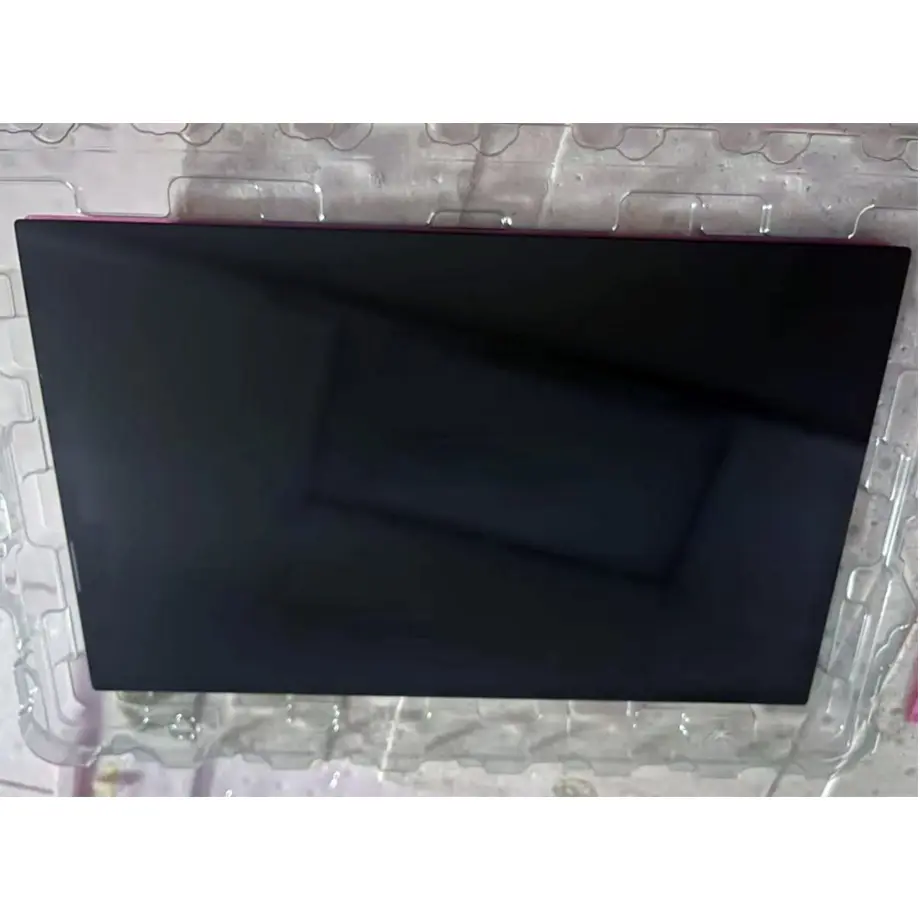
AMSA70FD01-0 90Hz Laptop OLED Touch Module is a 17.0-inch Samsung Display AM-OLED full module for premium notebook and gaming-display integration. It provides 2880(RGB)×1620 resolution in a 16:9 format, 1100 cd/m² typical luminance, a 2,000,000:1 typical contrast ratio, 1.07 billion colors at 94% DCI-P3, and a 90 Hz refresh rate. The confirmed configuration includes On-Cell Touch with I²C and a four-lane HBR2 eDP interface on a 60-pin connector.
The active area is 376.13 × 211.57 mm and the full outline is 382.33 × 220.97 × 6.38 mm, with a 372 g typical weight. The supplied source describes a slim form style with the PCBA bent and a thickness reference of T≤3.5 mm for that subassembly. The display is self-emissive and therefore has no conventional LCD backlight. The source response-time row carries an obvious pasted unit error—“1 … mm”—but the physical quantity is response time, so the value is preserved and normalized to 1 ms typical G-to-G.
Samsung Display has published notebook OLED material for gaming and content-creation use on its official site. VESA's Embedded DisplayPort guidance explains why eDP is widely used for high-resolution and high-refresh embedded displays. Those references provide technical context; the product page uses only the confirmed AMSA70FD01-0 values for model-specific claims.
Three Core Buyer Value Propositions
1. 1100 cd/m² OLED output with high native contrast
The module's 1100 cd/m² typical luminance and self-emissive OLED structure give notebook and gaming-system designers a strong optical starting point for bright UI elements, HDR-oriented content evaluation and dark-scene contrast. The 2,000,000:1 typical contrast ratio is a panel measurement, not a guarantee of finished-device HDR certification. Cover glass, anti-reflection treatment, calibration, thermal control and system power limits can materially change the visible result.
2. 90 Hz refresh with a 1 ms typical gray-to-gray response
The 90 Hz frame rate and normalized 1 ms typical G-to-G response support evaluation for smoother scrolling, game motion and interactive notebook use than a basic 60 Hz implementation. They do not establish input latency, variable-refresh support, overdrive behavior or a complete gaming certification. Those outcomes depend on the graphics path, eDP timing, firmware and operating mode of the assembled computer.
3. On-Cell Touch and wide-temperature component limits
On-Cell Touch with I²C is integrated into the confirmed module, reducing the need for a separate add-on touch sensor. The operating range is -30 °C to 85 °C and storage is -40 °C to 95 °C, which provides a broad component envelope for mobile and embedded designs. These values do not prove rugged, automotive or outdoor qualification; the complete notebook or equipment platform still needs its own environmental and touch-performance validation.
Key Specifications at a Glance
| Parameter | Confirmed value |
|---|---|
| Manufacturer / model | Samsung AMSA70FD01-0 |
| Display size | 17.0 inch |
| Display technology | AM-OLED, full module |
| Resolution | 2880(RGB)×1620, 16:9 |
| Pixel layout | S-Stripe RGB |
| Active area | 376.13 × 211.57 mm |
| Outline | 382.33 × 220.97 × 6.38 mm |
| Brightness | 1100 cd/m² typical |
| Contrast ratio | 2,000,000:1 typical |
| Display colors | 1.07B, 94% DCI-P3 |
| Response time | 1 ms typical G-to-G |
| Refresh rate | 90 Hz |
| Native interface | eDP, 4 lanes, HBR2 5.4 Gbit/s per lane, 60-pin connector |
| Touch | On-Cell Touch, I²C |
| Operating / storage temperature | -30 to 85 °C / -40 to 95 °C |
| Surface | 3H hard coating |
Why Does 1100 cd/m² Need System-Level Qualification?
Brightness is useful only when read together with power, thermal conditions, front-surface reflection and the intended operating mode. For AMSA70FD01-0 90Hz Laptop OLED Touch Module, 1100 cd/m² is the confirmed typical panel luminance. A notebook OEM should establish whether that level is available continuously, in a boost condition or under another defined test state by reviewing the manufacturer's current electrical and optical specification. The supplied data does not justify inventing a duty cycle or HDR mode.
OLED power is content-dependent because each pixel emits its own light. A bright full-screen image can create a different thermal and power condition from a dark gaming scene with localized highlights. The power architecture should therefore be qualified with representative workloads. If the product will expose a high-brightness user mode, test skin temperature, internal panel temperature, battery impact and luminance stability at steady state.
Color and reflection
The panel supports 1.07 billion colors with 94% DCI-P3 coverage. That is useful for wide-gamut content, but a finished laptop still needs color-management decisions and calibration tolerances. The 3H hard-coated surface does not by itself define anti-reflection behavior. A cover window, touch stack or decorative coating can change reflectance and black appearance, so optical validation should use the production front stack rather than the bare panel alone.
How Should the 90 Hz HBR2 eDP Path Be Matched?
The native interface is four-lane eDP at HBR2 5.4 Gbit/s per lane on a 60-pin connector. A compatible system must generate the exact 2880×1620 timing and support the module's required link and power behavior. The presence of eDP on a laptop motherboard is not sufficient proof of compatibility because lane mapping, connector pinout, timing, AUX handling and power sequencing can differ across panels.
AMSA70FD01-0 90Hz Laptop OLED Touch Module also uses multiple supply rails—1.8 V, 3.3 V, 4.3 V, 5.0 V and 8.0 V identified for different internal domains in the supplied specification. These values must remain distinct in the power design. Do not convert them into a single “5 V panel” or “8 V panel” statement. The exact sequencing, current requirements and enable conditions should come from the current Samsung documentation for the production revision.
Motion validation
A 90 Hz frame interval is about 11.1 ms, while the panel's response-time value is 1 ms typical G-to-G. That creates useful motion headroom, but perceived gaming performance also depends on frame delivery, compositing, panel drive and application settings. Validate scrolling, dark transitions, UI animation and real gameplay at the target refresh modes. If adaptive refresh is planned, qualify that feature at the system level rather than attributing it automatically to the panel.
What Should Engineers Check for On-Cell Touch?
The On-Cell Touch sensor is integrated and communicates over I²C. The host must support the required touch-controller communication, interrupts, power states and coordinate mapping. The supplied evidence does not specify touch service life, glove support, stylus performance, wet operation, palm rejection or a particular I²C address, so those details should remain project verification items.
Mechanical integration can influence touch behavior. Cover-lens thickness, adhesive, grounding, edge geometry and nearby conductive parts may affect sensitivity. If the 17-inch module is used behind a custom cover glass, verify touch performance at center and edge locations, through temperature cycling and after the final mechanical preload is applied. Optical appearance and touch response should be qualified together because changes to the front stack can affect both.
For gaming notebooks, touch may be secondary to keyboard and mouse input, while for creator or kiosk-like mobile equipment it may be central to the UI. Define the intended interaction model before approving the touch stack so the sample plan tests the conditions that matter to the finished device.
Which Mechanical Features Matter in a Slim 17-Inch Design?
The 376.13 × 211.57 mm active area determines the visible image opening, while the 382.33 × 220.97 × 6.38 mm physical outline controls housing clearance. The 372 g typical weight is the panel-level mass, not the weight of the lid assembly. A thin notebook design still needs allowance for the connector, cable fold, support structure, cover glass, hinges and antenna or camera hardware.
The source identifies a slim form style with the PCBA bent and a T≤3.5 mm reference for that configuration. That statement should be read as a mechanical characteristic of the supplied module design, not as permission to bend, reshape or further reduce the assembly. Follow the mechanical drawing for keep-out zones, bend geometry and connector location. Pressure on an OLED panel can create permanent damage even when the housing looks mechanically thin.
Temperature and durability boundary
The broad -30 to 85 °C operating range can support evaluation in portable equipment exposed to more varied environments than an office-only device. It does not establish drop, vibration, humidity, ingress or military qualification. Those requirements belong to the finished equipment specification. Test thermal behavior in the final lid architecture because a thin enclosure can restrict heat spreading around the display electronics.
Where Does AMSA70FD01-0 Fit?
The supplied application evidence supports laptop and gaming use. AMSA70FD01-0 90Hz Laptop OLED Touch Module is therefore relevant to premium notebook, mobile workstation and gaming-laptop concepts that need a 17-inch 2880×1620 OLED panel with integrated touch. Same-model public information also describes wide-temperature, high-brightness and 10-bit-oriented characteristics, which are consistent with the supplied color and thermal facts but do not create a separate certification or finished-product claim.
Because the module is an embedded panel, it does not include a laptop motherboard, external I/O, GPU, battery, lid structure or operating-system touch stack. The system integrator remains responsible for the entire eDP and I²C host path. A replacement project should compare not only diagonal and resolution, but also outline, cable position, connector pinout, rail requirements and touch integration.
What Should Procurement Confirm Before a Sample Order?
Confirm exact model AMSA70FD01-0 and the current production revision. Request the latest electrical specification, mechanical drawing and touch-interface documentation. Verify the 60-pin HBR2 eDP connector and each required power rail. Because the supplied response-time unit is obviously inconsistent with the physical quantity, retain the raw evidence for traceability and use the corrected 1 ms time unit in engineering documents.
Define the sample acceptance criteria before hardware arrives: native-resolution operation at 90 Hz, luminance stability, color behavior, touch accuracy, thermal performance and mechanical fit. If a custom cover lens is planned, include it in the sample build so optical and touch results represent the production stack.
Current production or supplier stock data should not be treated as a lifecycle guarantee. For a notebook platform with a multi-year production plan, ask for the latest lifecycle status, change-notification process and revision-control information before tooling or firmware is frozen.
Procurement Checklist
- Confirm Samsung AMSA70FD01-0 identity and current specification revision.
- Validate 2880×1620 at 90 Hz through four-lane HBR2 eDP.
- Match the 60-pin connector and all model-specific power rails.
- Integrate and test On-Cell Touch through the I²C host path.
- Check the 382.33 × 220.97 × 6.38 mm outline and PCBA geometry in the lid design.
- Qualify 1100 cd/m² behavior under realistic power and thermal conditions.
- Use 1 ms for the response-time quantity while retaining the raw mislabeled source value in traceability notes.
- Confirm current lifecycle and change information before volume commitment.
AMSA70FD01-0 90Hz Laptop OLED Touch Module gives a notebook designer a high-luminance, wide-gamut OLED platform with 90 Hz refresh and integrated touch. Production approval still depends on exact eDP, power, touch, mechanical and thermal validation of the complete system.
Recommended: Same Size
(17")
Applications & Value of LCD Panel

- Fast sourcing with in-stock panels & cross-reference alternatives
- Stable supply chain with long-term availability
- Engineering-level support from panel to integration
- Custom solutions: cable, touch & optical bonding
- Strict quality control with IQC / OQC / aging test
- Full traceability system for quality assurance
- Complete technical documentation & drawings
- Compliance support: RoHS & certification files
