
~
~
~
~
~
~
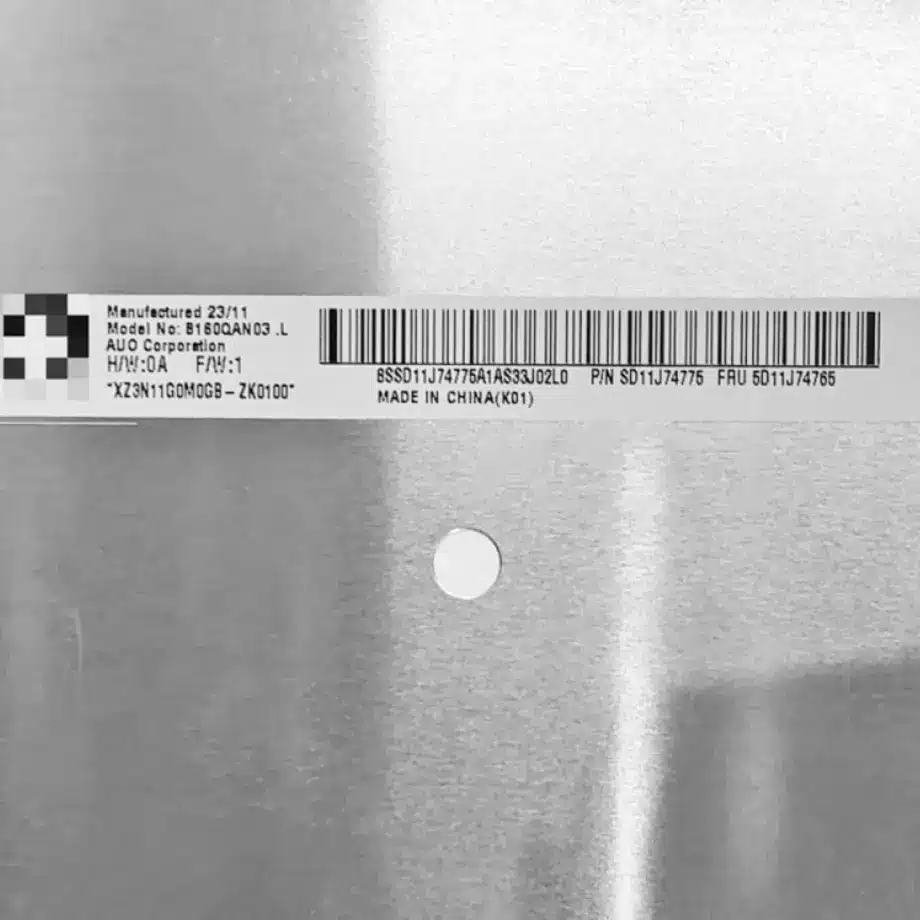
B160QAN03.Y 240Hz DCI-P3 HBR3 Gaming LCM 16 Inch AUO
Model P/N
Size
Resolution
Brightness
Viewing Angle
Connector Type
Operating Temp
Overall(mm)
auo
B160QAN03.Y
Brand
Panel Size (inch)
Model P/N
Resolution
Brightness (nits)
Viewing Angle
Contrast Ratio
Response Time
Overall (mm)
Active Area (mm)
Refresh Rate
Display Colors
Panel Type
Connector Type
Surface Treatment
Operating Temp
Touchscreen Type
Storage Temp
Work Mode
Pixel Format
Input Voltage (V)
Vibration Resistance
Weight (g)
Designed For
Product Details
Product Overview
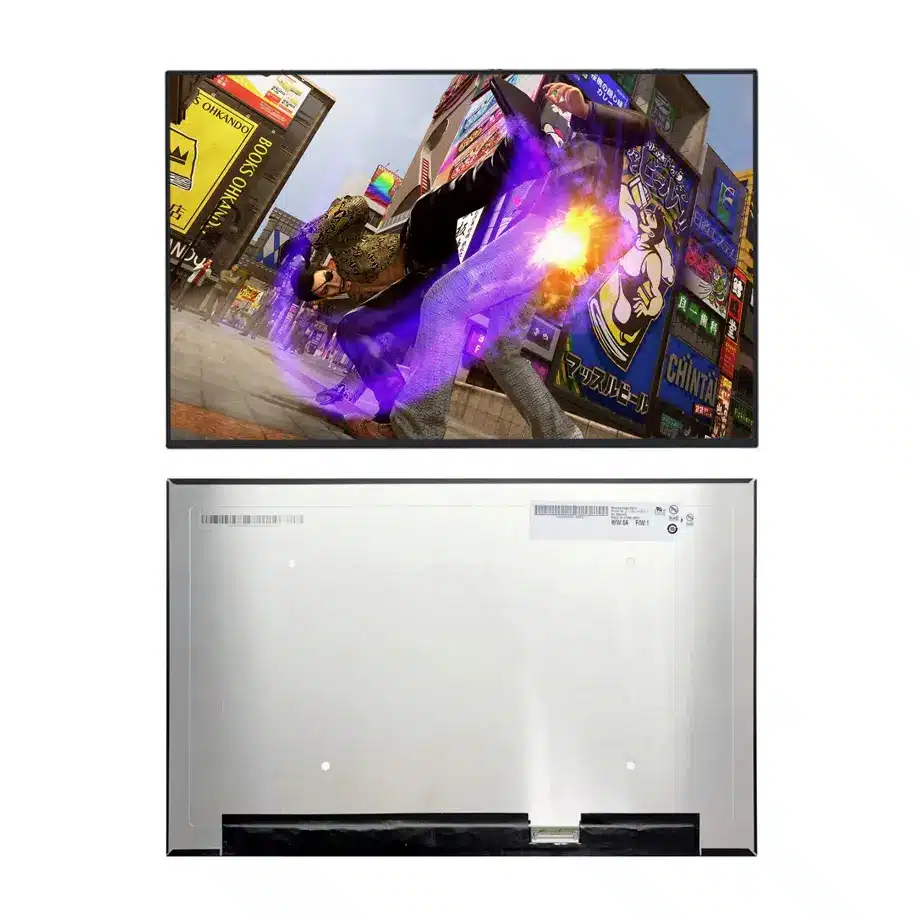
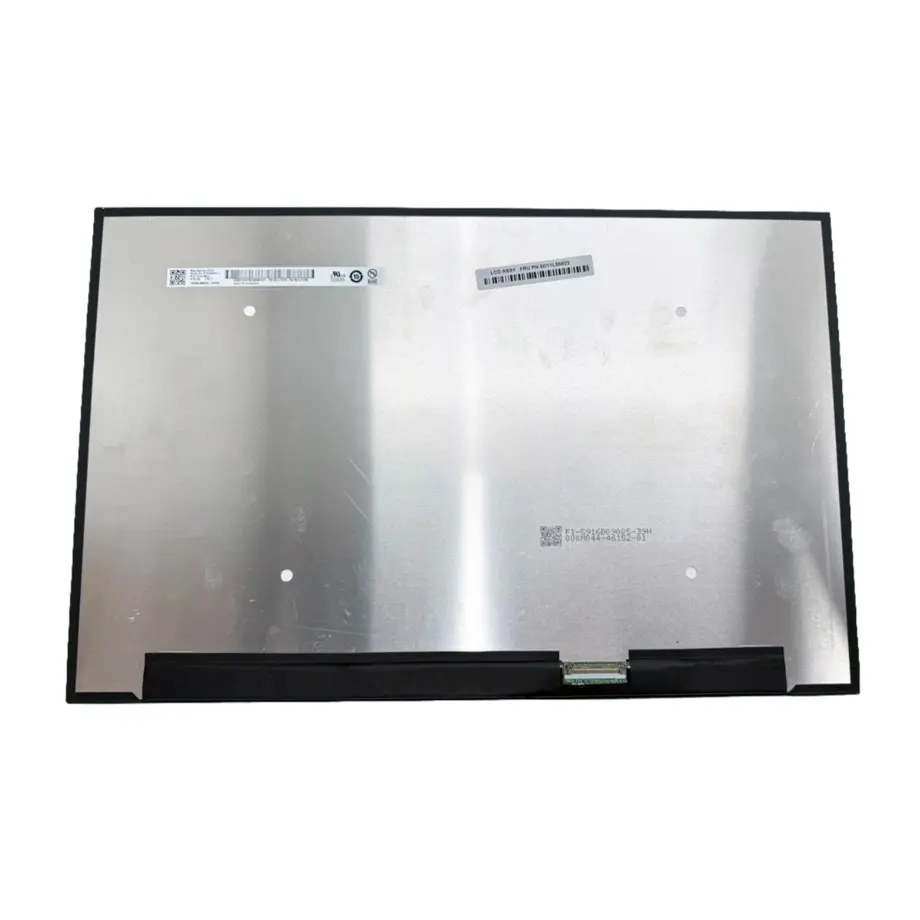
B160QAN03.Y 240Hz DCI-P3 HBR3 Gaming LCM is a 16.0-inch AUO LTPS TFT-LCD notebook module built for high-refresh WQXGA systems. The confirmed native format is 2560(RGB)×1600 at 16:10, with a 344.678 × 215.424 mm active area inside a 349.68 × 224.424 × 4.6 mm outline. It is specified at 500 cd/m² typical luminance, 1000:1 typical contrast, 1.06 billion colors and 97% DCI-P3. The user-supplied source identifies 240 Hz operation with FreeSync / G-Sync-related features, so the part belongs in performance notebook and gaming-display qualification rather than a generic 60 Hz replacement workflow.
The panel-side link is four-lane eDP 1.4 using HBR3 at 8.1 Gbit/s per lane through a 40-pin connector. A 3.3 V typical panel supply, integrated WLED backlight, integrated LED driver and 15,000-hour light-source figure define the module boundary. Touch is not included. The panel also carries overdrive-related response data: 8 ms typical Tr+Td, 5 ms typical G-to-G and 3 ms typical G-to-G with OD in the supplied facts.
An Acer service guide lists the exact B160QAN03.Y in a 16-inch WQXGA 500-nit 240 Hz configuration, which supports the same-model gaming-notebook use case. VESA eDP material provides interface context for embedded high-bandwidth notebook links. Exact pinout, timing and firmware approval still belong to the production AUO documentation.
Three Core Buyer Value Propositions
1. 240 Hz WQXGA timing for premium mobile gaming
The 2560×1600 native image and 240 Hz refresh target combine a high pixel count with a short frame interval of about 4.17 ms. That gives a notebook platform more temporal headroom for fast games, esports UI, scrolling and animation than a conventional 60 or 120 Hz panel. It does not by itself guarantee low end-to-end latency, variable-refresh certification or a specific overdrive quality. GPU output, TCON behavior, firmware and game frame delivery remain part of the finished-system result.
2. 97% DCI-P3 and 1.06B colors support richer visual content
The exact supplied color facts are 1.06 billion colors and 97% DCI-P3. That is relevant to gaming art, media creation and premium entertainment where a standard-gamut panel may be limiting. The figure should be treated as panel-level gamut evidence, not as a factory calibration guarantee. Final color depends on the notebook's color profile, white point, gamma and production calibration process.
3. HBR3 four-lane eDP provides bandwidth for the native mode
Four eDP lanes at HBR3 create an appropriate high-speed transport boundary for a 2560×1600 240 Hz embedded panel. For procurement and board design, that is more specific than saying only “40-pin eDP.” The source also lists DSC among model features, but compression behavior should be implemented and claimed only when the exact system path is validated with the target GPU, firmware and AUO timing requirements.
Key Specifications at a Glance
| Parameter | Confirmed value |
|---|---|
| Manufacturer / model | AUO B160QAN03.Y |
| Display size | 16.0 inch |
| Technology | LTPS TFT-LCD, LCM |
| Resolution | 2560(RGB)×1600, WQXGA, 16:10 |
| Active area | 344.678 × 215.424 mm |
| Outline | 349.68 × 224.424 × 4.6 mm |
| Weight | 320 g maximum |
| Brightness | 500 cd/m² typical |
| Contrast | 1000:1 typical |
| Viewing angle | 85/85/85/85 typical at CR≥10 |
| Color | 1.06B, 97% DCI-P3 |
| Refresh | 240 Hz, FreeSync / G-Sync listed |
| Response | 8 ms Tr+Td; 5 ms G2G; 3 ms G2G with OD |
| Interface | eDP 1.4, 4 lanes, HBR3, 40-pin connector |
| Supply | 3.3 V typical |
| Backlight | WLED, 15K hours, integrated LED driver, DC |
| Touch | Without touch screen |
| Operating / storage | 0 to 50 °C / -20 to 60 °C |
How Should HBR3 and DSC Be Qualified?
At this performance level, electrical margin deserves more attention than connector count. The platform must produce the exact AUO native timing, lane configuration, AUX behavior and power sequence. Cable length, impedance, pair matching and connector quality should be assessed in the final lid because HBR3 operates at a higher link rate than HBR2. A development cable that works on an open bench can lose margin after the route is folded through the hinge area.
B160QAN03.Y 240Hz DCI-P3 HBR3 Gaming LCM is also associated with DSC in same-model feature data. DSC can reduce the transport bandwidth needed for high-resolution, high-refresh content, but the component fact does not establish how a particular notebook enables or configures compression. Validate cold boot, BIOS screens, operating-system driver loading, GPU mode changes and recovery from sleep at the intended 240 Hz mode before locking firmware.
Signal-integrity acceptance
A practical acceptance plan should include repeated power cycles, thermal soak and high-motion content while checking for transient blanking, sparkles, link retraining or reduced-refresh fallback. Keep the approved mainboard BIOS, GPU driver, cable part number and panel revision in one controlled record. That prevents later cable or firmware changes from silently invalidating the high-speed link margin.
What Does 240 Hz Change for Motion Testing?
A 240 Hz panel refreshes every 4.17 ms, while the supplied gray-transition figures include 5 ms typical G2G and 3 ms typical G2G with overdrive. Those values are not contradictory: refresh interval and pixel transition describe different phenomena. Engineers should inspect overshoot, inverse ghosting and dark transitions rather than assuming the lowest OD number is always the best operating point.
Testing should include scrolling text, dark-game scenes, high-contrast objects and frame-rate changes. If the system will expose variable refresh, verify its actual operating range and transitions rather than borrowing a range from another member of the B160QAN family. The supplied facts support a 240 Hz and adaptive-sync-oriented positioning, but finished gaming performance remains a platform property.
How Should the 500 cd/m² and DCI-P3 Optics Be Used?
The 500 cd/m² typical luminance gives a premium notebook more brightness headroom for bright rooms and high-impact visual content. It should not be converted into a sunlight-readable or outdoor qualification claim. The antiglare 3H surface reduces mirror-like reflections, but finished visibility also depends on bezel geometry, cover materials, ambient light and the brightness policy set by the notebook firmware.
For color qualification, measure the final system after the production lid, backlight drive settings and color profile are fixed. The 97% DCI-P3 supplied value should remain the model truth even if another public source describes a nearby percentage. A buyer that needs color-critical production should define allowable gamut, white-point and gamma tolerances instead of treating the nominal gamut figure as a calibration certificate.
Which Mechanical Details Matter in a 16-Inch Gaming Lid?
The active area and outline must be kept separate in CAD. The 344.678 × 215.424 mm active area defines the visible image, while 349.68 × 224.424 × 4.6 mm controls physical packaging. The source identifies a slim bent-PCBA style with a T≤3.5 mm subassembly reference; that does not replace the 4.6 mm full module depth. Cable fold, rear-board keep-out and hinge routing need the exact mechanical drawing.
The maximum panel mass is 320 g. In a gaming notebook, the lid may also contain antennas, camera hardware and reinforcement, so hinge torque should be validated on the finished assembly. Avoid point loading near the panel edges and inspect for mura or pressure marks after the bezel and rear cover are fully torqued.
Where Does B160QAN03.Y Fit?
The supplied application evidence is Laptop / Gaming, and the exact-model Acer service documentation independently shows it in a high-performance 16-inch notebook parts list. B160QAN03.Y 240Hz DCI-P3 HBR3 Gaming LCM therefore fits premium gaming laptops, high-refresh mobile workstations and performance notebooks where WQXGA, 240 Hz and wide-gamut color are required. The Acer reference is evidence of an exact-model implementation, not a universal statement that the panel fits every Predator or other notebook.
No touch capability is included. If a project needs touch, the lid, cable and front stack would need a separately evidenced solution. The 0 to 50 °C operating range also keeps the component in ordinary notebook environmental territory; it should not be reclassified as industrial wide-temperature or rugged based on gaming use.
How Should First-Article Approval Be Structured?
First-article approval should separate identity, electrical operation, optical performance and mechanical fit. Start by confirming the rear label, full model string and production revision. Bring up the panel at native resolution using the intended 40-pin cable and confirm stable 240 Hz operation before enabling optional adaptive-sync or compression features. Record link rate, lane count, BIOS version and GPU driver so the approved configuration can be reproduced later.
Move the same sample into the production lid for the second phase. Cycle the hinge, inspect cable strain and check that the bent-PCBA region has the intended clearance. After mechanical assembly, repeat luminance, uniformity and motion tests because bezel pressure and thermal conditions can change the optical result. A notebook program should also check fan modes and sustained GPU load, since panel temperature and cable environment may be different during high-performance use than during a brief desktop test.
The release record should state which requirements are component facts and which are system results. The panel can be accepted for 500 cd/m² typical luminance, 97% DCI-P3 and a 240 Hz target based on exact-model evidence, while input latency, finished calibration, variable-refresh range and chassis thermal performance remain platform-level results. Keeping those boundaries explicit makes later supplier or firmware changes easier to evaluate.
Procurement and Engineering Checklist
- Freeze the exact B160QAN03.Y identity and current hardware revision.
- Validate 2560×1600 at 240 Hz using four-lane HBR3 eDP.
- Confirm the exact 40-pin map, 3.3 V supply and production cable route.
- Exercise DSC or adaptive-sync functions only with the intended GPU and firmware.
- Check the 349.68 × 224.424 × 4.6 mm outline and bent-PCBA keep-out region.
- Measure 500 cd/m² behavior, uniformity and 97% DCI-P3 performance in the final lid.
- Verify thermal stability and repeated sleep/wake operation at the intended refresh mode.
- Confirm current production and change information before volume commitment.
B160QAN03.Y 240Hz DCI-P3 HBR3 Gaming LCM is a high-bandwidth 16-inch gaming notebook panel whose value depends on precise electrical and firmware qualification. The correct procurement decision matches the exact revision, cable, HBR3 link and mechanical package rather than treating every 16-inch 240 Hz panel as interchangeable.
Recommended: Same Size
(16")
Applications & Value of LCD Panel

- Fast sourcing with in-stock panels & cross-reference alternatives
- Stable supply chain with long-term availability
- Engineering-level support from panel to integration
- Custom solutions: cable, touch & optical bonding
- Strict quality control with IQC / OQC / aging test
- Full traceability system for quality assurance
- Complete technical documentation & drawings
- Compliance support: RoHS & certification files
