
~
~
~
~
~
~
B160UAK01.5 HW0A DMRRS WUXGA Antiglare 2-Lane eDP AUO
Model P/N
Size
Resolution
Brightness
Viewing Angle
Connector Type
Operating Temp
Overall(mm)
auo
B160UAK01.5 HW0A
Brand
Panel Size (inch)
Model P/N
Resolution
Brightness (nits)
Viewing Angle
Contrast Ratio
Response Time
Overall (mm)
Active Area (mm)
Refresh Rate
Display Colors
Panel Type
Connector Type
Surface Treatment
Operating Temp
Touchscreen Type
Storage Temp
Work Mode
Pixel Format
Input Voltage (V)
Touch Interface
Vibration Resistance
Weight (g)
Designed For
Product Details
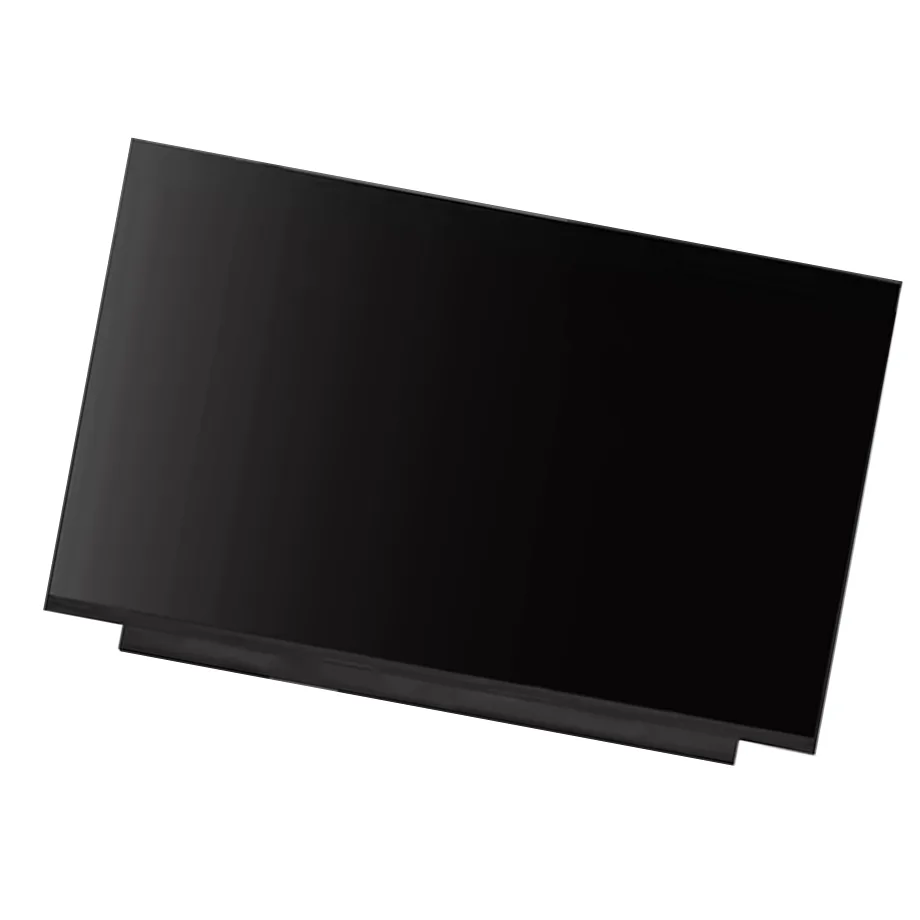
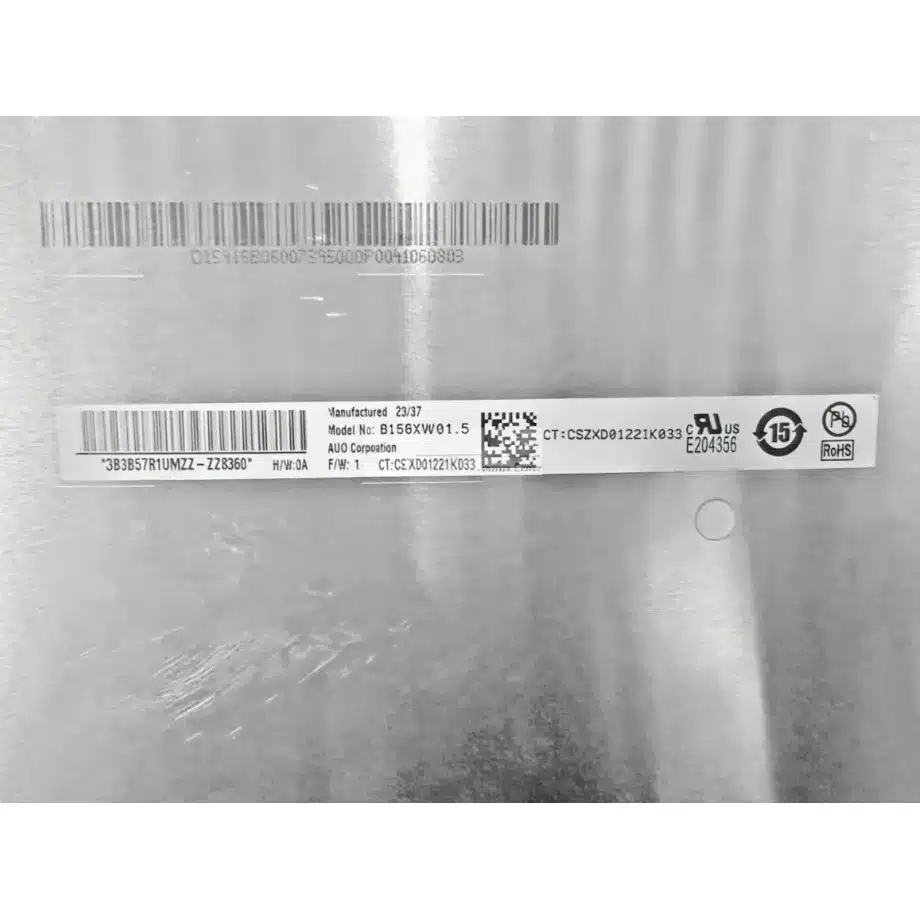
B160UAK01.5 HW0A DMRRS WUXGA Antiglare 2-Lane eDP is a 16.0-inch AUO a-Si TFT-LCD notebook module with a native 1920×1200 WUXGA image format, 16:10 geometry, integrated on-cell touch and a two-lane eDP 1.2 signal interface. The supplied exact-model data lists a 350.38×234.57×3 mm outline, 344.68×215.42 mm active area, 300 cd/m² typical luminance, antiglare surface treatment and 3.3 V typical panel supply. These specifications make it possible to review electrical, mechanical, optical and touch requirements as one system instead of treating the display as a generic 16-inch replacement.
The module also carries AMD FreeSync and DMRRS feature wording in the supplied source description. Those labels can be useful during host-platform review, but they are not a guarantee that every notebook BIOS, GPU, cable or operating system will expose the same behavior automatically. The host must support the required display timing, eDP link, power sequencing and touch integration. Exact connector mapping, firmware behavior and system-level feature enablement remain qualification items.
Three buyer value propositions for this 16-inch touch module
1. WUXGA 16:10 geometry supports taller notebook layouts
The 1920×1200 native format provides more vertical pixels than a 1920×1080 panel while remaining in a familiar notebook resolution class. For document work, web applications, dashboards and productivity interfaces, the extra vertical space can reduce scrolling without requiring an ultra-high-resolution graphics pipeline. The advantage is architectural rather than universal: software scaling, application design and operating-system settings still determine the final user experience.
2. Integrated on-cell I²C touch reduces separate overlay qualification
The supplied model data identifies on-cell touch with an I²C touch interface. That gives engineering teams a defined starting point for touch-enabled notebook integration and service replacement. It does not remove the need to confirm host touch wiring, firmware expectations, HID behavior, connector pin allocation and operating-system support. For a replacement project, the original non-touch or touch architecture must be compared carefully because a matching panel resolution alone does not establish touch compatibility.
3. Detailed mechanics and eDP information enable disciplined first-pass screening
A 350.38 mm width, 234.57 mm height, 3 mm thickness and 40-pin 0.5 mm connector provide concrete values for mechanical and cable review. The native interface is eDP 1.2 using two lanes, so the host must deliver the required 1920×1200 timing over the expected lane configuration. These facts can eliminate obvious mismatches before sample purchase, while the production drawing and exact pin assignment remain necessary for final approval.
Key Specifications at a Glance
| Specification | Approved value |
|---|---|
| Manufacturer / Model | AUO B160UAK01.5 HW0A |
| Display type | a-Si TFT-LCD, LCM |
| Diagonal size | 16.0 inch |
| Native resolution | 1920(RGB)×1200, WUXGA, 16:10 |
| Active area | 344.68×215.42 mm (H×V) |
| Outline | 350.38×234.57×3 mm (H×V×D) |
| Brightness | 300 cd/m² (Typ.) |
| Contrast ratio | 1000:1 (Typ.) |
| Viewing angle | 89/89/89/89 (Typ.)(CR≥10) |
| Response time | 20 ms (Typ.)(Tr+Td) |
| Color | 16.7M, 45% NTSC |
| Refresh rate | 60 Hz |
| Native interface | eDP (2 Lanes), eDP1.2, 40-pin 0.5 mm connector |
| Panel supply | 3.3 V (Typ.) |
| Surface | Antiglare |
| Operating mode | AHVA, Normally Black, Transmissive |
| Touch | On-Cell Touch, I²C |
| Operating temperature | 0 ~ 50 °C |
| Storage temperature | -20 ~ 60 °C |
How should the B160UAK01.5 HW0A DMRRS WUXGA Antiglare 2-Lane eDP interface be qualified?
Start with the native eDP path. The module is specified for two-lane eDP 1.2 through a 40-pin 0.5 mm connector. A replacement notebook must support the panel's native 1920×1200 timing, correct lane configuration, AUX communication, panel power and backlight control. A 40-pin connector on another display does not prove pin-for-pin interchangeability. Connector orientation, pin mapping, cable assembly, host firmware and power sequence should be checked against the exact production documentation.
The touch subsystem is a second qualification path. The display source identifies on-cell touch and an I²C touch interface, so engineering teams should verify which pins carry touch signals, how the host provides power and reset behavior, and what firmware or operating-system driver expectations exist. The supplied wording references Windows 10 and 11 use, but that does not establish guaranteed compatibility with every device or software image. The target notebook should be tested with the actual cable and controller stack.
VESA's embedded DisplayPort material is useful background for understanding the interface family and link behavior, but a standards overview does not replace the exact panel specification. See https://vesa.org/featured-articles/vesa-improves-mobile-device-battery-life-and-display-performance-with-upcoming-release-of-embedded-displayport-edp-version-1-4/ for eDP background. For the actual implementation, use the model-specific datasheet and production cable definition because system compatibility depends on more than the interface revision label.
What do the optical and mechanical specifications mean in practice?
The module's 300 cd/m² typical luminance is appropriate as a panel-level reference for a conventional notebook display class. The antiglare surface can reduce specular reflections compared with a glossy panel, while the 1000:1 typical contrast ratio and 89-degree viewing-angle figures describe the intended image behavior. None of these numbers proves outdoor readability, factory calibration, HDR performance or a guaranteed finished-system luminance. Cover materials, power policy, optical stack, assembly pressure and display settings can change the observed result.
The 16.7 million color and 45% NTSC wording should also be kept within scope. It is useful for comparing this module with other notebook panels, but it does not establish a professional color-workflow qualification or a specific certified gamut standard. Projects that require tight color tolerances should define their own acceptance criteria and verify production samples in the final enclosure.
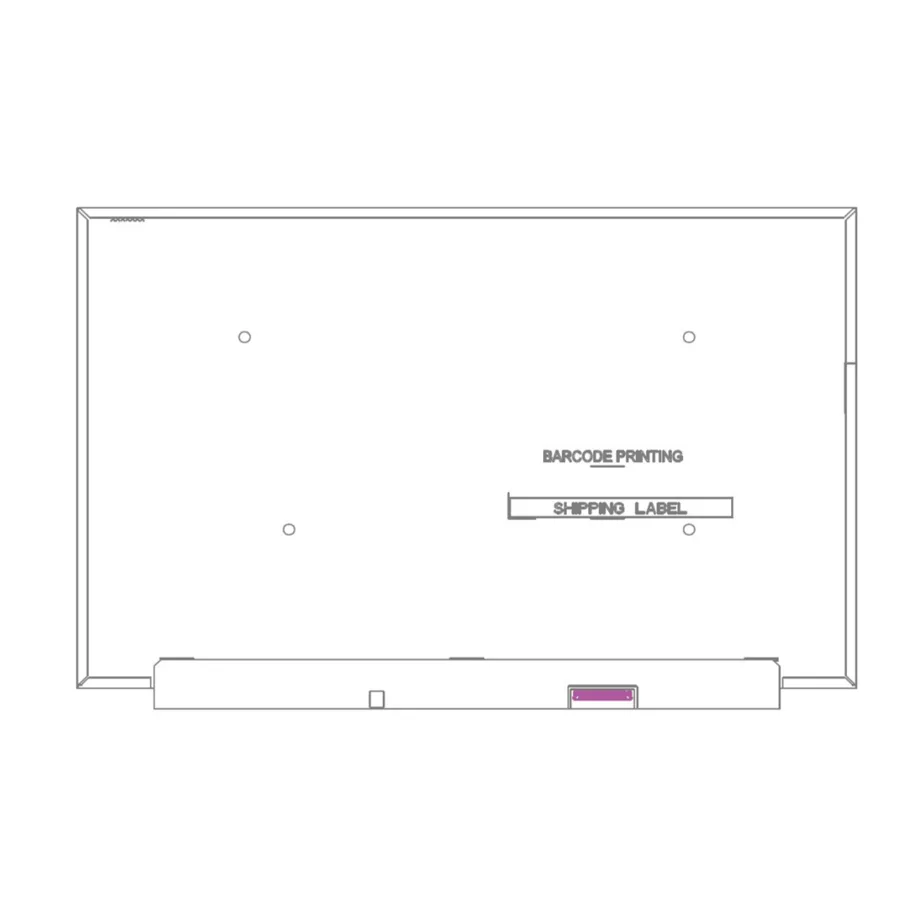
Mechanically, the 350.38×234.57×3 mm outline and 390 g maximum mass are more useful than diagonal size for service-replacement screening. Compare the chassis cavity, PCB edge, connector location, cable bend, adhesive zones, bezel pressure points and lid structure. A different 16.0-inch WUXGA panel can still fail fit because of connector placement, thickness, mounting design or touch-stack differences.
When is this model a practical notebook replacement candidate?
B160UAK01.5 HW0A DMRRS WUXGA Antiglare 2-Lane eDP is a practical candidate when the project requires the same AUO model or when an engineering team can validate an alternative installation against the exact mechanical envelope, two-lane eDP 1.2 interface, 40-pin connector, touch path and optical targets. The same-model public application information identifies laptop use, and Panelook's exact-model listing references HP Pavilion 16-af 2024. That reference should be treated as application context rather than a universal fit guarantee for every configuration sold under that notebook family.
The supplied source description also lists Reverse I/F, AMD FreeSync and DMRRS. Those details can help explain why a visually similar panel may behave differently in a particular host. Features that depend on host firmware or graphics behavior should be validated in the production system rather than inferred from the panel label alone. For service use, preserve the original cable, BIOS context, EDID behavior and touch configuration during first-article comparison.
The approved operating range is 0 to 50 °C and storage range is -20 to 60 °C. Those limits support normal notebook qualification but do not establish wide-temperature industrial, automotive, medical or other regulated grade. The same caution applies to the source's 1.5G vibration wording: it should not be expanded into a broader ruggedness certification unless the exact qualification standard and test evidence are available.
How should touch, FreeSync and DMRRS be handled during validation?
For touch, confirm host I²C connectivity, interrupt/reset behavior, firmware support and operating-system recognition. A complete first-article test should include edge accuracy, multi-touch behavior where required, wake/sleep transitions, display power-state transitions and normal notebook lid operation. These tests validate the integrated system; they should not be replaced by assuming that the on-cell label guarantees identical behavior across platforms.
For AMD FreeSync and DMRRS, record the host GPU, driver, BIOS, panel timing set and observed operating behavior. The presence of a feature label in the panel source is evidence that the module is associated with those capabilities, but the effective result depends on the host. Avoid publishing a guaranteed adaptive-sync operating range unless the exact panel documentation provides it and the complete system has been qualified.
AUO positions notebook panels as part of its display portfolio; see https://www.auo.com/en-global/products/index/Display_Panel_Products/Notebook for manufacturer-level product context. That source supports the general notebook application direction, while the exact product specifications used here come from the current-run supplied model record and exact-model reference material.
Procurement and first-article checklist
- Confirm the exact model string: AUO B160UAK01.5 HW0A.
- Match 1920×1200 WUXGA timing and two-lane eDP 1.2 capability to the host.
- Verify the 40-pin 0.5 mm connector, exact pin assignment, connector orientation and cable reach.
- Validate the on-cell I²C touch path, host firmware and operating-system behavior.
- Compare the 350.38×234.57×3 mm outline and 390 g maximum mass with the production enclosure.
- Check 300 cd/m² typical luminance, antiglare appearance and viewing performance in the assembled notebook.
- Record FreeSync and DMRRS behavior only after host-level verification.
- Confirm 0 to 50 °C operation and -20 to 60 °C storage against the real deployment profile.
Quick engineering answers
AUO B160UAK01.5 HW0A is a 16.0-inch a-Si TFT-LCD notebook LCM with 1920×1200 WUXGA resolution, 16:10 geometry and integrated on-cell touch.
The panel's native video interface is two-lane eDP 1.2 through a 40-pin 0.5 mm connector, so exact cable and pin mapping must be checked before replacement.
The integrated touch interface is identified as I²C, which means touch compatibility must be validated separately from the eDP video link.
The specified 300 cd/m² typical brightness, antiglare surface and 1000:1 typical contrast ratio are panel characteristics and do not by themselves establish outdoor or certified color performance.
For qualification, provide the original panel model, target notebook, cable assembly, mechanical drawing, required touch behavior, brightness target, sample quantity and annual demand. B160UAK01.5 HW0A DMRRS WUXGA Antiglare 2-Lane eDP should be approved in the target system before volume deployment rather than selected from diagonal size, resolution or connector count alone.
Recommended: Same Size
(16")
Applications & Value of LCD Panel

- Fast sourcing with in-stock panels & cross-reference alternatives
- Stable supply chain with long-term availability
- Engineering-level support from panel to integration
- Custom solutions: cable, touch & optical bonding
- Strict quality control with IQC / OQC / aging test
- Full traceability system for quality assurance
- Complete technical documentation & drawings
- Compliance support: RoHS & certification files
FAQ
About B160UAK01.5 HW0A DMRRS WUXGA Antiglare 2-Lane eDP
Does B160UAK01.5 HW0A use the same connection for video and touch?
Can another 16-inch 1920×1200 panel replace B160UAK01.5 HW0A?
What does the 300 cd/m² brightness specification mean for system design?
How should AMD FreeSync and DMRRS be evaluated on this AUO panel?
Is B160UAK01.5 HW0A a wide-temperature or rugged industrial display?
What should procurement capture during first-article approval?
Can you provide datasheet, drawing, and pin definition?
Yes, datasheet, drawing, and pin definition are available on request. To proceed, please confirm your exact model and quantity so we can provide the correct documentation package. We recommend verifying the pinout against your host board design before integration. Contact our sales team to request the datasheet, drawing, and pin definition for this specific model.
Can you integrate touch controllers (resistive/capacitive) into custom display modules with specific firmware requirements?
Yes, we can integrate touch controllers into custom display modules with specific firmware requirements. The B160UAK01.5 HW0A already features on-cell touch, which simplifies integration by eliminating a separate touch layer. For custom projects, we work with your firmware specifications to ensure compatibility with your host system. Please provide your touch controller requirements, interface preferences, and firmware details so our engineering team can assess feasibility. Note that the panel's native interface is two-lane eDP 1.2, and touch integration must align with that signal architecture. Contact us to discuss your custom module needs.
What are the packaging options for shipping displays to prevent damage during transit?
We offer robust packaging options designed to prevent damage during transit, including anti-static bags, foam cushioning, and reinforced cartons. Standard options include individual trays, multi-panel cartons, and palletized shipments. We can also accommodate special requirements such as moisture barrier bags and shock indicators. Please specify your shipping destination, quantity, and any carrier constraints so we can recommend the most suitable packaging configuration for your order.
What interface options are available (e.g., LVDS, eDP, MIPI) for your panels?
The B160UAK01.5 HW0A uses an eDP (2 Lanes) interface, specifically eDP 1.2, with a 40-pin 0.5 mm connector. This is the only interface option listed for this model. To determine the exact interface for a particular panel, please refer to its datasheet or contact us for confirmation. When selecting a replacement, ensure the host system supports the same interface and connector type to avoid compatibility issues.
