Freya Yang
+86 18318948097
+852 62667476
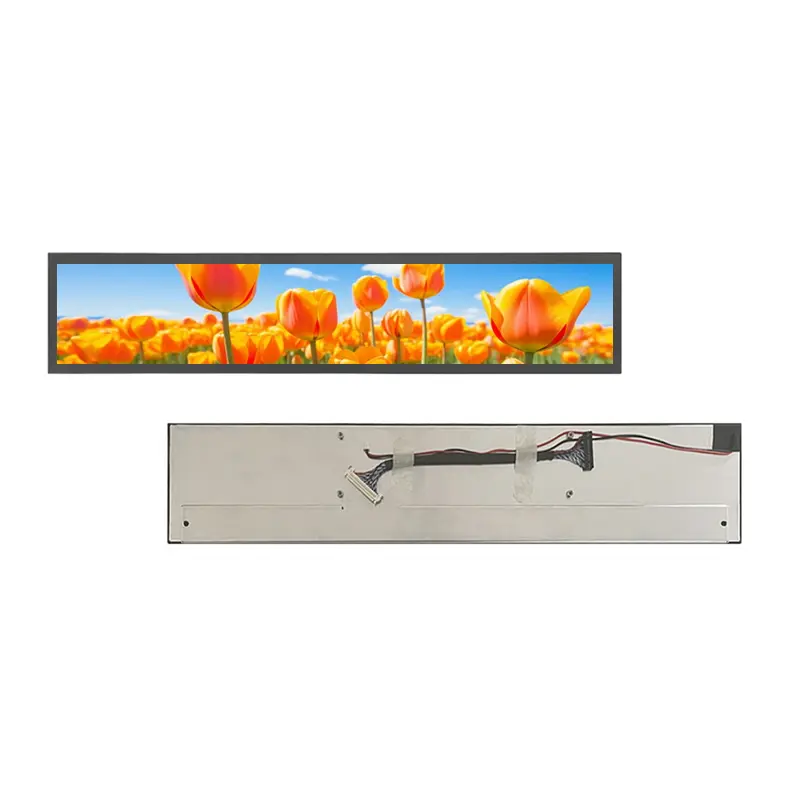
19 Inch Transit Information Strip LCD Panel Bar Display for Public Signage
Model P/N
Size
Resolution
Brightness
Viewing Angle
Connector Type
Operating Temp
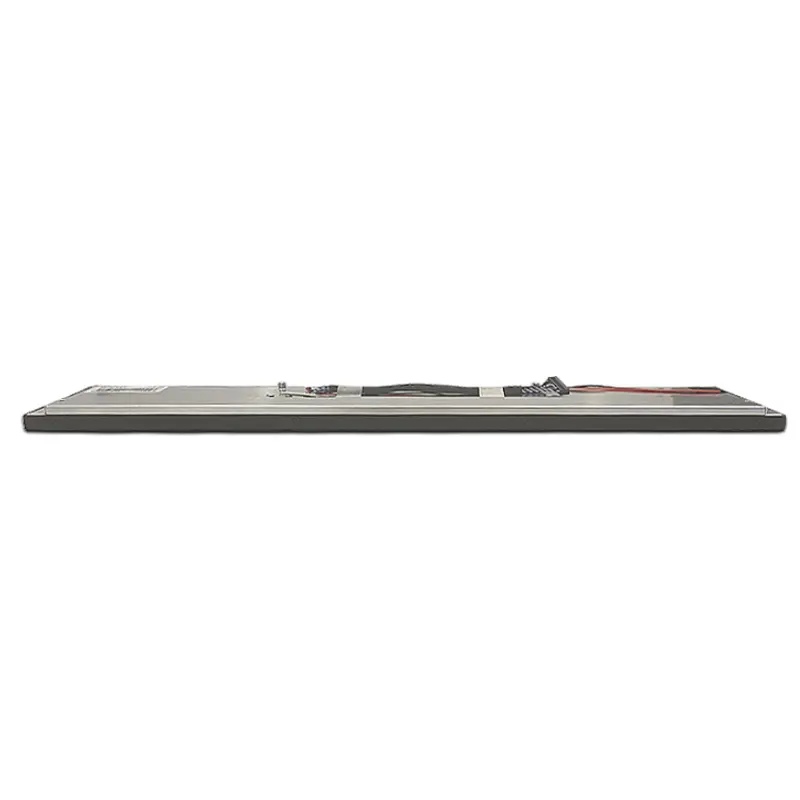
Overall(mm)
huisoar
HS19S001A0
Brand
Panel Size (inch)
Model P/N
Resolution
Brightness (nits)
Viewing Angle
Contrast Ratio
Response Time
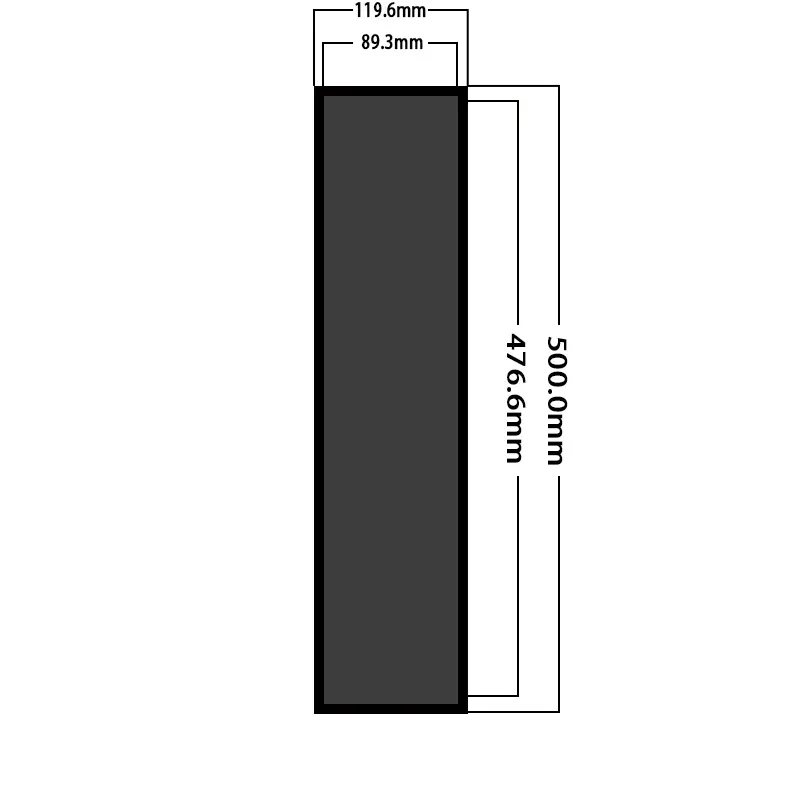
Overall (mm)
Active Area (mm)
Refresh Rate
Display Colors
Panel Type
Connector Type
Operating Temp
Touchscreen Type
Storage Temp
Work Mode
Pixel Format
Control Type
Operating Environment
Designed For
19 Inch Transit Information Strip LCD Panel for Public Signage
This ultra-wide IPS panel combines a native 1920 × 320 canvas, 1500 cd/m² luminance, and 30-pin 8-bit LVDS integration for narrow information layouts.
Product Summary
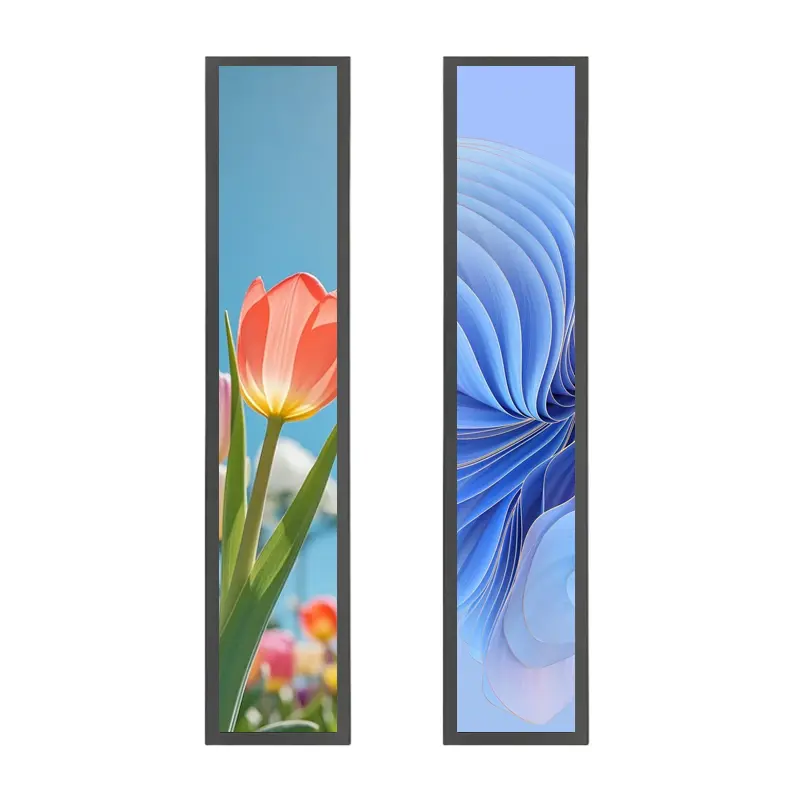
The Transit Information Strip LCD Panel provides a purpose-built horizontal display area for route messages, station guidance, queue information, advertising banners, status indicators, and other content that requires substantially more width than height.
Its 1920 × 320 resolution supports detailed text and continuous graphical layouts without using the unused vertical space of a conventional 16:9 screen. The 19-inch panel combines IPS full viewing, 1500 cd/m² typical luminance, a 30-pin 8-bit LVDS interface, and a 500.0 × 119.6 × 21.0 mm mechanical structure.
The standard panel is non-touch. It is intended for systems in which information is viewed rather than directly entered on the screen, or where interaction is handled through buttons, a remote interface, another terminal, or a separately qualified touch layer.
Key Specifications
| Specification | Value |
|---|---|
| Display size | 19 inch |
| Resolution | 1920 × 320 pixels |
| Active area | 476.65 × 89.34 mm |
| Module outline | 500.0 × 119.6 × 21.0 mm |
| Panel technology | IPS TFT-LCD |
| Optical mode | Transmissive |
| Luminance | 1500 cd/m² typical |
| Contrast ratio | 1200:1 typical |
| Viewing angle | 89°/89°/89°/89°, L/R/U/D |
| Display colors | 16.7M colors |
| Interface | 30-pin 8-bit LVDS |
| Backlight | WLED |
| Touch status | Non-touch |
| Operating temperature | 0°C to +50°C |
| Storage temperature | −10°C to +60°C |
1920 × 320 Content Design for Narrow Information Strips
Native Ultra-Wide Layout
The 1920 × 320 raster is designed for information that flows horizontally. It can present route names, destinations, time data, platform information, directional graphics, queue numbers, advertising messages, or machine status in a single continuous strip.
The panel should be driven at its native resolution whenever practical. Native operation preserves character proportions, icon clarity, line weight, and the intended spacing between content zones.
Potential layout regions include:
- Service or route identifier
- Current location
- Next destination
- Directional arrow
- Arrival or departure time
- Alert and disruption message
- Queue or counter number
- Equipment operating state
- Promotional banner
- Emergency instruction area
A standard 16:9 layout should not simply be compressed into the strip format. The user interface should be created specifically for the 1920 × 320 canvas.
Text, Route, and Status Zones
The active image area measures 476.65 × 89.34 mm. Content design should account for the finished bezel, decorative mask, front-glass printing, and assembly tolerances.
Critical route, warning, and status information should remain within a validated safe area. Designers should confirm minimum character height, viewing distance, line spacing, language requirements, and icon recognition before approving the final layout.
IPS Viewing and 1500 cd/m² Optical Performance
High-Ambient-Light Boundary
The panel provides 1500 cd/m² typical luminance. This makes it suitable for evaluation in bright commercial interiors, transit environments, window-adjacent signage, and other installations where a standard low-luminance panel may be insufficient.
A 1500 cd/m² panel does not by itself establish finished-system outdoor readability behind front glass.
Final readability depends on:
- Front-glass transmission
- Surface reflection
- Decorative printing
- Air gap or optical bonding
- Installation angle
- Direct and reflected light
- Enclosure shading
- Backlight dimming
- Panel temperature
- Thermal management
- Content contrast and font design
The completed assembly should be tested under the actual installation lighting rather than approved from the panel luminance value alone.
Viewing Angle and Contrast
The IPS structure provides 89° viewing in the left, right, upper, and lower directions. This supports public installations where users approach the display from different positions.
The 1200:1 typical contrast ratio provides separation for text, icons, route blocks, and background graphics. Finished-system contrast will also be affected by ambient light, reflections, cover materials, and the selected user-interface colors.
30-Pin 8-Bit LVDS Integration
Host Compatibility Checks
The panel uses a 30-pin 8-bit LVDS interface.
A 30-pin LVDS connector does not guarantee timing, voltage, channel mapping, or pin compatibility with another panel.
Before connecting a host or controller board, confirm:
- Native 1920 × 320 timing
- LVDS channel count
- 8-bit data mapping
- Pixel clock
- Signal polarity
- Complete 30-pin assignment
- Connector pitch
- Contact side
- Pin-1 direction
- Panel logic supply
- Enable and control signals
- Backlight-driver requirements
- Dimming-control method
- Cable length and grounding
The approved model-specific timing and pinout document should control electrical release.
Non-LVDS Sources Require Conversion
HDMI, DisplayPort, MIPI DSI, eDP, USB video, and parallel RGB are not directly interchangeable with the panel’s LVDS input. A suitable bridge or controller board is required when the host does not generate the correct native LVDS signal.
A conversion solution should be checked for:
- Input video format
- 1920 × 320 output timing
- LVDS channel and bit mapping
- Panel power
- Backlight power
- Start-up and shut-down behavior
- Dimming control
- Connector orientation
- Cable routing
- Thermal load
Mechanical Fit of the Transit Information Strip LCD Panel
Enclosure and Bezel Planning
The module outline is 500.0 × 119.6 × 21.0 mm. The active area is 476.65 × 89.34 mm.
Mechanical review should include:
- Front opening
- Active-area alignment
- Bezel overlap
- Decorative mask
- Rear-component clearance
- Connector position
- Cable exit direction
- Cable bend radius
- Mounting points
- Front-glass stack
- Ventilation clearance
- Service-removal path
The approved mechanical drawing should be used before enclosure tooling, bracket production, or glass printing is released.
Long-Panel Mounting Support
A long, narrow display requires controlled support across its structure. Mounting pressure should be distributed rather than concentrated at a few isolated points.
The assembly should avoid:
- Frame twisting
- Local pressure on the active area
- Uneven adhesive thickness
- Forced connector alignment
- Sharp cable folds
- Rear-component interference
- Housing deformation
- Heat concentration near the backlight or electronics
Prototype evaluation should include flatness, vibration from the final installation, temperature rise, cable retention, and service access.
Operating Environment and Qualification Limits
The panel supports operation from 0°C to +50°C and storage from −10°C to +60°C.
These values do not independently establish:
- Outdoor enclosure qualification
- Waterproofing
- Dust resistance
- Rail certification
- Medical certification
- Automotive qualification
- Vibration resistance
- Shock resistance
- Humidity tolerance
- Condensation resistance
- UV resistance
- EMC or ESD compliance
- Continuous 24/7 lifetime
Qualification should use the final host, controller board, LVDS cable, power system, backlight driver, front glass, enclosure, mounting structure, thermal path, and software-dimming behavior.
Application and Configuration Review
The Transit Information Strip LCD Panel can be evaluated for:
- Station and platform guidance
- Passenger-information strips
- Route and destination messages
- Queue-management displays
- Narrow public-information panels
- Retail advertising banners
- Equipment status windows
- Smart-appliance information strips
- Industrial process indicators
- Building guidance displays
The panel is not a finished digital-signage appliance. It does not automatically include a housing, media player, HDMI controller, operating system, network connection, speakers, touch panel, power supply, environmental sealing, or application software.
Non-Touch Architecture
The standard configuration is non-touch. This is suitable when:
- Content is view-only
- Input is handled at another terminal
- Remote management controls the content
- Physical buttons are used
- The display operates as a status window
- A separate touch stack will be developed
- Front protection is more important than direct interaction
An optional touch configuration requires separate sensor dimensions, cover-glass design, touch controller, interface, firmware, optical stack, and mechanical qualification.
Configuration Scope
Project evaluation can cover:
- LVDS controller matching
- Complete 30-pin definition
- Custom LVDS cable
- HDMI-to-LVDS controller
- Front glass
- Anti-glare or anti-reflective treatment
- Optical bonding
- Optional touch development
- Enclosure adaptation
- Mounting brackets
- Distributed panel support
- Brightness validation
- Thermal review
- Branding and labeling
- Packaging
Custom configurations are generally reviewed from 500 pieces, subject to tooling requirements, material availability, and the requested specification. Sample and standard-module quantities are confirmed separately.
Procurement Checklist
Submit:
- Host processor or controller-board model
- Native 1920 × 320 timing
- LVDS channel count
- 8-bit mapping requirement
- Pixel clock and polarity
- Complete 30-pin assignment
- Connector pitch and orientation
- Panel power requirements
- Backlight-driver output
- Dimming-control requirements
- Approved mechanical drawing
- Enclosure opening
- Mounting and bracket concept
- Front-glass specification
- Target finished-front luminance
- Viewing-distance requirement
- Content and language layout
- Operating environment
- Sample quantity
- Annual demand
- Production schedule
FAQ
About 19 Inch Transit Information Strip LCD Panel
What must be checked before connecting another 30-pin LVDS controller?
How should content be prepared for a 1920 × 320 display?
Does 1500 cd/m² guarantee outdoor readability?
Which dimensions should control enclosure release?
When should the non-touch configuration be selected?
Freya Yang
+86 18318948097