Freya Yang
+86 18318948097
+852 62667476
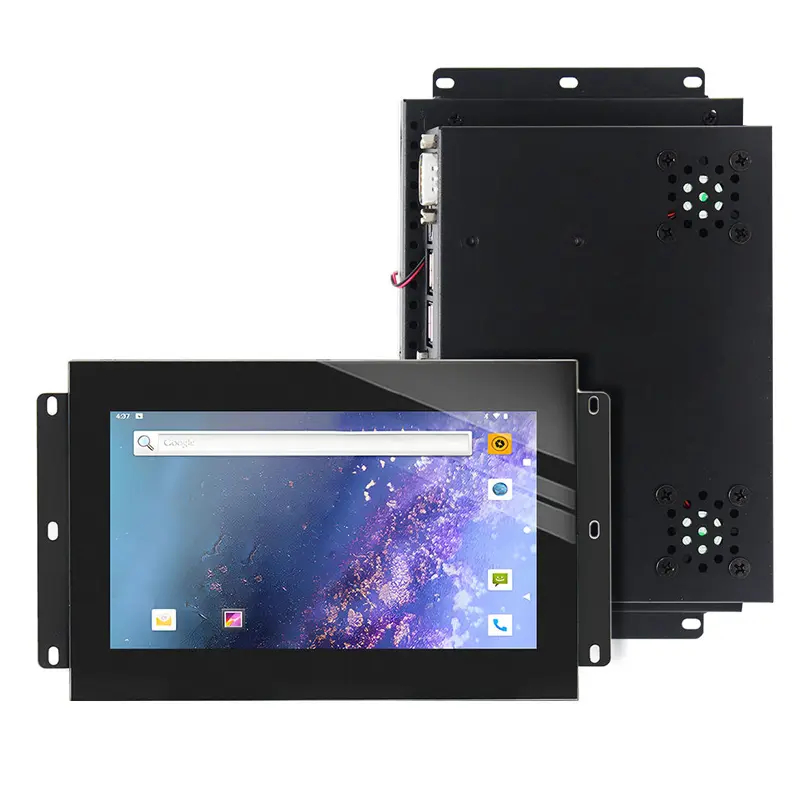
7 Inch Open Frame Industrial Touch Monitor for Compact HMI
Model P/N
Size
Resolution
Brightness
Viewing Angle
Connector Type
Operating Temp
Overall(mm)
huisoar
HS01Q7TC
Brand
Panel Size (inch)
Model P/N
Resolution
Brightness (nits)
Viewing Angle
Contrast Ratio
Response Time
Overall (mm)
Active Area (mm)
Refresh Rate
Display Colors
Panel Type
Connector Type
Surface Treatment
Operating Temp
Touchscreen Type
Storage Temp
Work Mode
Pixel Format
Touch Interface
Control Type
Unit Input Voltage
Shell Material
Operating Environment
Designed For
7 Inch Open Frame Industrial Touch Monitor for Compact HMI
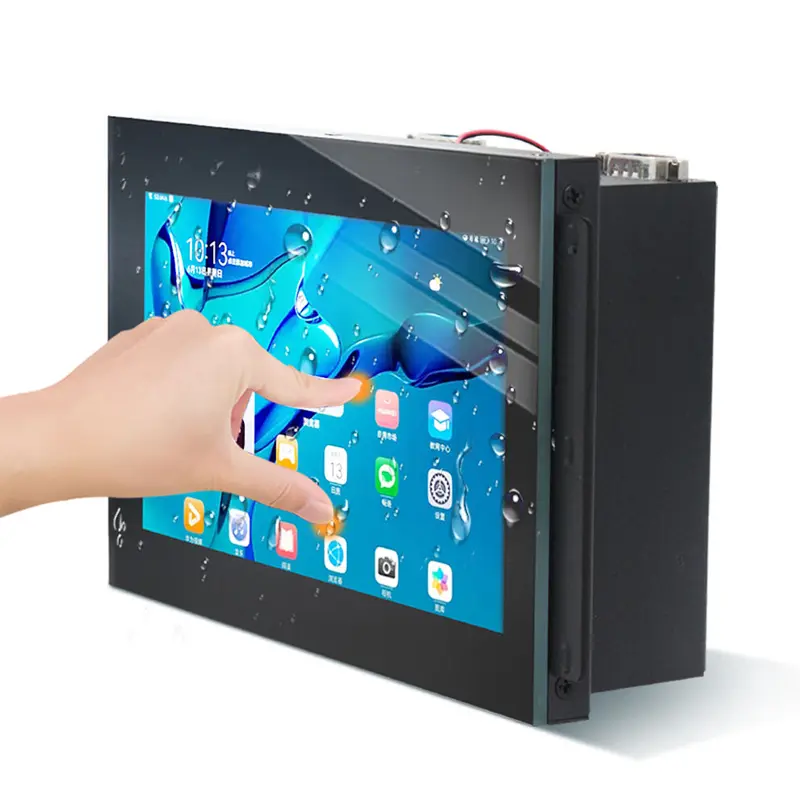
This Open Frame Industrial Touch Monitor combines a native 1024 × 600 display, 900 cd/m² luminance and capacitive touch for compact equipment integration.
Product Summary
The 7-inch monitor provides a compact interactive display for industrial HMI panels, machine enclosures, embedded control consoles and small kiosk interfaces. Its open-frame construction allows equipment designers to integrate the display behind a custom bezel rather than installing a finished desktop-style monitor.
A native 1024 × 600 resolution supports status pages, operating controls, alarm messages, equipment values and compact graphical interfaces. The monitor controller provides video-input flexibility, while the capacitive touchscreen enables direct operator input through a separate touch-data connection.
Key Specifications
| Parameter | Value |
|---|---|
| Display size | 7 inch |
| Native resolution | 1024 × 600 pixels |
| Aspect ratio | 16:9 |
| Active area | 154.2144 × 85.92 mm |
| Luminance | 900 cd/m² |
| Contrast ratio | 800:1 |
| Response time | 25 ms |
| Display colors | 16.7M |
| Touch technology | Capacitive touchscreen |
| Surface hardness | 7H |
| Video inputs | VGA / HDMI |
| Operating temperature | 0°C to +50°C |
| Storage temperature | −10°C to +60°C |
Open-Frame Integration for Compact Equipment
Rear-Mount Enclosure Planning
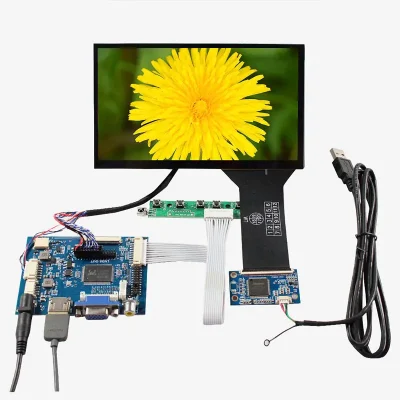
An open-frame monitor is intended to become part of the final equipment enclosure. The mounting frame, controller board, cables and display stack must be considered together during mechanical design.
The enclosure review should confirm:
- mounting-hole positions
- bezel opening
- active-area alignment
- display depth
- controller-board clearance
- cable bend radius
- connector access
- service access
- ventilation
- grounding
- cover-glass stack
The monitor should not be treated as dimensionally interchangeable with another 7-inch product solely because the diagonal size is the same.
Active-Area and Bezel Alignment
The active display area is 154.2144 × 85.92 mm. This value controls the visible image window, but it does not define the complete bezel opening or outer mounting dimensions.
The production drawing should identify the relationship among:
- visible area
- touch area
- cover-glass border
- metal frame
- mounting holes
- controller-board position
- cable exit
Native 1024 × 600 HMI Content
Controller Input Versus Panel Resolution
The native image raster is 1024 × 600 pixels. This resolution should control the HMI layout even when the controller accepts a higher input format.
A specification that says the video input supports a format such as 1920 × 1080 does not mean the LCD has that native pixel count. The controller may scale the incoming signal to 1024 × 600.
Use native-resolution content whenever practical to preserve:
- text edges
- line thickness
- icons
- control labels
- chart detail
- button boundaries
- alarm visibility
UI Layout for a 7-Inch Screen
A compact 7-inch interface benefits from a clear hierarchy. Primary controls should remain large enough for reliable touch operation, while secondary information should not compete with alarms or operating status.
Suitable UI elements include:
- machine state
- operating mode
- start and stop controls
- numeric setpoints
- alarm summaries
- basic trend charts
- maintenance prompts
- equipment counters
- navigation tabs
900 cd/m² Optical Performance
High-Ambient Indoor Visibility
The 900 cd/m² standard luminance provides a stronger optical baseline than a typical low-brightness indoor monitor. It is suitable for evaluation in brightly illuminated factories, kiosks, equipment rooms and other high-ambient indoor environments.
Finished visibility also depends on:
- cover-glass transmission
- touch-layer transmission
- surface reflection
- air gaps
- installation angle
- interface contrast
- enclosure shading
- operating temperature
- backlight control
Finished-Stack Testing
A 900 cd/m² display does not automatically guarantee direct-sunlight readability. Reflection from the cover surface can reduce visible contrast even when the backlight is bright.
Qualification should include testing with the actual:
- cover glass
- touch stack
- bezel
- mounting angle
- enclosure
- UI color scheme
- ambient lighting
- temperature conditions
Open Frame Industrial Touch Monitor Connections
Video Input Path
The monitor-controller references include VGA and HDMI video inputs. The host output should be matched to the selected controller-board configuration and tested at the intended timing and refresh rate.
Engineering confirmation should cover:
- supported input formats
- native 1024 × 600 output mapping
- scaling behavior
- HDMI timing
- VGA timing
- image orientation
- color range
- startup behavior
- signal-loss behavior
Touch Data Path
Touch data is separate from the video image. HDMI or VGA carries the picture, while a USB, serial or other configured connection carries the touch coordinates.
Before release, confirm:
- supplied touch interface
- connector type
- protocol
- operating-system driver
- coordinate orientation
- calibration method
- touch-point count
- cable length
- grounding
- electromagnetic behavior
Do not assume that every listed touch-interface option is fitted to the same monitor configuration.
Capacitive-Touch Qualification
Capacitive touch supports direct interaction without a separate keyboard or pointing device. The selected touch configuration should be tested with the final enclosure and cover stack.
Qualification should include:
- single-touch and multi-touch behavior
- edge accuracy
- touch latency
- calibration
- drag performance
- accidental-touch rejection
- cable routing
- controller firmware
- operating-system support
- surface hardness
- cover-glass thickness
- environmental conditions
The product listing refers to a ten-point capacitive configuration, but the production touch-point count should be confirmed through the approved touch-controller specification and sample test.
Power and Environmental Boundaries
The listed operating range is 0°C to +50°C, with a storage range of −10°C to +60°C. Relative humidity is listed as 10%–90% without condensation.
The power information includes:
- AC 90–240 V input reference
- DC 12 V / 24 V reference
- ≤50 W maximum consumption
- ≤1 W standby consumption
The final electrical drawing should clarify whether the AC value applies to an external adapter and which DC input is required by the delivered controller assembly.
The 30,000-hour lifetime value should also be confirmed as a backlight, display or complete-system rating before it is used in a procurement specification.
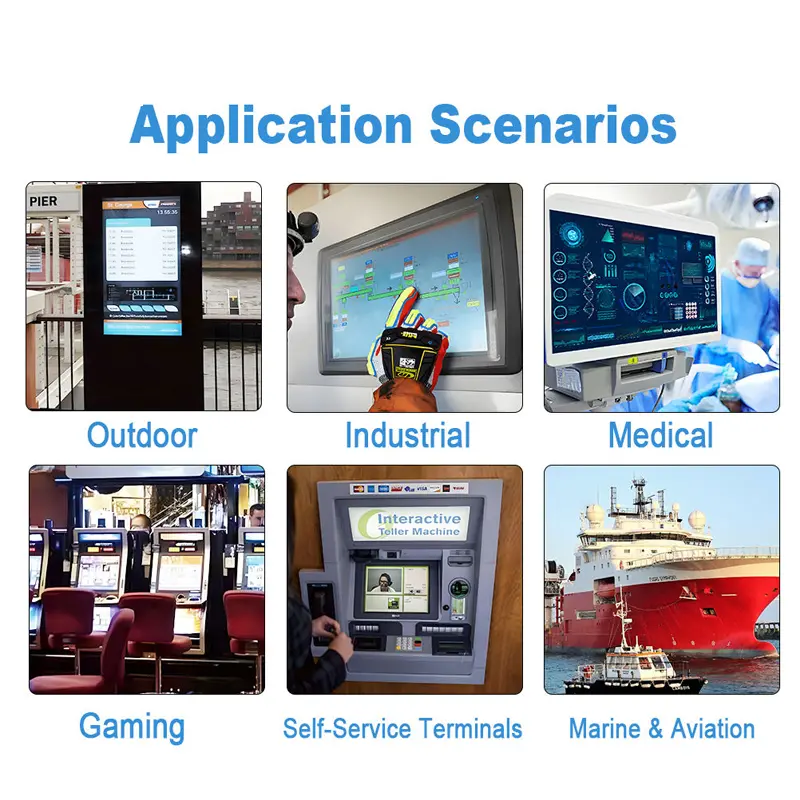
Recommended Applications
Compact Industrial HMI Panels
The 7-inch format can support machine controls, equipment status and alarm handling in a compact front panel.
Embedded Equipment Consoles
Open-frame construction allows the monitor to be integrated behind a custom equipment bezel with controlled service access.
Small Kiosk Interfaces
The capacitive touchscreen and controller-board video inputs can support compact information, registration or service terminals used in controlled environments.
Machine-Control Enclosures
The display can provide operator controls and equipment feedback where enclosure space is limited.
Monitoring and Diagnostic Panels
A 1024 × 600 workspace can present operating values, basic trends, status indicators and maintenance information.
Custom Integration Options
Project review can cover:
- VGA or HDMI controller selection
- USB or serial touch connection
- touch-controller tuning
- cover glass
- surface treatment
- optical bonding
- bezel design
- mounting brackets
- enclosure adaptation
- cable routing
- connector orientation
- power adapter selection
- branding
- labeling
- packaging
Custom configurations are generally reviewed from 500 pieces, subject to tooling requirements, material availability and the requested specification. Samples and standard quantities are confirmed separately.
Procurement Checklist
Before sample or production approval, submit or confirm:
- approved 1024 × 600 timing
- required host video output
- controller-board input
- supported HDMI and VGA formats
- scaling behavior
- native refresh rate
- exact touch interface
- touch protocol
- touch-controller model
- required touch-point count
- operating-system support
- calibration method
- power input
- adapter specification
- module outline
- mounting-hole drawing
- bezel opening
- active-area position
- controller-board clearance
- cable orientation
- cover-glass stack
- 900 cd/m² target
- operating and storage ranges
- humidity limits
- lifetime definition
- compliance documents
- included accessories
- sample quantity
- annual demand
- production schedule
FAQ
About 7 Inch Open Frame Industrial Touch Monitor
What must be checked before connecting an HDMI or VGA host?
Which connection carries the touch data?
Does 900 cd/m² guarantee outdoor readability?
What must be checked for open-frame mounting?
Which supplied claims require additional confirmation?
Freya Yang
+86 18318948097