Freya Yang
+86 18318948097
+852 62667476
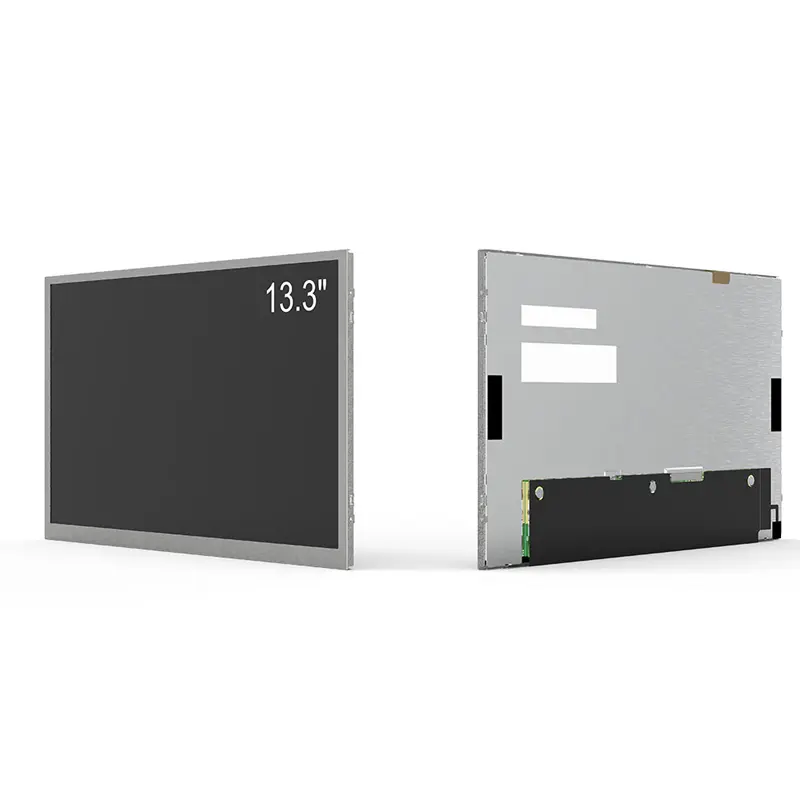
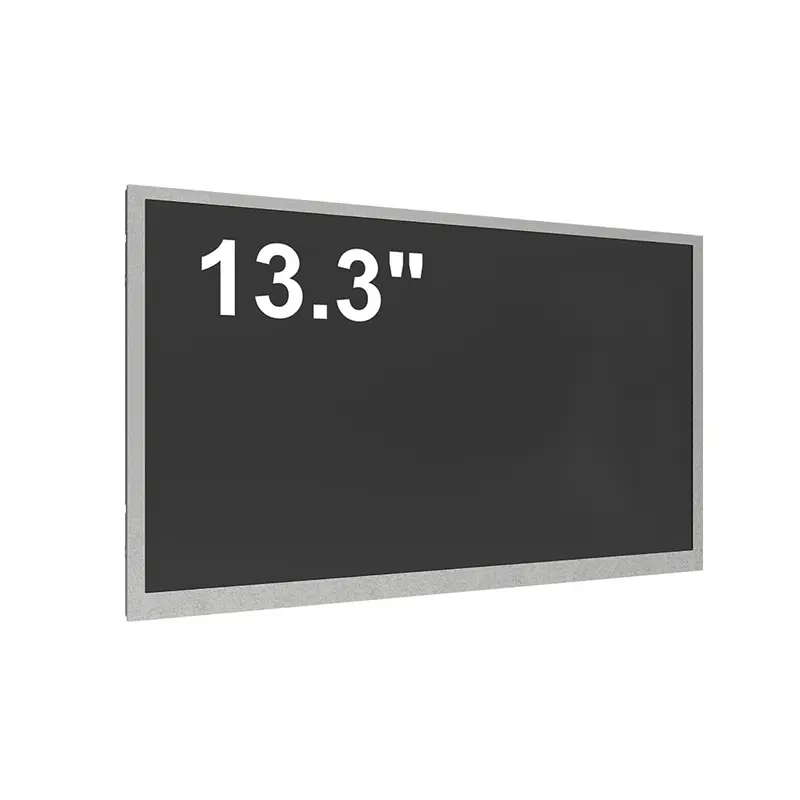
13.3 Inch EV Charging Touch Panel Station Display for Smart Outdoor Chargers

Model P/N
Size
Resolution
Brightness
Viewing Angle
Connector Type
Operating Temp
Overall(mm)
huisoar
HS133HAN-GE10
Brand
Panel Size (inch)
Model P/N
Resolution
Brightness (nits)
Viewing Angle
Contrast Ratio
Response Time
Overall (mm)
Active Area (mm)
Refresh Rate
Display Colors
Panel Type
Connector Type
Surface Treatment
Operating Temp
Touchscreen Type
Storage Temp
Work Mode
Pixel Format
Input Voltage (V)
Touch Interface
Designed For
Full HD 2500-Nit PCAP Display Interface for EV Charging Kiosks, Payment Terminals, and Energy Dashboards
A 13.3 Inch EV Charging Touch Panel is a compact outdoor charger interface for EV charging stations, payment kiosks, parking terminals, and energy dashboards that need bright Full HD visuals and responsive user operation. It combines 1920 × 1080 resolution, 2500-nit typical brightness, projected capacitive 10-point touch, IP65 front-panel protection, aluminum-alloy structure, DC 12V/24V input, and HDMI/VGA/USB/RS232 interfaces. For OEM teams, it helps turn the charger display area into a clear, durable, self-service operating window.
At a Glance: Charger-Facing Touch Display Highlights
- 13.3-inch 16:9 screen size fits compact EV charger cabinets without forcing a large display cutout.
- 1920 × 1080 Full HD resolution supports charging progress, tariff data, payment prompts, and error messages.
- Up to 2500 nits typical brightness helps improve visibility in outdoor and high-ambient-light charger locations.
- Projected capacitive 10-point touch supports interactive charging workflows and self-service operation.
- IP65 front-panel protection helps resist dust and water exposure at the installed user-facing surface.
- HDMI / VGA / USB / RS232 and DC 12V / 24V support monitor-style charger controller integration.
- Aluminum alloy enclosure, VESA, panel mount, and custom integration options support different charger structures.
Product Overview of the 13.3 Inch EV Charging Touch Panel
EV charger interfaces need more than a bright screen; they need a display that can guide users through charging, payment, status checking, and error handling in outdoor conditions. The 13.3 Inch EV Charging Touch Panel is built for this role by combining a compact Full HD display with touch operation, front-panel protection, and practical system-level I/O.
The 13.3-inch size is valuable for charger manufacturers because it provides enough area for a modern UI without making the charger cabinet overly wide. It can show charging status, time remaining, power level, billing information, QR codes, help prompts, and branding zones in one interface. The Full HD resolution helps maintain clean text and icon detail, while the 2500-nit typical brightness gives the product stronger readability potential than standard indoor screens.
This product is best suited for smart EV charging kiosks, outdoor payment terminals, parking management systems, and energy-monitoring equipment. It is also useful for industrial control panels that require a compact protected touch display. Before sampling, buyers should confirm the final brightness target, touch behavior, front-glass design, host interface, mounting method, power input, and whether the project requires a complete monitor assembly or a more customized panel-level integration.
Key Features of the 13.3 Inch EV Charging Touch Panel
| Feature | B2B Value |
|---|---|
| 13.3-inch Full HD format | Gives charger UIs enough space for payment, instructions, and live charging data. |
| 2500 nits typical brightness | Helps support outdoor-facing readability for high-ambient-light installations. |
| Projected capacitive 10-point touch | Enables self-service interaction for charging, payment, menus, and confirmation steps. |
| IP65 front panel | Supports dust and water resistance at the exposed user-facing surface. |
| Aluminum alloy enclosure | Adds a practical mechanical structure for charger cabinet integration. |
| HDMI / VGA / USB / RS232 | Supports common controller, media, and service interface requirements. |
| DC 12V / 24V input | Fits many embedded charger and kiosk power architectures. |
| 50,000-hour backlight lifetime | Supports long-service display planning for public equipment. |
| VESA / panel mount / custom integration | Gives mechanical teams several installation routes. |
| Brightness and I/O customization options | Allows the same product direction to be adapted for different charger platforms. |
Technical Specifications of the Charger Touch Display
| Specification | Confirmed Value |
|---|---|
| Product Type | EV charging station touch panel |
| Screen Size | 13.3 inches, 16:9 |
| Resolution | 1920 × 1080 Full HD |
| Brightness | 2500 nits typical; 1000–2500 nits range described |
| Display Type | IPS, LED backlight |
| Touch Technology | Projected capacitive, 10 points |
| Protection Level | IP65 front panel |
| Input Voltage | DC 12V / 24V |
| Interface Options | HDMI / VGA / USB / RS232 |
| Mounting Options | VESA / panel mount / custom integration |
The public specification table uses confirmed values only. The source also contains a panel-level block with LVDS 30-pin and “Non-Touch,” which conflicts with the finished product table and title. For procurement, treat this as a verification point: confirm whether your quotation is for the finished touch-panel monitor configuration, the panel module, or a custom assembly.
Why Choose a 13.3-Inch Touch Panel for EV Charger Interfaces?
A 13.3-inch touch display is a practical balance between usability and cabinet size. It is large enough for charging workflows but compact enough for slim DC chargers, AC chargers, payment terminals, and parking equipment.
10-Point PCAP Touch for Self-Service Charging
The projected capacitive touch function is the main difference from panel-only sunlight-readable displays. It allows users to start sessions, confirm payment, check instructions, switch menus, and respond to alerts directly on the display. For public charging equipment, touch response should be validated with cover glass, rain conditions, cleaning procedures, and any glove-use expectations.
IP65 Front Panel for Outdoor-Facing Equipment
The product table lists IP65 front-panel protection, which is especially relevant for outdoor charger interfaces. This does not remove the need for enclosure engineering. Gaskets, cabinet sealing, cable exits, screw pressure, and the rear housing must still be reviewed to ensure the final installed system meets the intended protection level.
Monitor-Style Interfaces for Faster Charger Integration
HDMI, VGA, USB, and RS232 are useful when the charger control system needs a display assembly rather than a raw LCD panel. HDMI or VGA can simplify video input, USB can support touch or service functions, and RS232 may support control or system communication. If the project instead requires LVDS panel-level integration, that must be clarified before layout.
2500-Nit Readability for Outdoor Payment and Charging Workflows
The key optical value of this display is high-ambient-light usability. In charging stations, users often interact with the screen in parking lots, fuel-service areas, roadside locations, shopping centers, or outdoor commercial spaces.
Full HD UI Detail for Tariffs, QR Codes, and Status Data
The 1920 × 1080 resolution gives UI designers room for charging progress, pricing, QR payment, connector status, error alerts, energy output, and multilingual instructions. This reduces the need to oversimplify the interface and helps users complete charging actions faster.
Brightness Should Match the Site, Not Only the Datasheet
The source lists brightness up to 2500 nits and customization choices from 1000 to 2500 nits. A shaded charger site may not need the same brightness as an exposed outdoor payment terminal. Engineers should match brightness with front glass, anti-glare treatment, optical bonding, ambient light sensor needs, and thermal design.
Anti-Glare and Front Glass Review
The page references anti-glare / anti-reflective coating options and outdoor readability. For charger deployments, front glass selection is critical. Confirm reflection, optical bonding, touch sensitivity, impact requirement, cleaning chemicals, and panel temperature during sample evaluation.
Interface, Power, and Mounting Checks for Charger Cabinet Integration
The 13.3 Inch EV Charging Touch Panel should be selected together with the charger controller, power architecture, and enclosure drawing.
HDMI / VGA / USB / RS232 Versus LVDS Panel-Level Use
The finished specification table lists HDMI / VGA / USB / RS232, while the lower parameter block lists LVDS 30 pins. This is not a problem if clarified early. It likely indicates different integration levels: finished touch-monitor assembly versus raw LCD module. Buyers should state the preferred architecture before quotation.
DC 12V / 24V Power Planning
The listed DC 12V / 24V input is useful for charger and kiosk platforms, but power design should still verify inrush current, backlight load, cable length, grounding, and surge protection. Outdoor equipment often needs extra attention to power stability.
VESA, Panel Mount, and Custom Integration
VESA and panel mounting options help fit the display into charger doors, payment heads, or dashboard structures. Mechanical engineers should provide the cabinet drawing, opening size, mounting points, depth limit, service access, and sealing method before finalizing samples.
Recommended Applications for Outdoor Charging Equipment
This product is designed for EV charging and adjacent public-service equipment where touch, brightness, and protection matter together.
EV Charging Station Displays
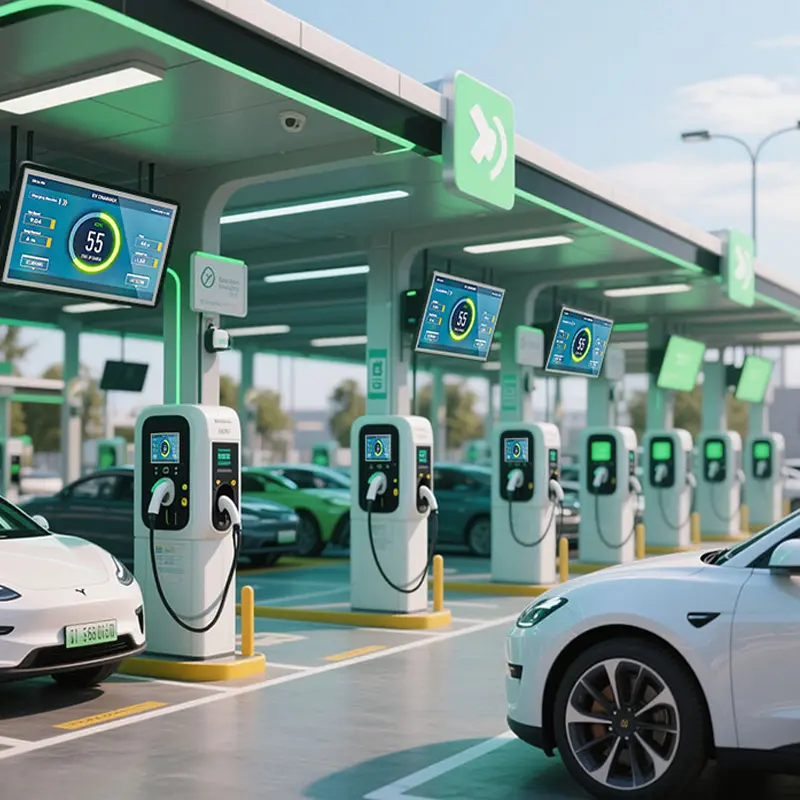
In AC or DC charger terminals, the screen can show charging progress, user prompts, payment steps, connector instructions, energy output, and system alerts. Validate UI layout, front protection, and controller communication before deployment.
Outdoor Payment Terminals
Parking payment, fuel-service payment, and energy-service terminals need clear touch navigation. The 13.3-inch Full HD format gives enough space for tariff data and QR workflows while staying compact.
Parking Management and Energy Dashboards
Parking operators and energy systems may need local status screens for access, billing, alerts, or monitoring. The touch interface supports direct control, while brightness and IP65 front protection help in exposed locations.
Industrial Control Panels
Industrial systems that require a protected touch display can also use this product direction. Confirm the I/O, mounting, temperature range, and any compliance requirements before adopting it outside EV charger use.
Customization Options for EV Charging Touch Panel Projects
Customization can include brightness versions from 1000 to 2500 nits, touch or non-touch configuration, custom I/O such as HDMI, RS232, or CANbus, anti-glare / anti-reflective coatings, optical bonding, optional sunlight sensor, mounting changes, enclosure adaptation, and charger-specific mechanical design.
For EV charger projects, customization should be reviewed around the complete user interface: touch stack, cover glass, sealing, display brightness, controller connection, DC power, mounting, cable routing, and field-service access.
Procurement and Engineering Checklist for 13.3-Inch Charger Display Selection
- Confirm whether the target product is a finished touch-panel assembly or a panel-level LCD module.
- Select brightness based on charger location, cover glass, and direct ambient-light exposure.
- Verify PCAP touch behavior with the intended cover glass and environmental conditions.
- Confirm HDMI / VGA / USB / RS232 requirements, or specify LVDS if the project needs module-level integration.
- Review DC 12V / 24V power input, grounding, cable routing, and surge protection.
- Match VESA, panel mount, or custom integration to the charger cabinet drawing.
- Confirm IP65 front-panel requirement and final enclosure sealing method.
- Request sample testing before mass production.
FAQ
About 13.3 Inch EV Charging Touch Panel Integration
Is this display designed specifically for EV charging stations?
Does the 13.3 Inch EV Charging Touch Panel support capacitive touch?
Is the display waterproof?
What interface should I choose for charger integration?
Is 2500 nits always required?
Can this touch panel be mounted into a custom charger cabinet?
What should be tested before mass production?
Freya Yang
+86 18318948097