Freya Yang
+86 18318948097
+852 62667476
21.5 Inch Commercial Android Signage Display for Kiosks


Model P/N
Size
Resolution
Brightness
Viewing Angle
Connector Type
Operating Temp
Overall(mm)
huisoar
HS2150ENT-N10
Brand
Panel Size (inch)
Model P/N
Resolution
Brightness (nits)
Viewing Angle
Contrast Ratio
Response Time
Overall (mm)
Active Area (mm)
Refresh Rate
Display Colors
Panel Type
Connector Type
Surface Treatment
Operating Temp
Touchscreen Type
Storage Temp
Work Mode
Pixel Format
Control Type
Weight (g)
Operating Environment
I/O Interface
Designed For
21.5 Inch Commercial Android Signage Display for Kiosks
A 21.5-inch Full HD all-in-one display that combines 1000 cd/m² luminance, Android playback, network connectivity and optional touch for kiosk projects.
Product Summary
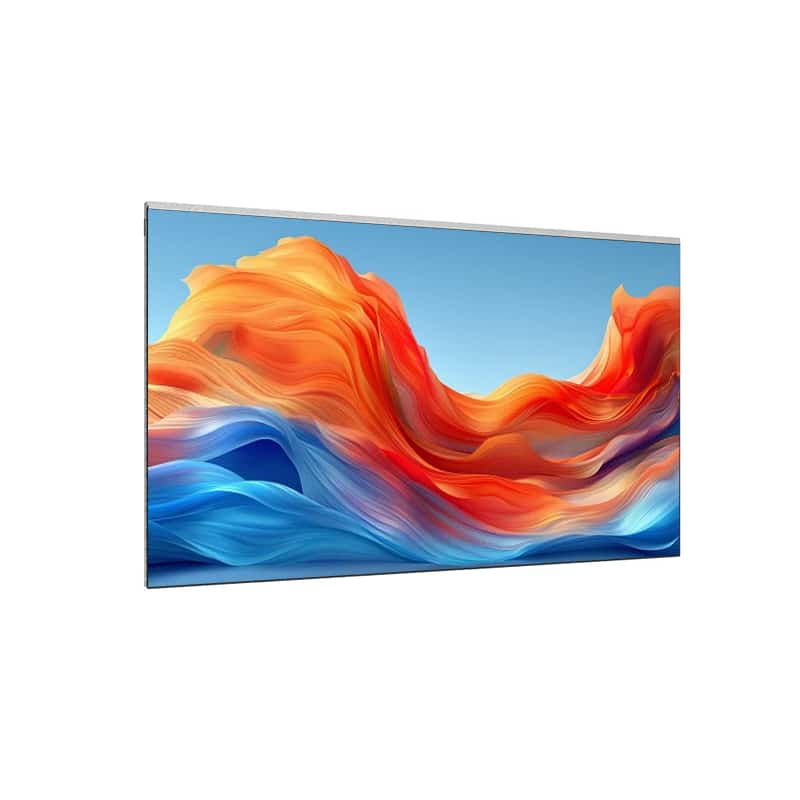
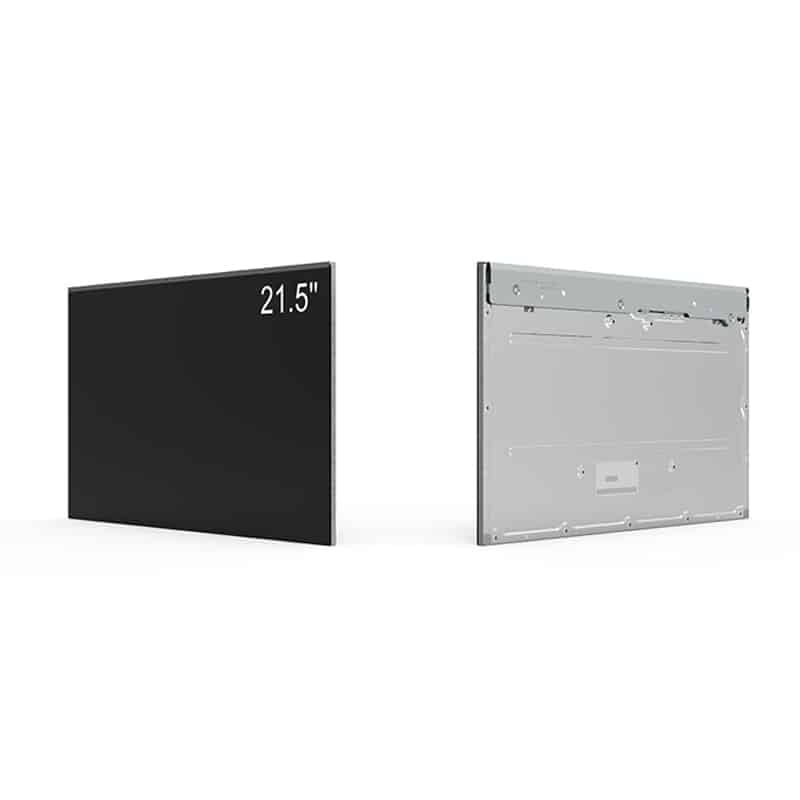
The Commercial Android Signage Display is a 21.5-inch all-in-one screen for kiosk information, retail communication, restaurant content, office notices and light industrial information systems. It combines a native 1920 × 1080 image with Android 5.1, 2 GB RAM, 8 GB storage and several local or networked content routes.
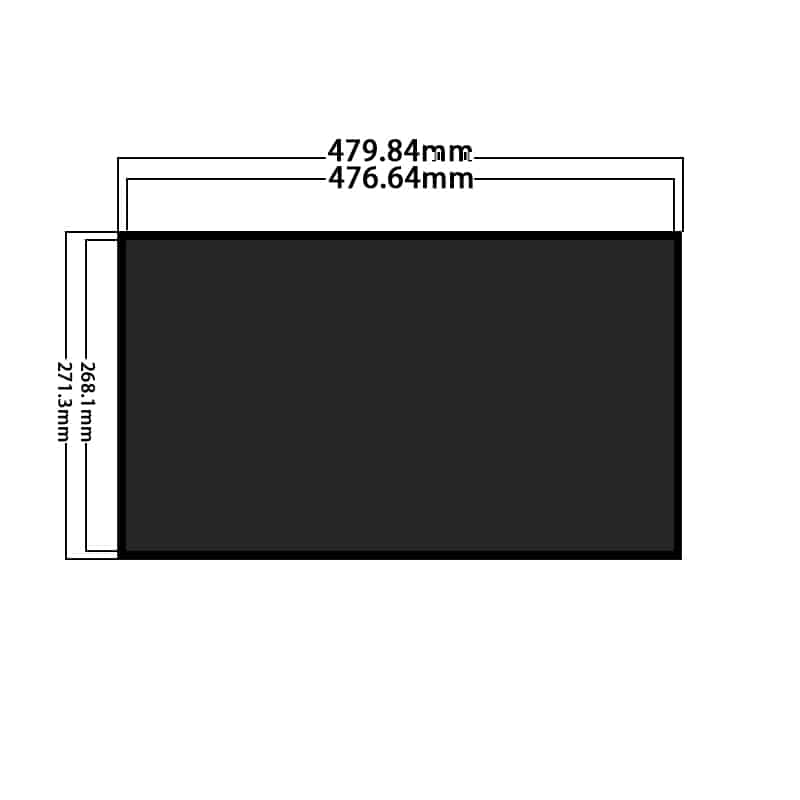
The display provides 1000 cd/m² luminance and a 3000:1 contrast ratio in its standard configuration. Its 476.64 × 268.11 mm active area gives designers a familiar 16:9 canvas for menus, promotions, directories, instructions, dashboards and status information.
Key Specifications
| Parameter | Confirmed value |
|---|---|
| Screen size | 21.5 inches |
| Native resolution | 1920 × 1080 pixels |
| Pixel density | 102 PPI |
| Panel mode | VA, normally black, transmissive |
| Standard luminance | 1000 cd/m² |
| Contrast ratio | 3000:1 |
| Viewing-angle sequence | 89/89/89/89° typical, CR ≥ 10 |
| Response time | 13/5 ms typical, Tr/Td |
| Refresh rate | 60 Hz |
| Color gamut | 74% NTSC listed |
| Active area | 476.64 × 268.11 mm |
| Panel outline | 479.84 × 271.31 mm; thickness not confirmed |
| Surface treatment | Anti-glare, haze 25% |
| Internal panel interface | 30-pin, two-channel, 8-bit LVDS |
| Operating system | Android 5.1 |
| Memory and storage | 2 GB RAM + 8 GB storage |
| Network | LAN and Wi-Fi |
| Local media | Micro SD and 2 × USB 2.0 |
| External video | HDMI, DVI and VGA |
| Touch | Optional projected-touch or non-touch |
| Operating temperature | −20°C to +70°C |
| Storage temperature | −30°C to +80°C |
The complete enclosure depth, system input voltage, touch-controller interface and ordered accessory set should be confirmed before mechanical or electrical release.
Native Full HD Content for Kiosk Interfaces
Prepare Content at 1920 × 1080
The display should receive content prepared at its native Full HD raster. Native artwork preserves small text, icon edges, pricing and interface geometry better than content enlarged from a lower-resolution master.
Retail promotions, restaurant menus and office notices can combine images, video and text, while kiosk interfaces should reserve clear areas for instructions, navigation and status information.
Plan for Portrait and Landscape Use
Both landscape and portrait operation are described. The final orientation should be selected before artwork, mounting and application development begin.
Portrait content should be authored as a portrait layout rather than simply rotating a landscape video. Typography, button placement, image crops and safe margins need separate approval for each orientation.
Integrated Android Playback and Storage
Validate Android 5.1 Application Support
The built-in Android 5.1 system can reduce the need for a separate media-player box, but software compatibility must be checked before procurement.
The built-in Android 5.1 system supports standalone media playback, but CMS and application compatibility must be validated before deployment.
Submit the intended APK, browser requirements, video formats, codec requirements, security settings, screen-rotation behavior and remote-management method. The 2 GB RAM and 8 GB storage configuration should also be checked against the application footprint, media library and update process.
Plan for Offline Playback and Recovery
A commercial signage workflow should define what happens when the network disconnects or power is interrupted. Confirm local caching, automatic application launch, scheduled restart, time synchronization and recovery after power loss.
Micro SD and USB storage can support local media workflows, while LAN and Wi-Fi can support network delivery. SIM functionality should be confirmed against the exact communication module and regional network requirements.
Connectivity for the Commercial Android Signage Display
Separate Built-In Playback from External HDMI Sources
HDMI, DVI and VGA allow the display to receive content from an external computer, controller or media player. These inputs are distinct from the integrated Android playback path.
HDMI, DVI and VGA inputs allow external-source operation, so integrated and external playback routes should be specified separately.
The project specification should identify the default input, automatic input switching, recovery after a signal loss and whether the Android system remains active when an external source is selected.
Define the Network and Local-Media Workflow
A simple single-screen installation may use USB or Micro SD. A larger signage network may require LAN or Wi-Fi, content scheduling, remote health monitoring and controlled software updates.
Commercial Android-signage products are commonly selected around the combination of built-in playback, network management, portrait or landscape operation and optional external inputs rather than the display panel alone.
Optical Planning for 1000 cd/m²
Test the Final Front Cover
The 1000 cd/m² standard luminance supports bright commercial interiors and protected high-ambient installations. It does not establish equal readability behind every protective cover or window.
A 1000 cd/m² panel still requires front-cover and ambient-reflection testing before bright-window readability is approved.
Evaluate the intended glass or polymer, tint, reflectance, air gap, bonding layer, bezel depth, display angle and installation lighting. A higher-brightness configuration should be selected only after the exact optical and thermal requirements are defined.
Use the Anti-Glare Surface Correctly
The panel has an anti-glare surface with 25% haze. A separate cover window can alter the final reflection characteristics, so the complete stack should be evaluated rather than relying on the panel treatment alone.
Optional Touch and User Interaction
Projected touch is optional rather than part of every standard unit. Interactive projects must define the touch technology, controller, host interface, touch-point requirement, cover thickness, bonding structure and operating-system support.
The non-touch version is more appropriate when the screen is used only for menus, notices, promotions or information playback. The touch version should be selected only when direct user interaction is required.
Mechanical Integration and Drawing Control
The active area is 476.64 × 268.11 mm, while the supplied panel outline is 479.84 × 271.31 mm. The latter value does not include a confirmed thickness or complete enclosure.
The 479.84 × 271.31 mm panel outline does not define the complete all-in-one enclosure depth.
Obtain an approved complete-system drawing before releasing the cabinet opening, mounting points, rear clearance, cable access or ventilation. The 780 g value should also be treated as a panel reference rather than the assembled-system weight.
Application Fit
The Commercial Android Signage Display is suited to kiosk information systems, retail promotions, restaurant menus, reception displays, office communications, gaming and amusement equipment, and light industrial shop-floor information screens.
It is not automatically a weatherproof outdoor kiosk, payment-certified terminal or continuous-duty industrial controller. Those finished-system requirements need separate enclosure, electrical, software and compliance qualification.
Configuration Options
Project review may include:
- Android and CMS configuration
- Memory and storage review
- LAN, Wi-Fi and SIM options
- HDMI, DVI and VGA input behavior
- USB and Micro SD media workflow
- Brightness selection
- Optional projected touch
- Cover glass and optical bonding
- Complete enclosure and mounting
- Portrait or landscape configuration
- Power architecture
- Branding and packaging
Custom configurations are generally reviewed from 500 pieces, subject to tooling requirements, material availability and the requested specification. Sample and standard-system quantities are confirmed separately.
Procurement Checklist
Confirm the following before sample approval:
- Android 5.1 application and CMS compatibility
- 2 GB RAM and 8 GB storage sufficiency
- Power-loss auto-start and recovery
- Offline content behavior
- Native 1920 × 1080 artwork
- Landscape or portrait orientation
- HDMI, DVI and VGA source requirements
- LAN, Wi-Fi and SIM network requirements
- USB 2.0 and Micro SD media workflow
- Optional-touch technology, controller and interface
- Complete system input and power requirements
- 30-pin two-channel 8-bit LVDS details when panel-level access is required
- 476.64 × 268.11 mm active area
- Approved complete enclosure drawing and depth
- Front-cover transmittance and reflection
- 1000 cd/m² site-lighting target
- Operating and storage temperature limits
- Sample quantity and annual demand
FAQ
About 21.5 Inch Commercial Android Signage Display
What must be checked before deploying Android 5.1 signage software?
When should the built-in Android system be used instead of an external HDMI player?
Is 1000 cd/m² sufficient behind a protective cover or bright window?
Which dimensions should control the kiosk enclosure design?
What must be confirmed before ordering the touch version?
Freya Yang
+86 18318948097