Freya Yang
+86 18318948097
+852 62667476
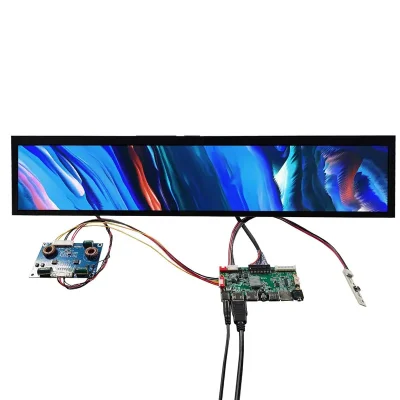
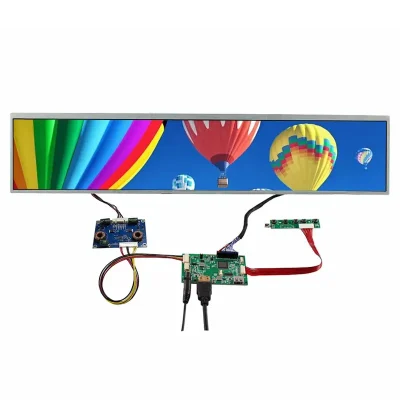
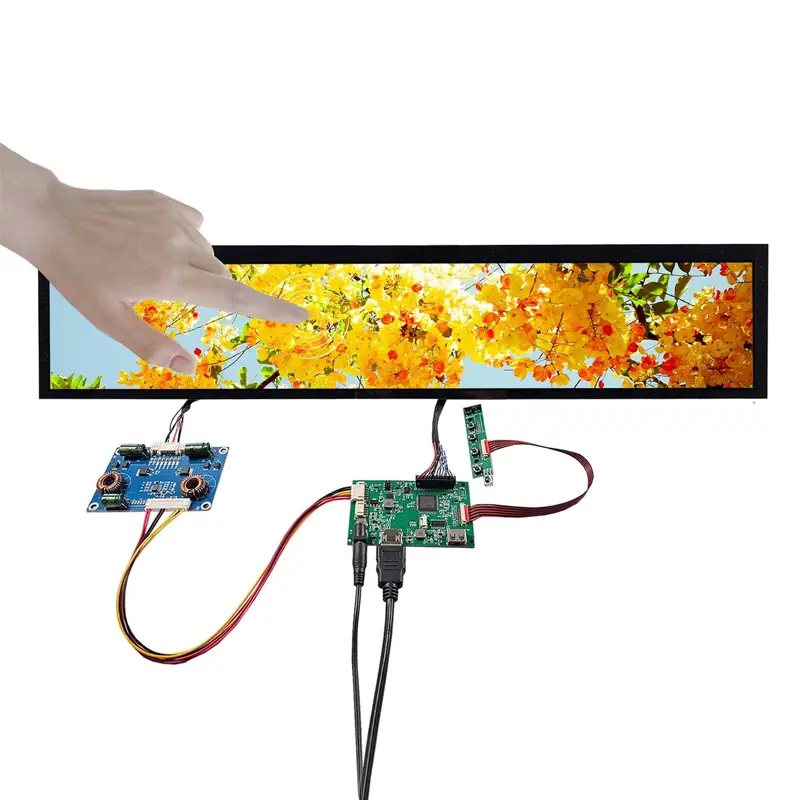
24 Inch Capacitive Touch Stretched Bar LCD Screen for Retail Shelves
Model P/N
Size
Resolution
Brightness
Viewing Angle
Connector Type
Operating Temp
Overall(mm)
huisoar
HS240FBM-NB0
Brand
Panel Size (inch)
Model P/N
Resolution
Brightness (nits)
Viewing Angle
Contrast Ratio
Response Time
Overall (mm)
Active Area (mm)
Refresh Rate
Display Colors
Panel Type
Connector Type
Operating Temp
Touchscreen Type
Storage Temp
Work Mode
Input Voltage (V)
Control Type
Weight (g)
Included Accessories
Operating Environment
Motherboard Type
Designed For
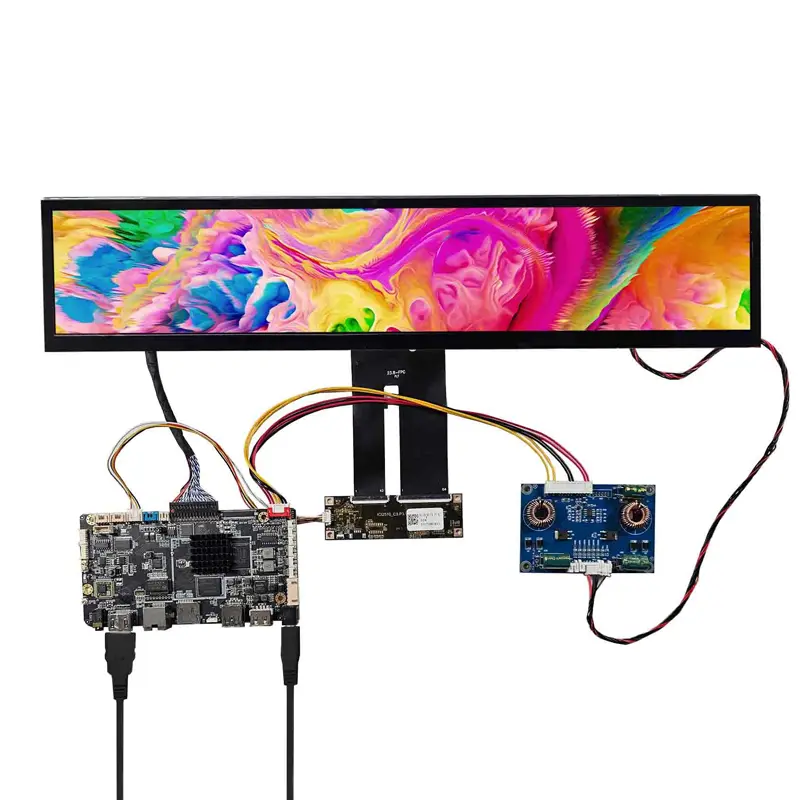
24 Inch Capacitive Touch Stretched Bar LCD Screen for Retail Shelves
A narrow 1920 × 360 IPS touch screen with 300 cd/m² luminance and selectable controller-board paths for interactive retail fixtures.
A Capacitive Touch Stretched Bar LCD Screen gives equipment designers a practical way to add interaction to long, low-profile retail fixtures without using a conventional 16:9 monitor. The 24-inch format combines a native 1920 × 360 canvas, IPS normally-black transmissive presentation, capacitive touch and wide viewing in a 612.7 × 132.1 × 10.2 mm structure.
For smart merchandising and narrow commercial interfaces, this geometry can place interactive content directly where customers already look for product information.
Product Summary
The screen is designed around a 1920 × 360 panoramic pixel layout rather than a conventional video aspect ratio. Its 300 cd/m² typical luminance and 1200:1 typical contrast position it primarily for indoor or controlled-light commercial installations.
Capacitive touch changes the integration objective from passive advertising to interactive shelf communication. Product lookup, category navigation, guided selection and fixture control can therefore be considered as application directions, provided the touch controller and communication interface are qualified for the final system.
Key Specifications
| Parameter | Confirmed value |
|---|---|
| Screen size | 24 inches |
| Resolution | 1920 × 360 pixels |
| Display mode | IPS, normally black, transmissive |
| Touch | Capacitive touch |
| Brightness | 300 cd/m² typical |
| Contrast ratio | 1200:1 typical |
| Viewing angle | 89°/89°/89°/89° L/R/U/D, CR ≥10 |
| Backlight | WLED |
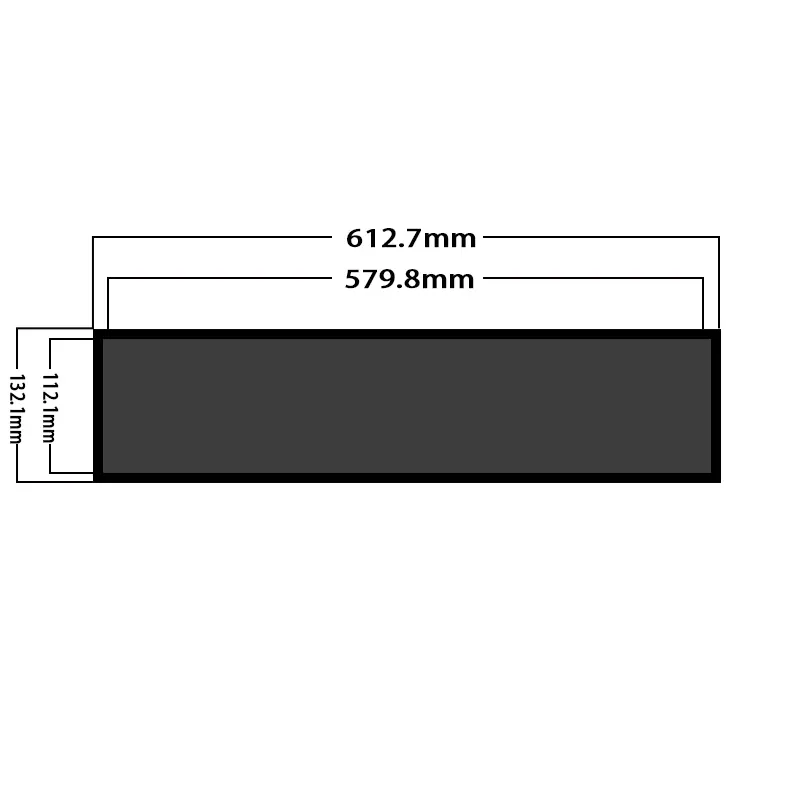
| Display area | 579.888 × 112.104 mm |
| Overall size | 612.7 × 132.1 × 10.2 mm |
| Display interface | LVDS, listed 1-channel 6-bit, 40 pins |
| Display input | 3.3 V typical |
Why 1920 × 360 Works for Retail Shelves
Native Content for a Long Shelf Interface
The 1920 × 360 raster should be treated as a purpose-built content canvas rather than a cropped version of standard Full HD.
A retailer can divide the long screen into multiple logical zones: product image, short description, price or option information, and an interactive control area. Native artwork also helps avoid the compressed typography and distorted layouts that occur when 16:9 creative is simply resized to fit an elongated screen.
For interactive projects, button size and touch-target spacing should be validated on the physical screen rather than only in a desktop mockup.
300 cd/m² for Controlled Commercial Lighting
The 300 cd/m² configuration is best aligned with indoor retail shelving, showroom fixtures and other controlled-light environments.
It should not be treated as a sunlight-readable specification. Front-cover reflections, fixture lighting and installation angle all affect final visibility, so projects installed near bright windows or under strong directional lighting should test the finished optical stack before approving the display.
IPS Viewing and Capacitive Touch Interaction
Wide Viewing Across Shelf Positions
The specified 89°/89°/89°/89° viewing data in left, right, up and down directions supports situations where shoppers approach a long shelf display from the side rather than directly from its center.
This is especially relevant on retail fixtures, where the user may walk parallel to the display while reading products and options. Wide viewing helps preserve the usefulness of the elongated content format across a broader approach angle.
Touch Path Requires Separate Electrical Definition
Capacitive touch is confirmed, but the touch-control architecture should not be inferred from the LCD video connector.
The materials do not define the touch-controller model, touch communication bus, point count, interrupt/reset requirements or software interface. These details should be fixed before a host board, cable set or operating-system integration is released.
Capacitive touch is confirmed, but the touch-controller model and communication interface are not defined.
Integrating the Capacitive Touch Stretched Bar LCD Screen
40-Pin LVDS Host Qualification
The display configuration is specified with a 40-pin LVDS connection, one-channel 6-bit wording and a 3.3 V typical input reference.
A matching 40-pin connector is not sufficient evidence of compatibility. The final controller design should verify timing, bit mapping, complete pin assignment, electrical levels, connector orientation and cable direction.
A matching 40-pin connector does not establish LVDS timing, bit mapping, pin assignment or touch-path compatibility.
This becomes particularly important when an OEM intends to replace the bundled controller approach with its own embedded processor or display board.
Choosing a Controller-Board Architecture
Several controller routes are available for different system concepts.
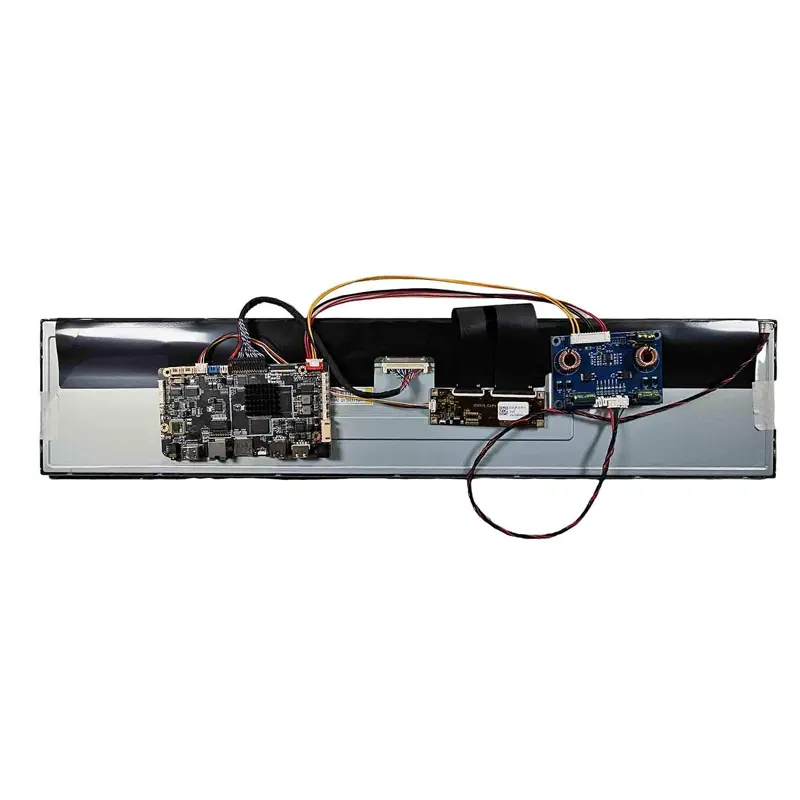
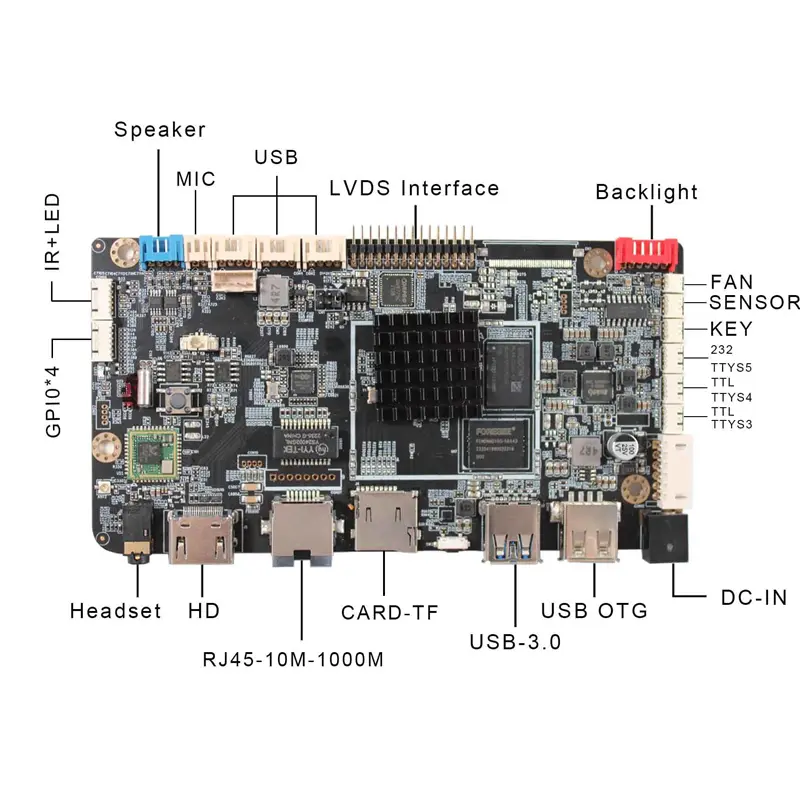
The VS-CS56S2 path supports a simpler USB/SD/AV media-control architecture. The VS-TY2660H-V823 is another USB-oriented LCD controller route with media playback functions. For projects needing an embedded application platform, the YF-023D configuration adds Android 11 and an RK3566-based controller architecture.
These board names describe controller choices; they should not be treated as LCD driver ICs.
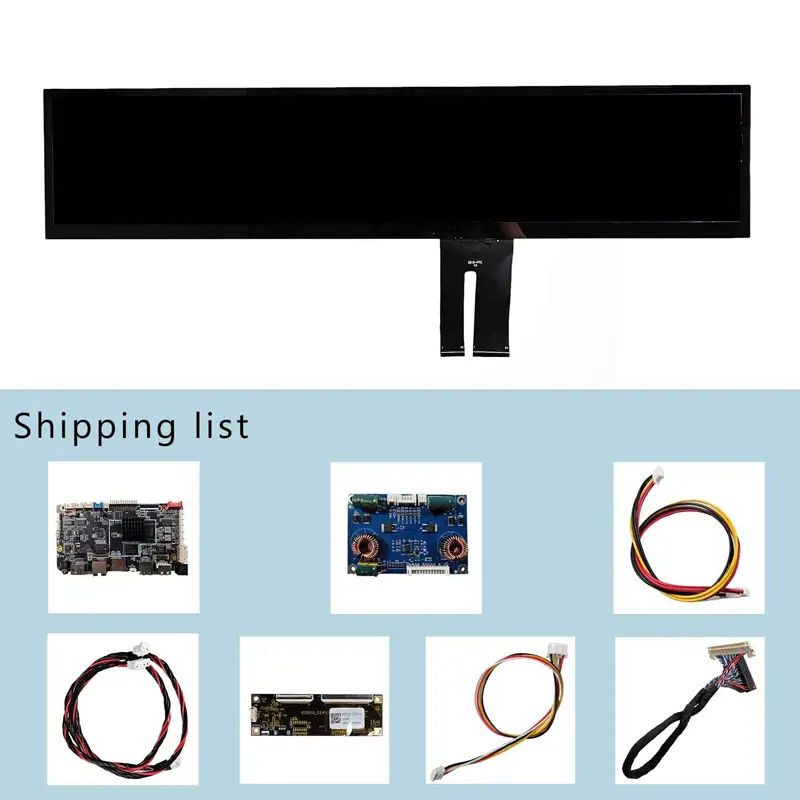
The exact board, power adapter, converter cable, LVDS cable and keypad package should be fixed with the ordered configuration because the accessory set differs between controller-board options.
Mechanical Fit for Smart Shelf Fixtures
Display Area and Screen Outline
The overall screen size is 612.7 × 132.1 × 10.2 mm, while the stated display area is 579.888 × 112.104 mm.
These measurements serve different purposes. The full outline affects cabinet clearance and fixture depth, while the display area influences the visible window and graphic alignment.
An approved production drawing should define the final bezel opening, touch-cover boundary, cable exits and mounting geometry before tooling is released.
The 612.7 × 132.1 × 10.2 mm outline and 579.888 × 112.104 mm display area are separate mechanical boundaries.
Recommended Commercial Applications
The Capacitive Touch Stretched Bar LCD Screen is most appropriate where both panoramic presentation and user interaction are required.
Interactive Retail Shelves
Smart shelves can combine promotional content with product selection, comparison prompts, category navigation or other interactive functions. The narrow height allows the screen to integrate into fixture fronts without creating the visual bulk of a standard desktop monitor.
Brand Fixtures and Product Displays
Brand counters, product islands and exhibition fixtures can use the long format as a visual element while reserving part of the 1920 × 360 canvas for touch controls.
Narrow Commercial Interfaces
Service counters and embedded commercial equipment can also use the stretched screen where enclosure height is limited but a wide interactive interface is desirable.
Application approval should still address the final lighting, touch-control electronics, enclosure, mounting and environmental requirements.
Customization and Integration Boundaries
Controller-board selection, LVDS cable definition, touch electronics, cover structure, enclosure design and cable routing can be handled as project-specific integration items.
Custom configurations are generally reviewed from 500 pieces, subject to tooling requirements, material availability and the requested specification. Sample and standard-kit quantities are confirmed separately.
For teams building interactive fixtures, the most useful customization discussion is usually not cosmetic. It is the combined definition of LCD signal path, touch path, controller hardware, mechanical opening and power architecture.
Procurement Checklist
Before approving a sample or production configuration, confirm:
- native 1920 × 360 timing and installed orientation
- complete 40-pin LVDS assignment and bit mapping
- signal levels and 3.3 V display-input requirement
- connector and cable orientation
- capacitive-touch controller and communication interface
- touch supply, reset and interrupt requirements
- required touch-point count and software support
- selected controller board and firmware
- controller-board 12 V DC power requirement where applicable
- exact kit accessories and cables
- 579.888 × 112.104 mm display-area drawing
- 612.7 × 132.1 × 10.2 mm overall fit
- touch-cover and bezel opening
- operating environment for the complete assembly
- WLED electrical requirements
- product net weight
- sample-validation criteria
- project quantity and annual demand
FAQ
About 24 Inch Capacitive Touch Stretched Bar LCD Screen
What must be checked before connecting a custom 40-pin LVDS controller?
Does the capacitive touch function use the same 40-pin LVDS connection?
Which controller-board option is appropriate for a simple media display versus an Android interface?
Is 300 cd/m² sufficient behind a retail fixture cover?
Which dimensions should control the fixture and front-window design?
Freya Yang
+86 18318948097