Freya Yang
+86 18318948097
+852 62667476
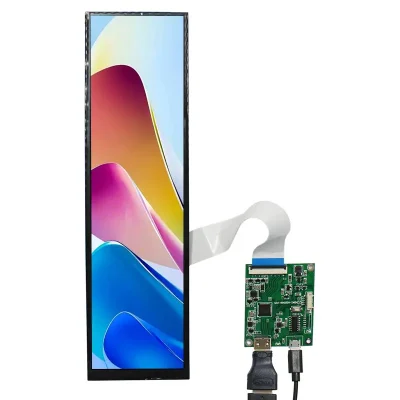
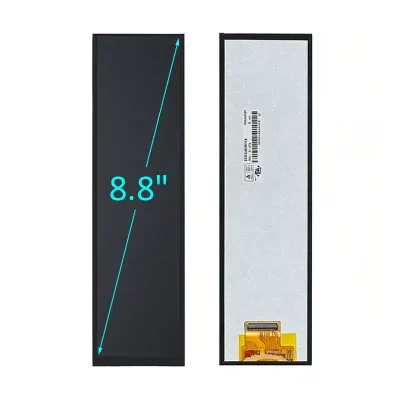
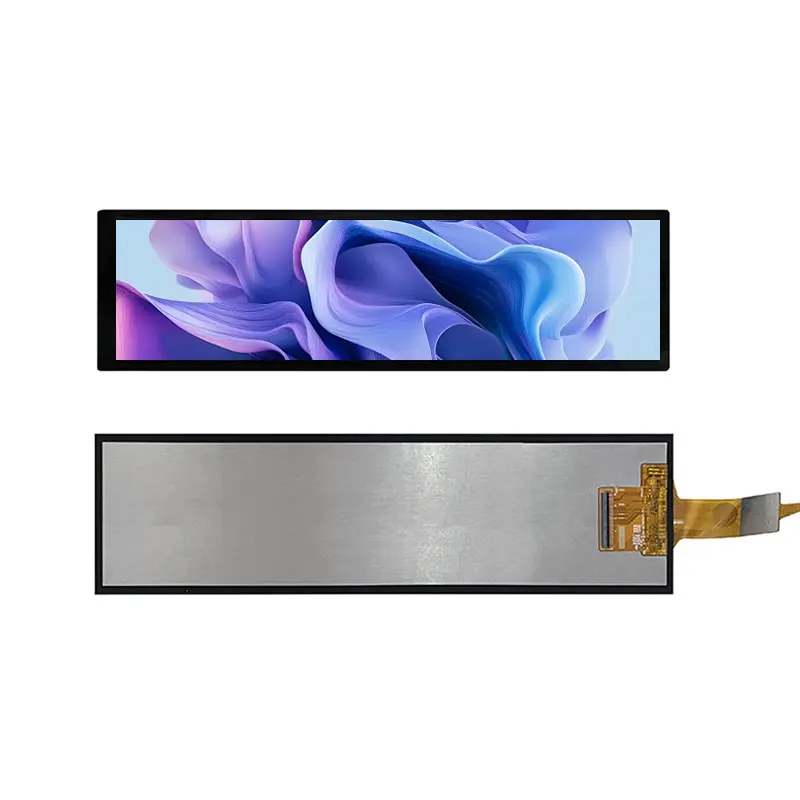
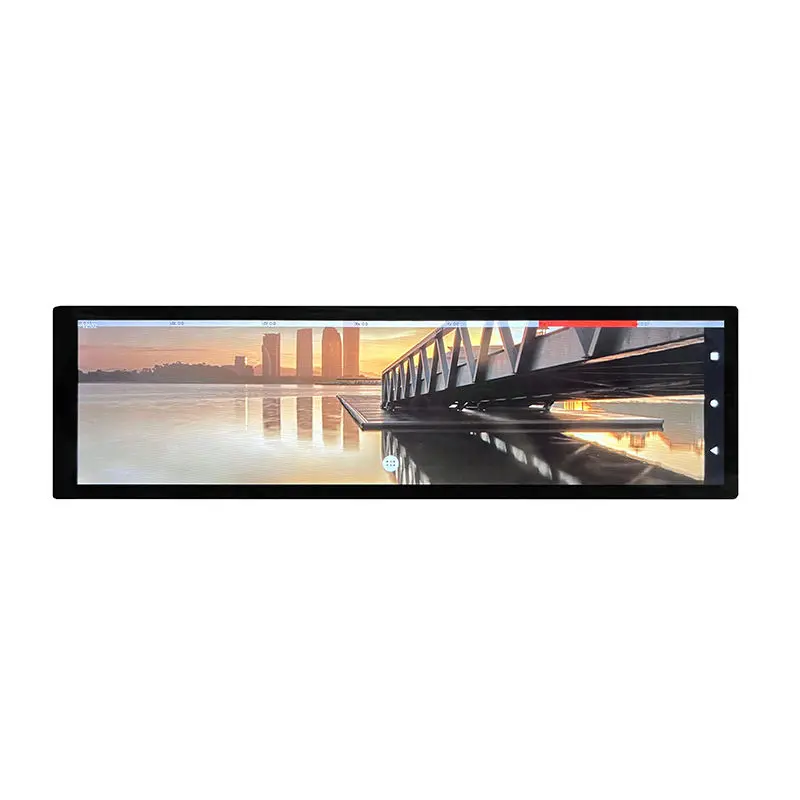
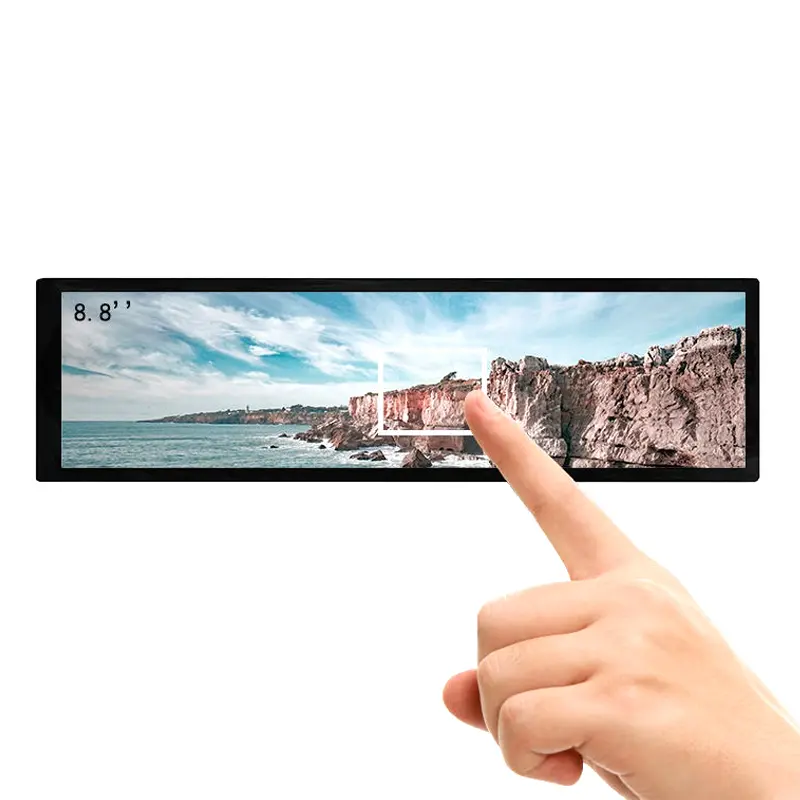
8.8 Inch Ultra Wide HDMI Touch Monitor for Embedded HMI
Model P/N
Size
Resolution
Brightness
Viewing Angle
Connector Type
Operating Temp
Overall(mm)
huisoar
HS088QWO1A-V1
Brand
Panel Size (inch)
Model P/N
Resolution
Brightness (nits)
Viewing Angle
Contrast Ratio
Response Time
Overall (mm)
Active Area (mm)
Refresh Rate
Display Colors
Panel Type
Connector Type
Operating Temp
Touchscreen Type
Storage Temp
Work Mode
Pixel Format
Input Voltage (V)
Touch Interface
Control Type
Protective Glass Specification
Operating Environment
Designed For
8.8 Inch Ultra Wide HDMI Touch Monitor for Embedded HMI
A 1920×480 IPS bar monitor with 600 cd/m² luminance, HDMI video input and separate USB-HID capacitive touch for compact embedded interfaces.
The Ultra Wide HDMI Touch Monitor gives system designers a narrow 4:1 screen for status information, timeline controls, instrument data and secondary user-interface functions. Its native 1920 × 480 resolution provides a long horizontal workspace within an 8.8-inch format, while the HDMI receiver board removes the need to drive a bare TFT panel directly.
Video, touch and power use separate connection paths. HDMI carries the display image, USB-HID carries touch input, and the assembly requires a 5 V micro-USB power connection. Each path should be qualified on the target host before production release.
Key Specifications at a Glance
| Parameter | Confirmed value |
|---|---|
| Screen size | 8.8 inch |
| Resolution | 1920 × 480 pixels |
| Aspect ratio | 4:1 |
| Panel | IPS TFT LCD |
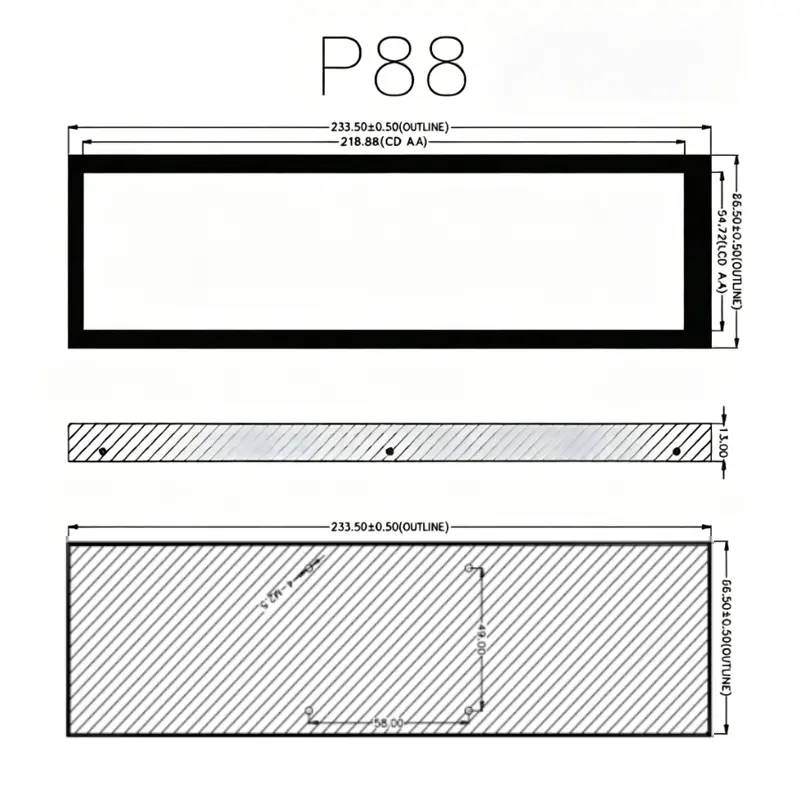
| Display area | 54.72 × 218.88 mm |
| Luminance | 600 cd/m² |
| Viewing angle | 170° full viewing angle listed |
| Contrast ratio | 800:1 |
| Response time | 30 ms typical, Tr + Tf |
| Refresh rate | 60 Hz |
| Colors | 16.7 million |
| Color gamut | 50% NTSC |
| Video input | Type-A HDMI 1.4 |
| Touch | Five-point capacitive touch |
| Touch interface | USB-HID through micro-USB |
| Power input | 5 V through micro-USB |
| Touch-version size | 66.5 × 233.5 × 15 mm listed |
| Operating temperature | −20°C to +75°C listed |
Production approval should follow the controlled mechanical drawing, electrical requirements, host test and qualified sample.
Ultra-Wide 1920×480 Interface Design
The monitor’s 1920 × 480 native format creates an elongated interface rather than a conventional desktop workspace.
Suitable content structures
The format works well for:
- Machine status strips
- Timeline controls
- Media transport controls
- Instrument readouts
- Multi-channel measurements
- Notification panels
- Process indicators
- Navigation information
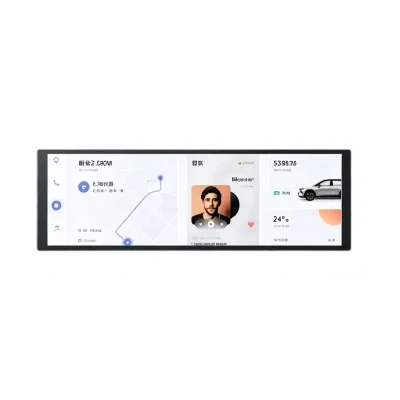
- Smart-home dashboards
- Secondary PC information displays
- Embedded control shortcuts
- Compact advertising or information bars
Content should be designed specifically for the 4:1 aspect ratio. Compressing a standard 16:9 desktop into the panel can produce small text, unused space or distorted UI elements.
Native-resolution planning
The host should output 1920 × 480 where possible. When the operating system does not expose the native mode automatically, the integrator may need to configure a custom display mode, review EDID behavior or use a compatible graphics controller.
A 1920×480 display mode must be validated on the actual host.
IPS Image Performance and 600 cd/m² Luminance
The IPS panel supports broad off-axis visibility and is listed with a 170° full-viewing-angle value.
Controlled-light use
The 600 cd/m² configuration provides stronger luminance than many ordinary indoor desktop displays. It can be evaluated for machine panels, dashboards, equipment consoles and installations near moderate ambient light.
The 600 cd/m² rating does not establish direct-sunlight readability.
Cover reflections, enclosure depth, dark front printing and operating temperature can affect perceived readability. Optical validation should therefore use the final installed product.
Contrast and response
The listed 800:1 contrast ratio supports text, status graphics and interface controls. The 30 ms typical response time is appropriate for ordinary HMI transitions and information display, but it should not be presented as a high-speed gaming or motion-critical specification.
HDMI Video Input Qualification
The integrated HDMI receiver makes the assembly easier to connect than a bare MIPI, LVDS or RGB TFT module.
HDMI carries video only
HDMI provides the image signal. It does not transmit the capacitive-touch coordinates.
HDMI alone does not enable touch input.
The host must connect the HDMI output to the monitor and establish a separate USB connection for touch operation.
Host output requirements
Check:
- Native 1920 × 480 support
- Custom-resolution capability
- HDMI output connector
- HDMI cable quality and length
- Refresh-rate support
- Scaling mode
- Rotation or orientation
- EDID detection
- Boot-screen behavior
- BIOS or pre-OS display behavior
- Application UI scaling
A host that only produces common 16:9 modes may require display-mode configuration or a compatible graphics path.
Ultra Wide HDMI Touch Monitor USB-HID Integration
The touch version uses capacitive sensing and is listed with five-point touch capability.
Separate USB-HID path
Touch data is routed through micro-USB as a USB-HID input device. The display image can operate while touch remains unavailable when the USB data path is missing or not recognized.
USB-HID describes the device class, but host compatibility still requires validation.
Confirm:
- USB-HID enumeration
- Operating-system support
- Touch coordinate range
- Five-point touch requirement
- Axis orientation
- Coordinate calibration
- USB cable data capability
- Power and data routing
- Wake and suspend behavior
- Application gesture support
A charge-only micro-USB cable cannot carry touch data.
Operating-system boundary
The product information lists use with PC, Windows, macOS, Linux and Raspberry Pi-class systems. Final compatibility depends on the host USB stack, graphics configuration, selected OS build and application.
No universal Android, Windows, Linux or macOS guarantee is made without project validation.
Power and Cable Planning
The assembly is listed for 5 V micro-USB input.
Power budget
Confirm the required current for:
- LCD backlight
- HDMI receiver board
- Touch controller
- USB interface
- Startup conditions
- Maximum brightness
The available information confirms 5 V input but does not confirm maximum current or total power. Use a stable regulated supply and validate voltage drop through the selected cable.
Cable routing
The installed product may require:
- One HDMI cable for video
- One micro-USB cable for power and touch
- Strain relief
- Connector access
- Cable bend clearance
- Service access
- EMI-aware cable routing
The enclosure should not place sustained side load on either connector.
Raspberry Pi and Embedded-PC Integration
The ultra-wide format can support Raspberry Pi dashboards, industrial-PC status displays and compact embedded interfaces when the host is correctly configured.
Raspberry Pi checks
For a Raspberry Pi project, confirm:
- HDMI output availability
- 1920 × 480 mode support
- Raspberry Pi OS display configuration
- USB-HID touch enumeration
- 5 V power capacity
- Boot orientation
- Application scaling
- Mounting clearance
- Cable routing
HDMI displays generally require a separate USB connection for touch input.
PC and industrial-computer checks
For Windows or Linux PCs, validate:
- Detection of the 1920 × 480 mode
- Extended-desktop versus mirrored mode
- Touch association with the correct display
- UI scaling
- Resume from sleep
- USB reconnect behavior
- Application launch position
- Multi-display coordinate mapping
When multiple monitors are installed, the operating system may need the touch device mapped to this specific display.
Mechanical Integration
The product family shows separate non-touch and touch mechanical depths.
Variant-dependent dimensions
The non-touch P88 version is listed at approximately 66.5 × 233.5 × 13 mm. The touch P88-T version is listed at approximately 66.5 × 233.5 × 15 mm.
Use the approved touch-version drawing for enclosure tooling.
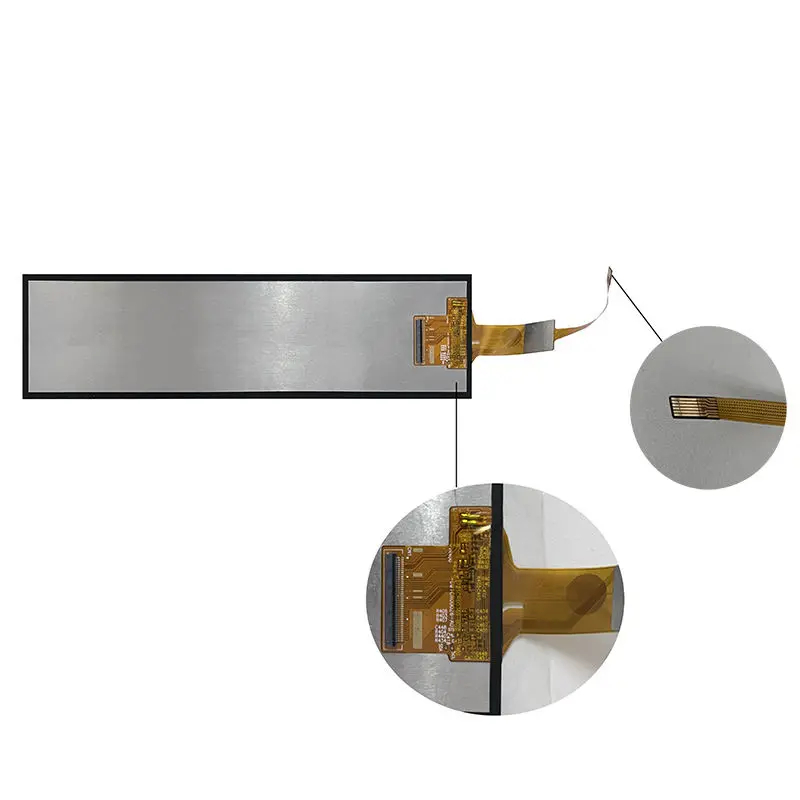
The active display area is 54.72 × 218.88 mm, which is smaller than the external monitor outline. The front opening should account for:
- Visible display area
- Black border
- Touch cover
- Mechanical tolerances
- Connector position
- Rear controller board
- Mounting-hole locations
Rear mounting
Four rear 2.5 mm mounting holes are listed. Check:
- Hole spacing
- Screw length
- Thread or clearance type
- PCB clearance
- Bracket thickness
- Cable access
- Service removal path
- Structural support
Do not infer that the holes directly match every Raspberry Pi board revision or third-party bracket.
Recommended Applications
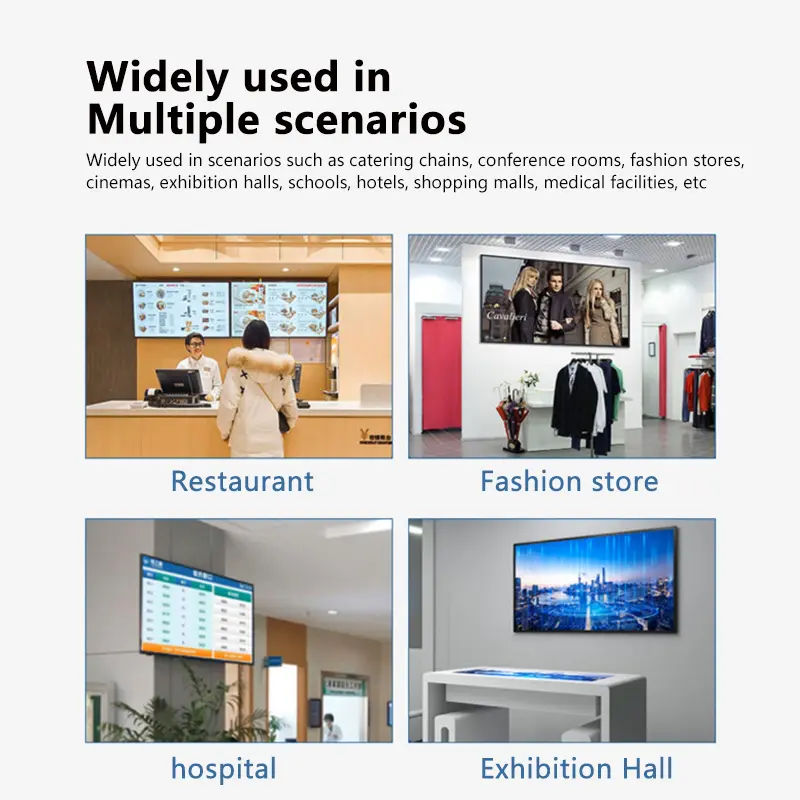
The monitor can be evaluated for:
- Embedded HMI control strips
- Industrial-PC secondary displays
- Raspberry Pi dashboards
- Instrumentation interfaces
- Machine status panels
- Smart-home control bars
- Audio or media-control panels
- Equipment information displays
- Compact POS operator interfaces
- Indoor digital signage
- Server or workstation monitoring panels
- Custom IoT interfaces
Applications should be qualified for lighting, temperature, USB behavior, power, mounting and software requirements.
It should not be promoted as waterproof, automotive certified, medical certified or outdoor rated without separate evidence.
Customization and Engineering Support
Project evaluation can include:
- Touch or non-touch variant selection
- Front cover treatment
- Mounting-hole review
- Enclosure adaptation
- HDMI receiver-board integration
- USB-HID firmware review
- Cable selection
- Branding
- Brightness target
- Mechanical bracket
- Host-specific resolution testing
- Power-supply review
- Packaging
Custom configurations are generally reviewed from 1,000 pieces, subject to tooling, material availability and the requested specification. Samples and standard quantities are confirmed separately.
Procurement Checklist
Before approving the monitor, confirm:
- Required 1920 × 480 host output
- HDMI source type
- Custom-resolution support
- EDID behavior
- Refresh-rate requirement
- Scaling method
- Extended or mirrored desktop mode
- HDMI cable type and length
- USB-HID enumeration
- Touch-point requirement
- Touch coordinate orientation
- Operating-system version
- USB driver or class support
- Micro-USB cable with data conductors
- 5 V supply capacity
- Maximum current requirement
- Startup and full-brightness voltage stability
- Display active area: 54.72 × 218.88 mm
- Touch-version outline: approximately 66.5 × 233.5 × 15 mm
- Rear mounting-hole drawing
- Connector-access clearance
- HDMI cable bend clearance
- Micro-USB cable bend clearance
- 600 cd/m² ambient-light fit
- Viewing-angle requirement
- −20°C to +75°C operating-range requirement
- Touch/non-touch variant
- Sample quantity
- Annual demand
- Production schedule
FAQ
About Ultra Wide HDMI Touch Monitor
What connections are required for video, touch and power?
Can HDMI alone operate the touchscreen?
What must be checked before connecting the monitor to a Raspberry Pi?
How should software be configured for the 4:1 resolution?
Is 600 cd/m² enough for installation near a window?
Which product thickness should be used for enclosure tooling?
Freya Yang
+86 18318948097