
~
~
~
~
~
~
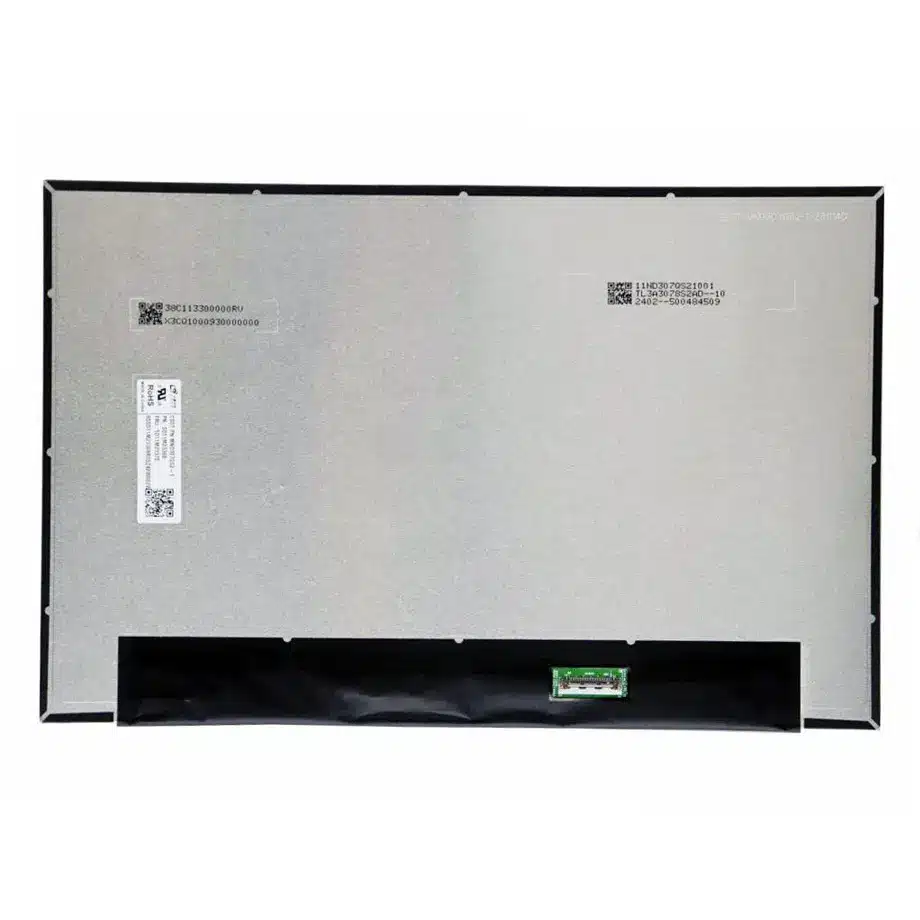
MND307ZA1-1 LTPS PSR2 FreeSync Laptop LCM CSOT
Model P/N
Size
Resolution
Brightness
Viewing Angle
Connector Type
Operating Temp
Overall(mm)
csot
MND307ZA1-1
Brand
Panel Size (inch)
Model P/N
Resolution
Brightness (nits)
Viewing Angle
Contrast Ratio
Response Time
Overall (mm)
Active Area (mm)
Refresh Rate
Display Colors
Panel Type
Connector Type
Surface Treatment
Operating Temp
Touchscreen Type
Storage Temp
Work Mode
Pixel Format
Input Voltage (V)
Vibration Resistance
Designed For
Product Details
Product Overview
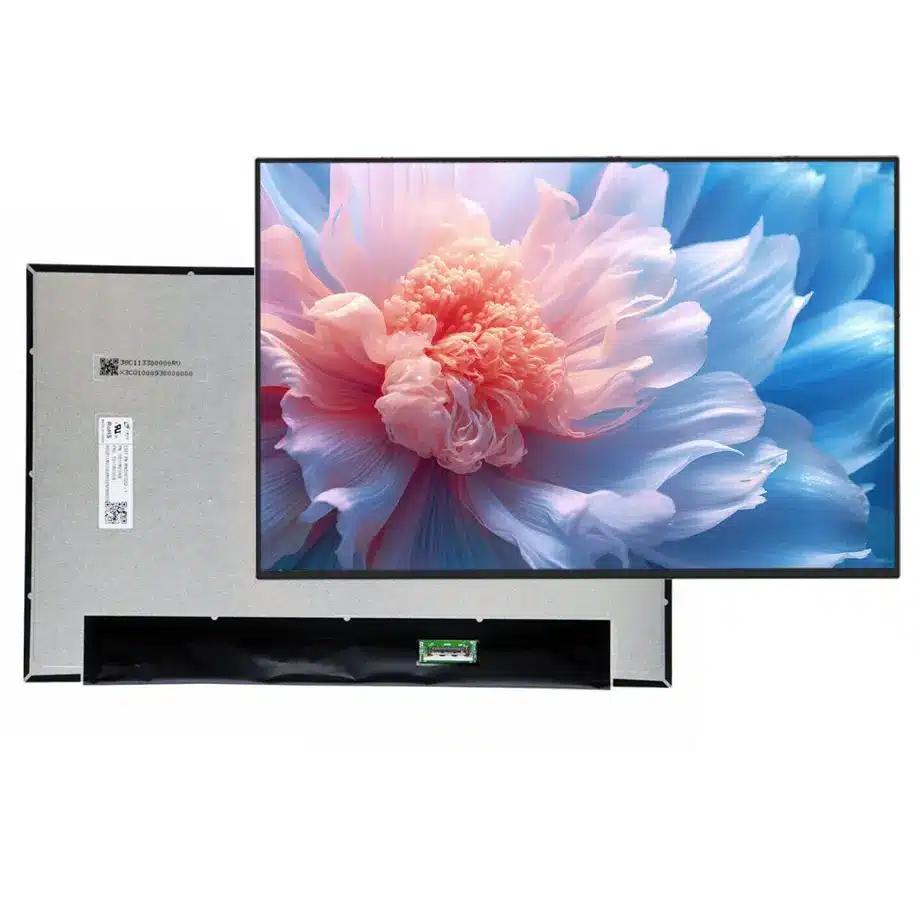
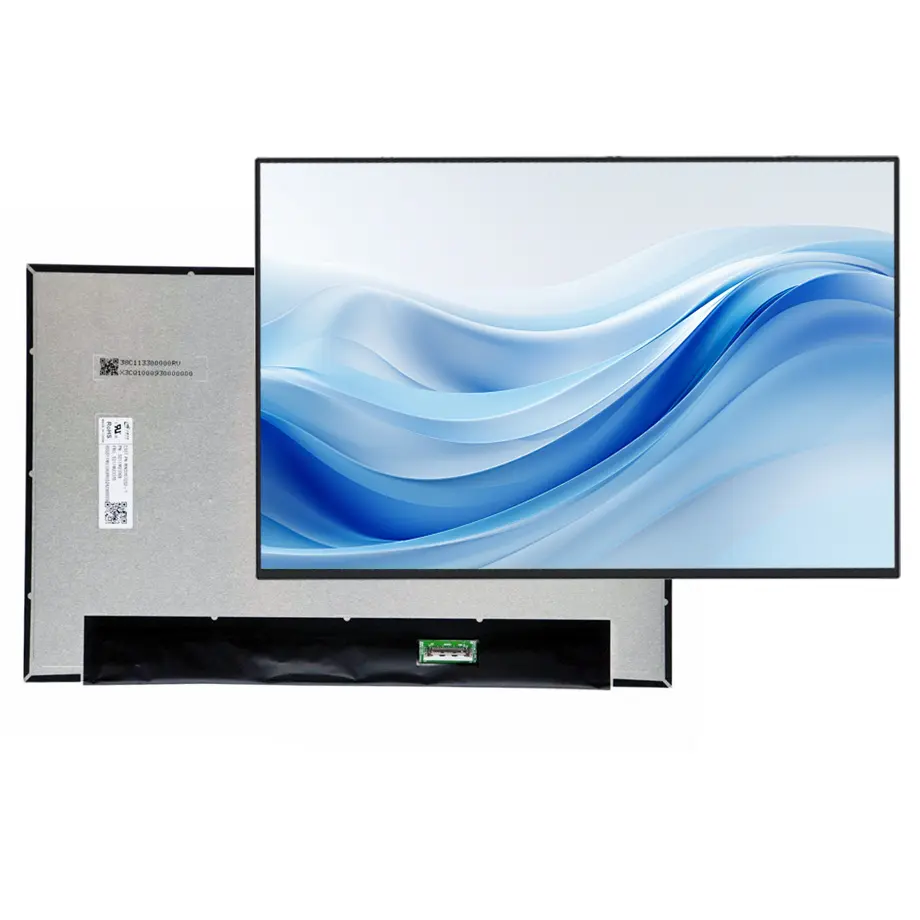
MND307ZA1-1 LTPS PSR2 FreeSync Laptop LCM is a 13.3-inch CSOT LTPS TFT-LCD module for notebook integration. The exact user row defines 1920(RGB)×1200 WUXGA resolution in a 16:10 format, a 286.042 × 178.776 mm active area and a 291.74 × 189.53 × 3.8 mm module outline. Maximum weight is 185 g. The slim design uses a bent PCBA with a T≤3.5 mm subassembly reference.
The panel is specified at 400 cd/m² typical luminance, 1200:1 typical contrast and 89/89/89/89 typical viewing at CR≥10. It supports 16.7M colors and Low Blue Light in the user-supplied facts. The display mode is FFS, normally black and transmissive, with 30 ms typical Tr+Td response. Base refresh is 60 Hz and the same exact model is listed with AMD FreeSync, PSR2 and sRGB feature context.
The interface is two-lane eDP 1.4 at HBR1 2.7 Gbit/s per lane through a 30-pin 0.5 mm connector with a 3.3 V typical rail. A 9S5P WLED backlight, integrated LED driver and 15,000-hour light-source reference are included. The exact-model listing identifies product code CSO131A and laptop use. TCL CSOT's official notebook-display page provides manufacturer context for mobile display technologies including high image quality and integrated notebook solutions.
Three Core Buyer Value Propositions
1. LTPS and a 3.8 mm module package suit compact premium notebooks
The exact module combines LTPS TFT-LCD technology with a light 185 g maximum mass and thin 3.8 mm overall depth. That is useful for ultraportable or compact productivity notebooks where lid thickness, balance and cable routing matter. Mechanical fit still depends on the full drawing, bent-PCBA location and connector position, not merely the active area or diagonal.
2. 400 cd/m² and WUXGA 16:10 support mobile productivity
The 1920×1200 format adds vertical workspace compared with 16:9 FHD while keeping GPU load moderate. A 400-nit luminance target gives useful indoor and travel headroom. Together these facts support business notebooks, mobile productivity systems and general creator-oriented laptops, while remaining below the evidence threshold for sunlight-readable or rugged classification.
3. PSR2 and FreeSync context broaden platform-level power and timing options
Same-model data lists PSR2 and AMD FreeSync in addition to the fixed 60 Hz base rate. PSR2 can help reduce link activity in suitable static-content states, while FreeSync-related timing can be evaluated on compatible graphics platforms. Neither feature guarantees a battery-runtime gain or a specific VRR range without complete notebook measurements.
Key Specifications at a Glance
| Parameter | Confirmed value |
|---|---|
| Manufacturer / model | CSOT MND307ZA1-1 / CSO131A |
| Display size | 13.3 inch |
| Panel type | LTPS TFT-LCD, LCM |
| Resolution | 1920(RGB)×1200, WUXGA, 16:10 |
| Active area | 286.042 × 178.776 mm |
| Outline | 291.74 × 189.53 × 3.8 mm |
| Weight | 185 g maximum |
| Brightness | 400 cd/m² typical |
| Contrast | 1200:1 typical |
| Viewing | 89/89/89/89 typical at CR≥10 |
| Color | 16.7M, Low Blue Light |
| Response | 30 ms typical Tr+Td |
| Refresh | 60 Hz; AMD FreeSync listed |
| Interface | eDP 1.4, 2 lanes, HBR1, 30-pin connector |
| Supply | 3.3 V typical |
| Backlight | 9S5P WLED, 15K hours, integrated LED driver |
| Touch | Without touch screen |
| Operating / storage | 0 to 50 °C / -20 to 60 °C |
How Should PSR2 Be Qualified on a 60 Hz Notebook Panel?
PSR2 is a platform feature that depends on the GPU, firmware, operating system and panel working together. MND307ZA1-1 LTPS PSR2 FreeSync Laptop LCM should first be validated in normal fixed 60 Hz operation. After the base eDP path is stable, test static documents, browser content, scrolling, cursor movement and video to confirm clean entry and exit from self-refresh states.
Battery savings should be measured at system level and at controlled brightness. CPU, GPU, wireless and backlight power can dominate the total notebook budget. The safe claim is that the exact model lists PSR2 capability; a specific percentage improvement requires measurement on the final notebook.
Watch for update artifacts
During PSR2 testing, inspect for stale image regions, flicker, missed cursor updates or delayed redraws. Repeat sleep/wake and lid-close cycles because power-state transitions can expose firmware issues not visible during steady operation.
How Should FreeSync Be Positioned?
AMD FreeSync appears in same-model feature data, while the user-supplied refresh field is 60 Hz. That means adaptive timing can be evaluated without reclassifying the panel as high refresh. The exact variable-refresh operating range is not established in the current packet and should remain unstated.
For a notebook that exposes FreeSync, validate frame-rate transitions, video playback, desktop use and battery/AC power modes. Any finished-device FreeSync certification or branding should follow the relevant platform requirements rather than relying solely on the panel feature listing.
What Must Match on the 30-Pin eDP 1.4 Interface?
The exact module uses two HBR1 eDP lanes through a 30-pin 0.5 mm connector. Verify the CSOT pin map, AUX channel, grounds, connector orientation, panel enable and 3.3 V sequencing. A different 13.3-inch WUXGA panel can share the 30-pin format while using another mapping or rear-PCBA position.
Bring up native 1920×1200 with the production mainboard and cable. Test BIOS display, operating-system initialization, restart and sleep/wake. Keep the approved cable and firmware in the bill of materials because a later cable or BIOS change can alter link stability even when the panel remains unchanged.
How Should 400 cd/m² and Low Blue Light Be Described?
The exact user row provides 400 cd/m² typical luminance and Low Blue Light. Four hundred nits is a practical brightness class for mobile productivity and bright indoor environments, but it does not establish direct-sun readability. Low Blue Light should be treated as a display characteristic, not a medical or eye-health claim unless a defined certification is documented.
If color performance matters, request the current exact-model color-gamut documentation. The reference source mentions sRGB at a feature level, while the user's established storage color field is 16.7M plus Low Blue Light. Public copy can acknowledge sRGB context without silently replacing the locked field with an unverified percentage.
Why Do Bent-PCBA Mechanics Matter?
The complete module depth is 3.8 mm, and the source separately describes a bent-PCBA subassembly with T≤3.5 mm. Those are related but not identical measurements. Use the mechanical drawing for rear-board keep-outs, connector position, cable fold and bezel support. Thin notebook lids are sensitive to even small differences in PCBA placement.
After installation, cycle the hinge and inspect cable strain. Check the image for pressure-related mura after the bezel and back cover are tightened. A panel can pass open-bench electrical testing and still create mechanical interference in the final lid.
Where Does MND307ZA1-1 Fit Best?
The supplied application is Laptop. MND307ZA1-1 LTPS PSR2 FreeSync Laptop LCM fits 13.3-inch WUXGA business notebooks, compact productivity systems and mobile PCs that value 400-nit-class luminance, a thin LTPS module and a modern eDP 1.4 path. PSR2 and FreeSync context add flexibility for power-aware and adaptive-timing implementations.
The panel is non-touch and operates from 0 to 50 °C, so it should remain in the TFT LCD notebook category rather than being classified as touch, industrial wide temperature or outdoor high brightness. Same-model application enrichment should not imply exact fit for a named notebook unless the mechanical and electrical configuration is validated.
How Should First-Article Approval Be Structured?
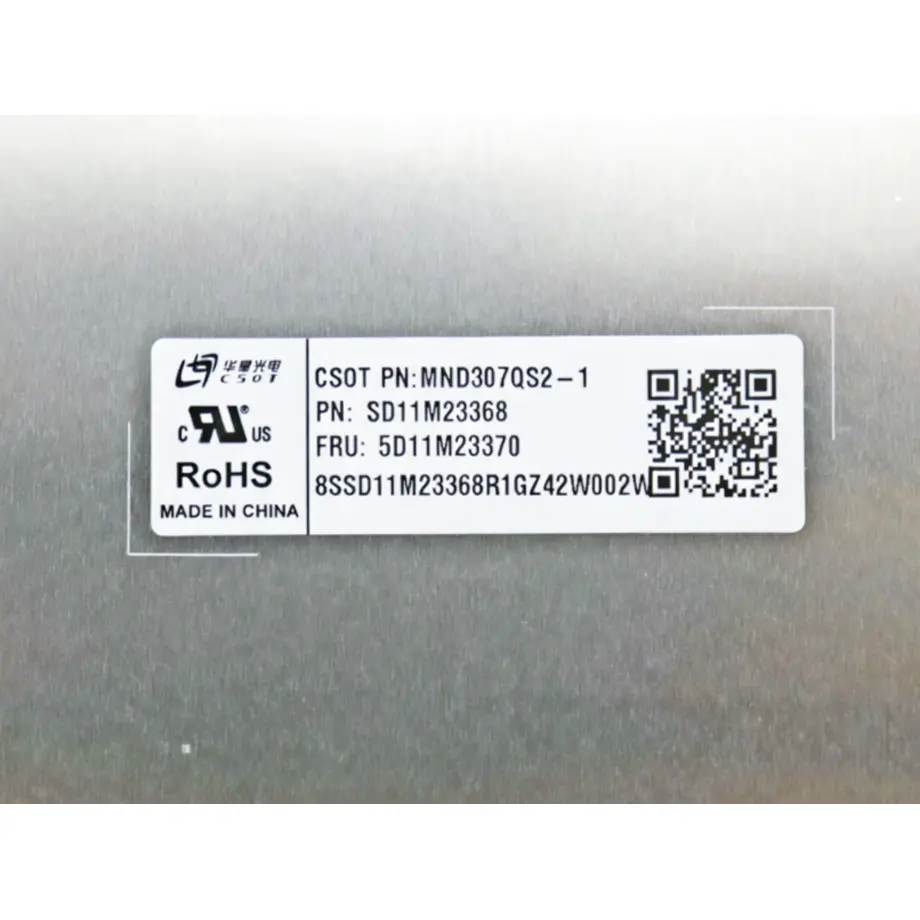
Record the MND307ZA1-1 / CSO131A label, production 30-pin cable, mainboard and BIOS. Bring the panel up at native WUXGA and fixed 60 Hz, then test brightness control, restart and sleep/wake. Once stable, add PSR2 and FreeSync-related checks if the notebook intends to use those features.
Install the sample in the final lid and confirm the 291.74 × 189.53 × 3.8 mm envelope, active-area alignment and cable path. Measure luminance and visible uniformity after warm-up. Keep the first article and firmware baseline for incoming-lot comparison.
How Should Incoming Lots Be Controlled?
Incoming inspection should verify the exact CSOT model label, 30-pin connector, slim bent-PCBA geometry and surface condition. New lots should be sampled at native WUXGA with the approved notebook cable. If a supplier proposes another MND307 family suffix, hold it for separate interface, optical and mechanical review.
Public production and stock references are time-sensitive. Use them for sourcing context, not as lifecycle guarantees. Long notebook programs should confirm current production status and change-notification expectations with CSOT or an authorized distributor.
For procurement programs that span multiple notebook revisions, keep the CSO131A code and current CSOT drawing with the approved BOM. A cable or lid redesign may appear minor yet change connector strain, panel power timing or mechanical pressure. Re-run only the dependent checks when a controlled change occurs, but do not waive the identity, WUXGA timing or eDP validation simply because the replacement remains within the same 13.3-inch product family.
Procurement Checklist
- Confirm MND307ZA1-1 / CSO131A identity and revision.
- Match the 291.74 × 189.53 × 3.8 mm outline and 185 g maximum mass.
- Verify two-lane HBR1 eDP 1.4 and the exact 30-pin mapping.
- Use 400 cd/m² and 1200:1 contrast as optical acceptance points.
- Keep the supplied 16.7M + Low Blue Light color wording traceable.
- Qualify PSR2 and any FreeSync behavior with production firmware.
- Check bent-PCBA clearance in the final notebook lid.
- Confirm lifecycle and revision-control information before volume sourcing.
MND307ZA1-1 LTPS PSR2 FreeSync Laptop LCM is a thin LTPS WUXGA notebook module that combines 400-nit-class brightness, a two-lane eDP 1.4 path and same-model PSR2 / FreeSync context. Its production value depends on validating the exact mechanical, firmware and power-management behavior as one notebook subsystem.
Recommended: Same Size
(13.3")
Applications & Value of LCD Panel

- Fast sourcing with in-stock panels & cross-reference alternatives
- Stable supply chain with long-term availability
- Engineering-level support from panel to integration
- Custom solutions: cable, touch & optical bonding
- Strict quality control with IQC / OQC / aging test
- Full traceability system for quality assurance
- Complete technical documentation & drawings
- Compliance support: RoHS & certification files
